
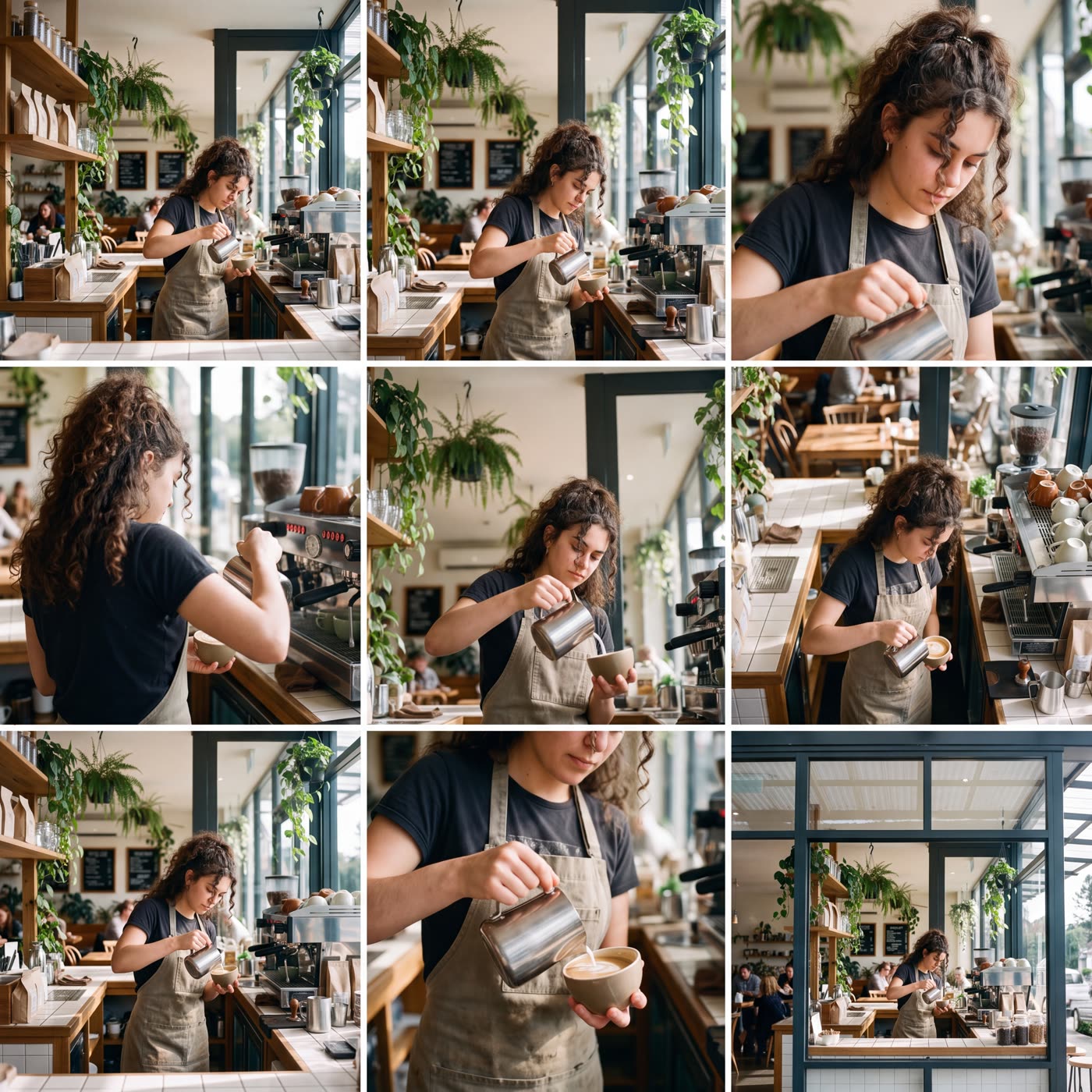
How does the AI storyboard generator work?
- Add a picture. Any photo or picture of a scene, as a file or a link.
- Add your touch. Optional: a short note such as moody evening light.
- Press the button. The app shows the price first, then makes one square sheet with nine shots in a 3 by 3 grid.
Which nine shots do I get?
Each cell is a different camera view of the same scene: wide, medium, close-up, over the shoulder, low angle, high angle, profile, detail and establishing. The sheet is square and made at high resolution, so each shot is clear.
What is a storyboard sheet good for?
- Planning a video before you film or generate it.
- Showing a client or a team how a scene could be shot.
- Picking the angle you like best for an ad.
Tips for a good result
Start with a picture that shows a clear scene, with a person or an object in it. A busy scene with a lot of detail gives the camera more to choose from. If you want a certain look, say it in a few words.
You can run it again with a new picture or a new note to see the same idea from a different mood.
Can I do this from ChatGPT or Claude?
Yes. Connect the Hermoso MCP and ask your assistant for a storyboard from your picture. It tells you the price first, then runs it and hands back the file.
Related
Frequently asked questions
Is the AI storyboard generator free?
Hermoso has a free plan with no card, and new accounts can claim free credits. The app shows the exact price before anything runs.
Do I need an account?
Yes, a free Hermoso account. You can fill the box on this page first and sign up when the app opens.
Do I describe the story in words?
No. You start from a picture. A short note is optional.
How many shots do I get?
Nine, in a 3 by 3 grid on one square sheet.
Can I turn the shots into a video?
The result is a picture sheet. Use it as a plan, then make the video with Hermoso's video tools.
Can I use my own photo?
Yes. Any photo or picture works, as a file or a link.
Start free, no card needed. The app shows the exact price before anything runs.
Start free → See pricing