Turn your website into ads
Paste your website or a product page. Ads Studio opens with it, ready to pick products, how many ads and which sizes. Want video? Ask for it in the Studio.
Opens in the Hermoso app with this filled in. Nothing runs until you press Generate, and the app shows the exact price first. Rather ask your AI? Add Hermoso to Claude or ChatGPT and say what you want.
Hermoso is an AI ad generator. Paste your website or a product page and it makes finished ads from it: image ads in square, feed and story sizes, UGC-style videos with a person talking about your product, product films, and native formats that look like a phone screenshot. Each one uses your real product photo and your real logo, so what comes back is an ad you can post or run, not a pretty picture you still have to fix in another app.
It is also the rest of the job. The same account looks up the ads already working in your market before it writes anything, publishes what it made to 11 social channels, and builds the campaign on 12 ad platforms with the budget paused until you say go. Use the part you need. Plenty of people only ever use the generator.
Examples of AI-generated ads made in Hermoso
Every example below was made in Hermoso, most of them for demo brands we use to test it.
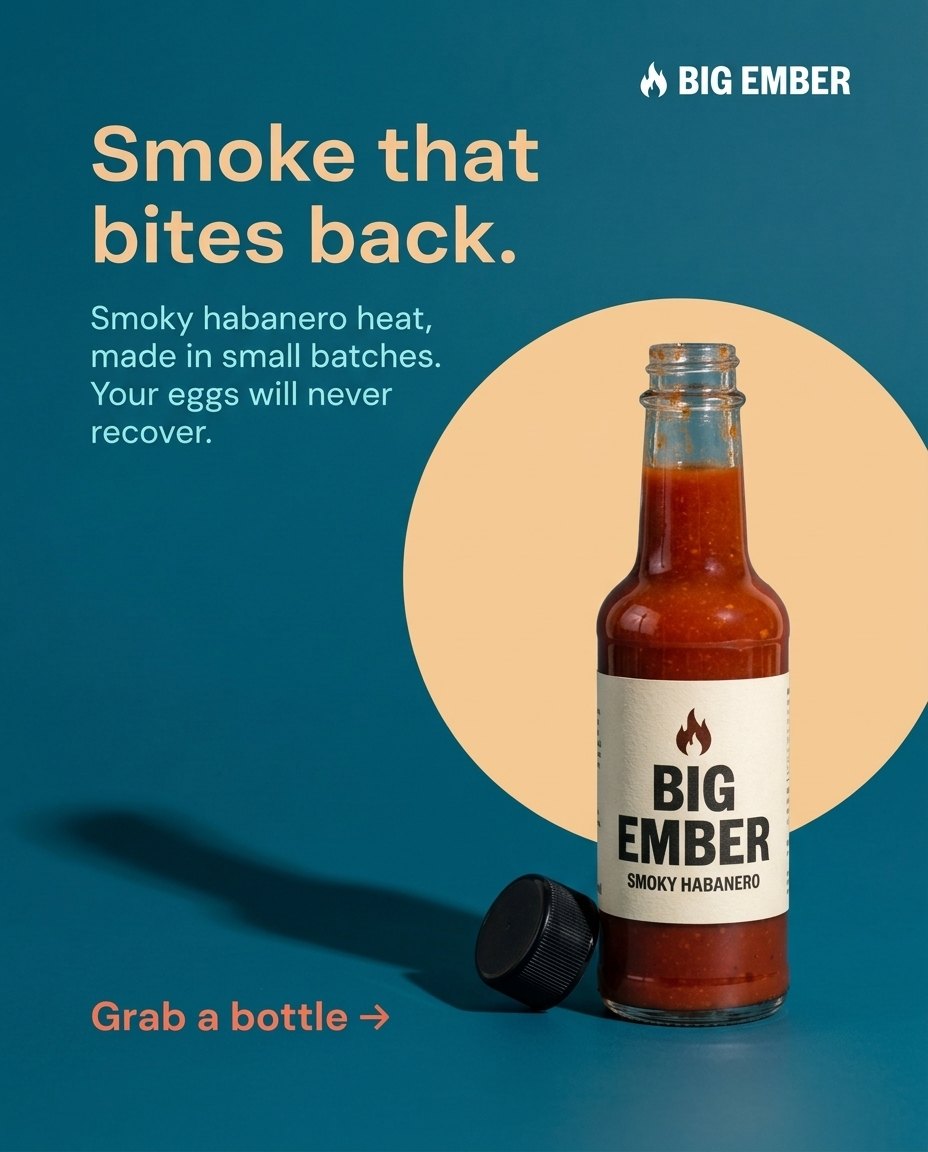
Image ads: one ad, then the versions you test
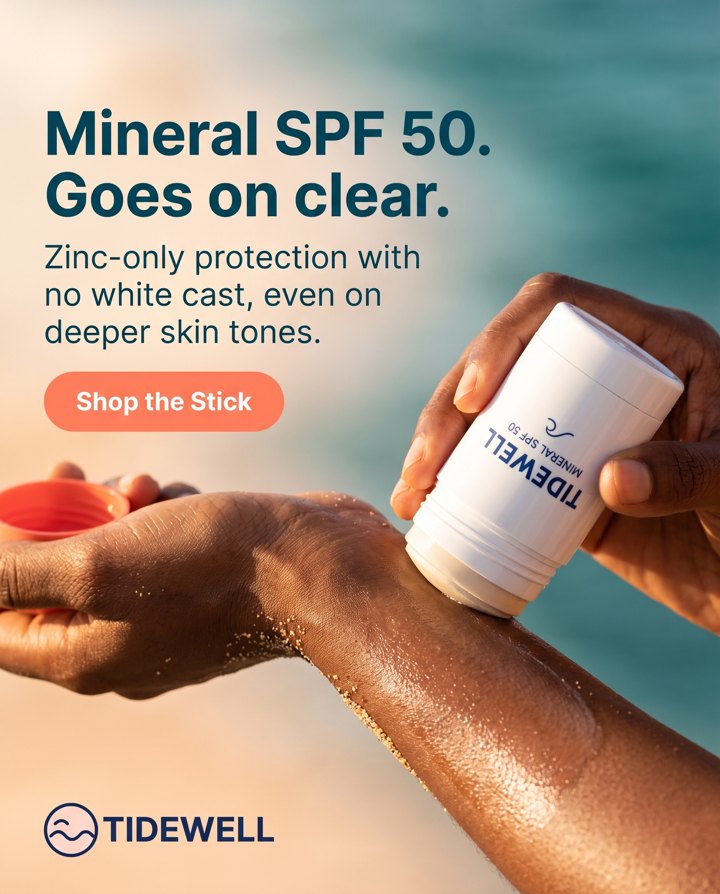
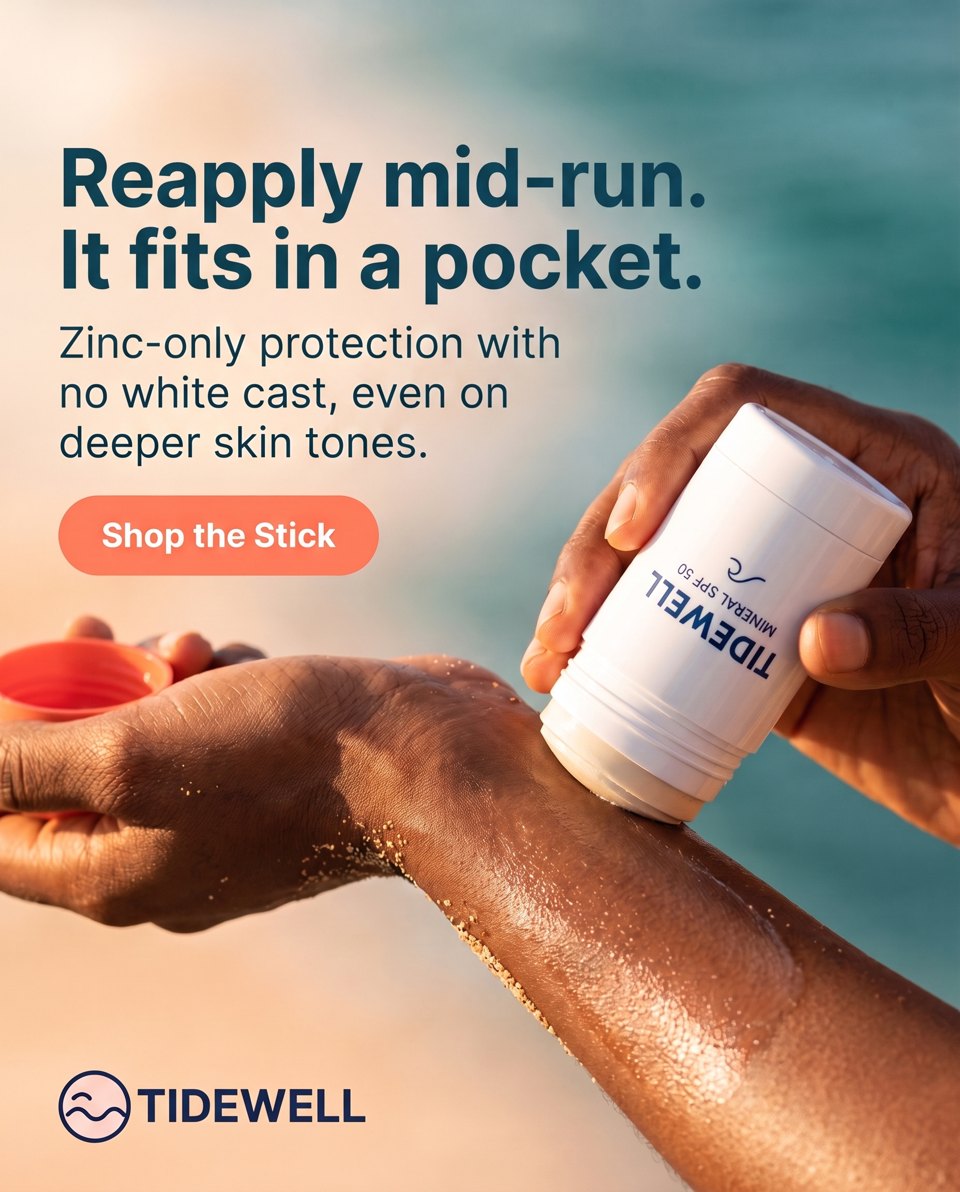
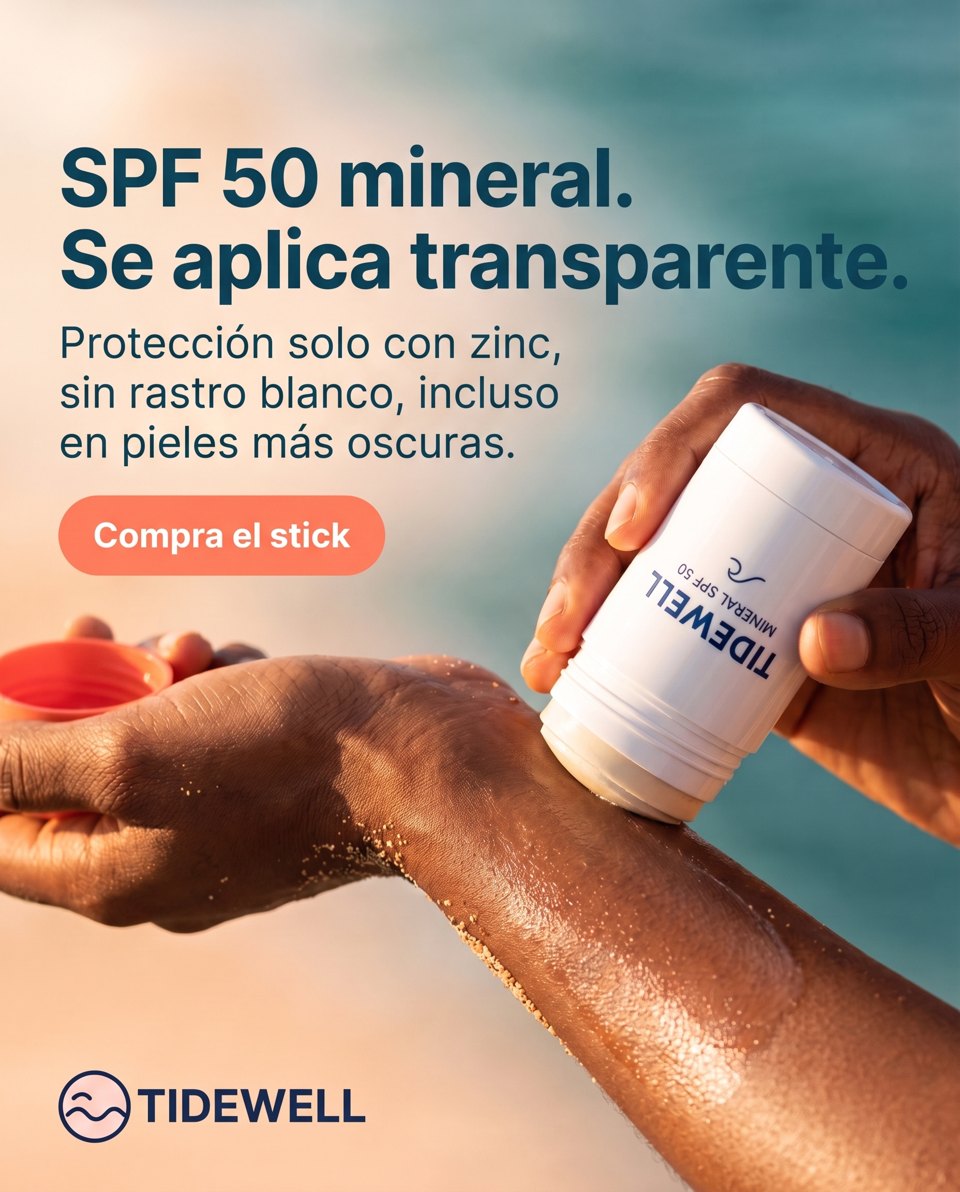
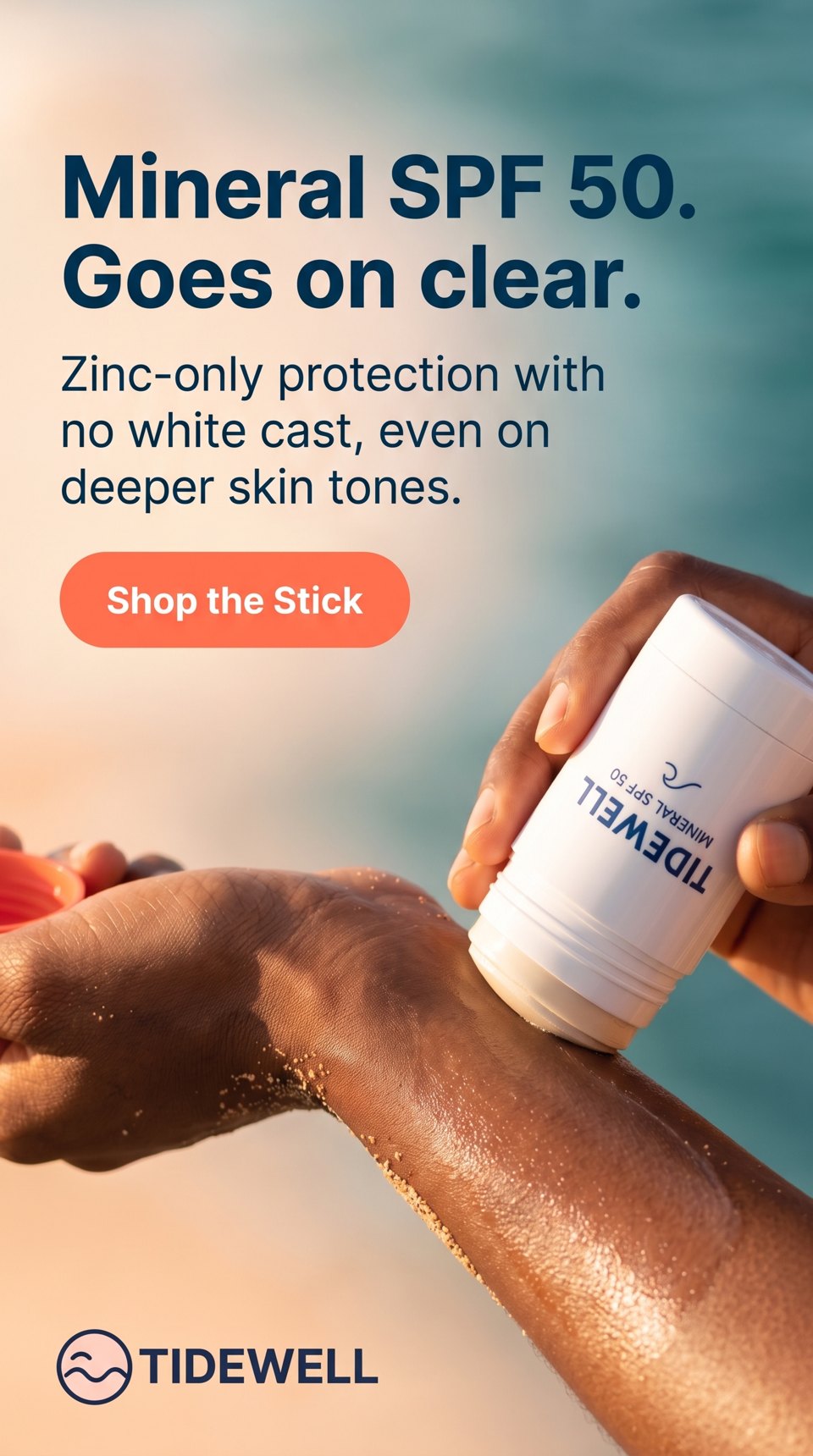
The first card is the original ad for a sunscreen stick. The next three are what you get when you ask for a new headline, a Spanish version and a story size. Same photo, same logo, text set by the app so it stays sharp.
Product photos and a cloned layout
Start from one plain product shot and get scenes to build ads on. Or show Hermoso an image ad you like and it rebuilds the layout around a different product.
Video ads
How to make an ad with AI in Hermoso
- Paste your website. Hermoso reads it and builds a brand profile: your products and their photos, logo, colours, prices and the way you talk. You can edit any of it.
- Let it look at what already works. It pulls the ads running in your category from the Meta, Google and LinkedIn ad libraries, longest-running first, because an ad a brand has paid to keep live for months is the closest thing to proof that exists in public. You can skip this and just describe the ad.
- Say what you want. "Four static ads for the bestseller, feed and story sizes." "A 15-second UGC ad, a nurse who works nights." Or pick a format and let it plan the hook, the script and the shots.
- Check the plan and the price. The app shows the plan and the exact price before anything renders. Change the angle, the person or the length first if you want.
- Generate, then use it. The ad lands in your Library. Download it, make more versions, post it now, put it on the schedule, or build a campaign around it.
What kinds of ads can it make?
One generator, and a page for each job if you want the detail:
- Static image ads in batches. Pick products, how many ads each and the sizes, and Ads Studio makes them in different layouts so you are testing ideas, not twenty copies of one. One at a time works too: AI image ad generator.
- UGC video ads. A person who looks like a customer holds your product and says your script. See the AI UGC ad generator.
- Video ads without a person. Product films, demos and the fake out-of-home trick, on the AI video ad maker and the faceless video ad maker.
- A presenter who reads your script. Talking avatar ads on the AI avatar ad generator.
- Copies of ads you admire. Paste a TikTok, Reel, YouTube or Facebook link and clone the video ad for your product, with your own words and face.
- Product photos and ad copy. Scenes from one product shot on the AI product photo generator, and hooks taken from what real customers say on the AI ad copy generator.
- Ads sized for one platform. Facebook, Instagram and TikTok each have their own page with the sizes and safe zones that platform wants.
Why most AI ads look generic, and what Hermoso does about it
Most AI-generated ads give themselves away in the first second. The product is a lookalike with a melted label. The text is misspelled. Every ad in the batch has the same layout. The person talking is a little too shiny and their voice was added afterwards. These are the four things we spent the most time on.
- Your actual product. Every render starts from your own product photo and is checked against it, so the bottle, label and colour stay yours.
- Real text and a real logo. Headlines, prices and buttons are set by the app, not painted by an image model, so they are spelled right. Your logo is your file, placed where it does not cover the product or a face.
- Different ideas, not one idea twenty times. A batch spreads across layouts like a poster headline, the product in hand, a split comparison or a flat lay, and neighbours never repeat.
- People who look filmed, not rendered. UGC renders are steered toward phone-camera light and real skin, and when someone speaks on camera the voice and mouth come from the same take.
Hermoso picks the model for each job from a catalog of more than a hundred current image, video, voice and writing models, so you never have to learn which one is good at hands this month. If you do care, you can pick the model yourself.
Why choose Hermoso over other AI ad generators
There are good tools in this category, and some are better at a single thing. A design editor gives you more pixel control. A dedicated avatar app has more stock presenters. Here is where Hermoso is different, so you can decide whether it matters to you:
- It starts from evidence. Most generators start from a blank prompt or a template. Hermoso can start from the ads your competitors keep paying to run, and tell you which angles nobody in your category is using yet.
- It does not stop at the download. Most AI ad tools hand you a file. Hermoso can also post it to Instagram, TikTok, YouTube and the rest, and build the paid campaign on Meta, Google, TikTok and nine other ad platforms. Campaigns are created paused and nothing spends until you confirm.
- It works inside the AI you already use. Add Hermoso to Claude, ChatGPT, Cursor or Codex and ask for the ad in a sentence. Same account, same brand, same Library as the web studio.
- You pay for renders, not seats. Posting, scheduling, ads management and analytics are free on every plan. Credits go to AI generation and ad research, and the app shows the price before each render.
Comparing specific tools? We keep honest side-by-sides of the main AI ad generators, plus pages on AdCreative.ai, Arcads and Creatify.
Is there a free AI ad generator?
Hermoso is free to start: no card, and new accounts can earn 250+ free credits to try it on their own product. You do need an account to render, because every render runs on real compute and the app shows its price before it starts. If you just want to check an ad you already have, the free tools need no sign-up at all, including an ad safe zone checker and an ad copy length checker.
Who uses an AI ad generator like this?
Online stores use it to test more hooks than they could ever shoot, with the real product in every ad (see ecommerce and Shopify). Apps and SaaS use UGC-style video to put a human face on a product with nothing to hold (app ads, SaaS ads). Local businesses use it because they have no designer and no time (small business ads). Agencies keep a separate brand workspace per client and show concepts the same day (for agencies).
Things people ask it for
- “Make three image ads for our oat milk, feed and story sizes, one about taste and two about price.”
- “Find the longest-running ads from our top two competitors and make a better version of the best one.”
- “A 20-second UGC ad for the running shoes, a guy in his 40s training for his first marathon.”
- “Clone this TikTok for our candle brand: [link].”
- “Give me the winning ad in Spanish and German, and schedule all three for Friday morning.”
Hermoso is an AI marketing agent with the ad generator at its core, so each of these can end with the ad posted or a campaign built, if you ask for that too.
Frequently asked questions
What is an AI ad generator?
Software that makes ads for you from a short input, usually your website, a product photo or a sentence describing the ad. A good one gives back finished image or video ads in the sizes the ad platforms want, with your real product and logo, rather than a raw picture you still have to edit.
What is the best AI ad generator?
It depends on the ad. For a design you want to tweak pixel by pixel, a design editor is better. For finished image and video ads that use your real product, start from ads already working in your market, and can be posted or run from the same place, Hermoso is built for exactly that. Our comparison page lays out the main options side by side.
Can I make video ads, or only images?
Both. Hermoso makes static image ads in 1:1, 4:5 and 9:16, and video ads including UGC-style testimonials, product films, demos, talking presenters and native formats like a Notes app screen.
Will the ad show my real product?
Yes. Renders start from your own product photo, taken from your website or uploaded, and the finished ad is checked against it so the label, shape and colour match. Your logo is your actual file, never redrawn.
Is the text in the ad spelled correctly?
Yes. Headlines, prices, captions and buttons are set by the app on top of the image or video, not painted by the model, so they come out sharp and spelled the way you wrote them.
Can I use Hermoso as a free AI ad generator?
You can start free with no card, and new accounts can earn 250+ free credits for their first ads. Rendering needs an account. The free tools on hermoso.ai/tools need no sign-up.
Does it make ads in other languages?
Yes. Set your language once and plans, scripts and ads are written in it, or turn one finished ad into versions in other languages.
Can it post the ads or run them as paid campaigns?
Yes, if you connect your accounts. It publishes or schedules to 11 social channels and builds campaigns on 12 ad platforms including Meta, Google and TikTok. Campaigns are created paused and nothing spends until you confirm.
Can I use it from ChatGPT or Claude?
Yes. Add Hermoso to ChatGPT, Claude, Cursor or Codex and ask for ads in plain language. It uses the same account, brand and Library as the web studio.
Who owns the ads I make?
You do. Under our terms you own the images, videos and copy you generate, as far as the law allows, and you can use them in your own marketing and paid campaigns.