שיווק על
טייס אוטומטי.
מצא את המודעות עם הביצועים הטובים ביותר בקטגוריה שלך, צור מודעות AI ותוכן אורגני, פרסם ברשתות החברתיות, והרץ את כל קמפייני המודעות שלך. 850+ כלים, נקודת קצה אחת.
פרסמו ותזמנו ל10 ערוצים אורגניים. בנו והריצו קמפיינים ב11 פלטפורמות מודעות. התחברות אחת.
בלי כרטיס אשראי · התחילו עם 250+ קרדיטים חינם
תפסיקו לקפוץ בין חמש אפליקציות.
רוב כלי הפרסום ב-AI עוצרים ברגע הרינדור. אתם כותבים פרומפט באחד, מורידים, מעלים לבא בתור, ואז בונים כל קמפיין מחדש ידנית. Hermoso מריץ את כל המעגל: מחקר, רינדור, פרסום, הרצת המודעות וקריאת התוצאות. חברו אותו ל-Claude או פתחו את הסטודיו. אתם מביאים את הטעם, אנחנו עושים את העבודה הקשה.








בריף אחד. בכל מקום בו בעת ובעונה אחת.
אמור זאת פעם אחת. Hermoso מוצא מה שכבר עובד בשוק שלך, מרנדר את המודעה המוגמרת, מפיץ אותה בעשרה ערוצים אורגניים ואחת עשרה פלטפורמות מודעות, וקורא את התוצאות בחזרה מהאנליטיקס שלך. התחל בכל מקום — כל חלק עובד בפני עצמו.
- Threads
- TikTok
- YouTube
- X
- Bluesky
- Telegram
- Meta
- Google Ads
- Microsoft Advertising
- Reddit Ads
- X Ads
- TikTok Ads
- Snapchat Ads
- ChatGPT Ads
- Apple Search Ads
- Messenger
- Instagram Direct
- X
- Bluesky
- Telegram
- Google Analytics
- Google Tag Manager
- Google Search Console
- Bing Webmaster Tools
- PostHog
- Mixpanel
- Amplitude
- HubSpot
- Stripe
צוות השיווק שלכם כבר בתוך הסוכן שלכם.
כל כלי שיווק אחר מבקש שתפתח את לוח הבקרה שלו. Hermoso מותקן בתוך העוזר שאיתו אתה כבר מדבר. נקודת קצה אחת מאובטחת ב-OAuth מוסרת לסוכן שלך 850+ כלים — מחקר מודעות, רינדורים מוגמרים, פרסום, ניהול קמפיינים — וכל אחד מהם מחזיר כתובת URL קבועה של נכס או תוצאה מובנית, לעולם לא קיר של טקסט שהמודל צריך לפרש מחדש.
Copy the connector URL
Open Customize → Connectors
+ Add → Add custom connector → name it Hermoso → paste the URL.
Connect & approve
Sign in with your Hermoso account on the consent page, and no key is needed. Then ask Claude for “an image ad with Hermoso.”
Create a key
In the Hermoso app open MCP & CLI → Terminal & API keys and create a key. Grok Bot runs in its own sandbox with no browser, so the usual sign-in cannot open; the key is what signs it in. Never paste a key into a URL.
Ask Grok Bot to set it up
Paste this into the chat with your key and let it add Hermoso as a local (stdio) MCP server. This is the route verified end to end on Grok Bot; its Settings → Plugins catalog does not list Hermoso yet, and the URL connector route is blocked by a Grok Bot sign-in defect that xAI has not fixed.
Start creating
Ask Grok Bot for “an image ad with Hermoso,” or “pull my competitors’ longest-running ads and remix the best one.”
Copy the connector URL
Open Plugins → Add → Create MCP App
Name it Hermoso, paste the URL as the Server URL, keep OAuth → Create. No Create MCP App? Switch on Developer mode under Settings → Plugins.
Connect & approve
Sign in with your Hermoso account on the consent page, and no key is needed. Then ask ChatGPT for “an image ad with Hermoso.”
Install Hermoso in Claude Code
Run this once in your terminal. It adds four Hermoso skills (research, ad-from-brand, generate, product-photoshoot) that run the hermoso command through npx, so no tool list is loaded into your sessions and nothing costs context until it runs. Already inside a session? Type /plugin marketplace add hermoso-ai/hermoso, then /plugin install hermoso@hermoso.
Sign in once
Opens your browser to sign in with your Hermoso account. Your agent runs this itself the first time it needs Hermoso, so you can also skip it. No browser on that machine? Use npx -y hermoso auth login --token <your key> with a key from MCP & CLI.
Start creating
Ask Claude Code for “an image ad with Hermoso,” or “pull my competitors’ longest-running ads and remix the best one.” Claude Code picks the Hermoso skill for the job and runs the commands. You type none of them.
Install Hermoso in Cursor
Run this once in your terminal. It adds four Hermoso skills (research, ad-from-brand, generate, product-photoshoot) that run the hermoso command through npx, so no tool list is loaded into your sessions and nothing costs context until it runs. Add -g to install it for every project instead of the current one.
Sign in once
Opens your browser to sign in with your Hermoso account. Your agent runs this itself the first time it needs Hermoso, so you can also skip it. No browser on that machine? Use npx -y hermoso auth login --token <your key> with a key from MCP & CLI.
Start creating
Ask Cursor for “an image ad with Hermoso,” or “pull my competitors’ longest-running ads and remix the best one.” Cursor picks the Hermoso skill for the job and runs the commands. You type none of them.
Install Hermoso in Codex
Run this once in your terminal. It adds four Hermoso skills (research, ad-from-brand, generate, product-photoshoot) that run the hermoso command through npx, so no tool list is loaded into your sessions and nothing costs context until it runs.
Sign in once
Opens your browser to sign in with your Hermoso account. Your agent runs this itself the first time it needs Hermoso, so you can also skip it. No browser on that machine? Use npx -y hermoso auth login --token <your key> with a key from MCP & CLI.
Start creating
Ask Codex for “an image ad with Hermoso,” or “pull my competitors’ longest-running ads and remix the best one.” Codex picks the Hermoso skill for the job and runs the commands. You type none of them.
Copy the connector URL
Open Plugins → Connectors
New Connector → Custom → paste the URL (or go straight to grok.com/connectors). On Business and Enterprise plans a team admin adds it once for everyone.
Connect & approve
Sign in with your Hermoso account on the consent page, and no key is needed. Then ask Grok for “an image ad with Hermoso.”
Install Hermoso in Cline
Run this once in your terminal. It adds four Hermoso skills (research, ad-from-brand, generate, product-photoshoot) that run the hermoso command through npx, so no tool list is loaded into your sessions and nothing costs context until it runs. Add -g to install it for every project instead of the current one.
Sign in once
Opens your browser to sign in with your Hermoso account. Your agent runs this itself the first time it needs Hermoso, so you can also skip it. No browser on that machine? Use npx -y hermoso auth login --token <your key> with a key from MCP & CLI.
Start creating
Ask Cline for “an image ad with Hermoso,” or “pull my competitors’ longest-running ads and remix the best one.” Cline picks the Hermoso skill for the job and runs the commands. You type none of them.
Install Hermoso in OpenClaw
Run this once in your terminal. It adds four Hermoso skills (research, ad-from-brand, generate, product-photoshoot) that run the hermoso command through npx, so no tool list is loaded into your sessions and nothing costs context until it runs. Add -g to install it for every project instead of the current one.
Sign in once
Opens your browser to sign in with your Hermoso account. Your agent runs this itself the first time it needs Hermoso, so you can also skip it. No browser on that machine? Use npx -y hermoso auth login --token <your key> with a key from MCP & CLI.
Start creating
Ask OpenClaw for “an image ad with Hermoso,” or “pull my competitors’ longest-running ads and remix the best one.” OpenClaw picks the Hermoso skill for the job and runs the commands. You type none of them.
Install Hermoso in Hermes
Run this once in your terminal. It adds four Hermoso skills (research, ad-from-brand, generate, product-photoshoot) that run the hermoso command through npx, so no tool list is loaded into your sessions and nothing costs context until it runs. Add -g to install it for every project instead of the current one.
Sign in once
Opens your browser to sign in with your Hermoso account. Your agent runs this itself the first time it needs Hermoso, so you can also skip it. No browser on that machine? Use npx -y hermoso auth login --token <your key> with a key from MCP & CLI.
Start creating
Ask Hermes for “an image ad with Hermoso,” or “pull my competitors’ longest-running ads and remix the best one.” Hermes picks the Hermoso skill for the job and runs the commands. You type none of them.
Copy the connector URL
Any client that takes an MCP server URL can use this one.
Or spawn it locally
Clients that launch a local process take this instead, which costs no context until a tool runs.
Neither shape fits?
There is a plain REST API at app.hermoso.ai/v1 with the same tools behind an hmk_ key, for an agent that speaks HTTP and nothing else.
“מצא את מודעות ה-Meta הכי ותיקות לשלושת המתחרים הקרובים אליי, תגיד לי איזה הוק חוזר על עצמו, ואז תכין לי מודעת וידאו UGC ב-9:16 עם ההוק הזה — תמונת המוצר האמיתית שלי, כתוביות צרובות — ותזמן אותה ל-Instagram ול-TikTok ליום שלישי ב-9 בבוקר.”
המותגים הגדולים בעולם כבר מריצים מודעות AI. עכשיו זה כלי, לא תקציב סטודיו.
ראו מה כבר מנצח. לפני שהוצאתם דולר אחד.
Ad Spy סורק את ספריות הפרסומות של Meta, Google ו-LinkedIn בתוספת הפידים האורגניים של TikTok, Instagram, YouTube, Reddit ו-Threads ומדרג את הקריאייטיב בקטגוריה שלכם לפי כמה זמן הוא ממשיך לרוץ — פרוקסי למה שממיר, לא למה שנראה יפה.
חדש: חיפוש יוצרים. הקלד נישה ו-Hermoso ימצא את היוצרים שכבר מנצחים בה בתוכן אורגני ב-TikTok, ב-Instagram וב-YouTube, מדורגים לפי חציון צפיות, מעורבות ועקביות, עם המייל או הקישור הציבורי שלהם על הכרטיס ורשימות בשמות כדי לשמור אותם. איך חיפוש יוצרים עובד →
סרקו את השוק שלכם →
תארו אותה. הסטודיו מטפל בקונספט, קאסטינג וטקסט.
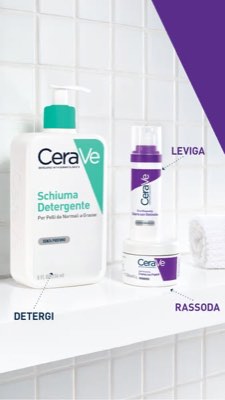
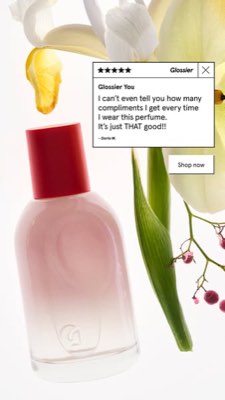
צ'אט אחד מתכנן את הזווית, כותב את הטקסט, בוחר את השחקן ומרנדר — עם המוצר והמותג האמיתיים שלכם נעולים פנימה, וטקסט מורכב בצורה מושלמת ברמת הפיקסל כך שסלוגנים לעולם לא ייפגמו.
חדש: שכפול כל סרטון. הדבק קישור לסרטון מ-TikTok, Reel, Facebook, X או YouTube ו-Hermoso ייצור אותו מחדש עבור המותג שלך: אותו הוק, אותו מבנה, אותם חיתוכים ואותו קצב, עם המוצר שלך, אדם חדש על המסך והמילים שלך. איך שכפול וידאו עובד →
פתחו את הסטודיו →
מוכן אומר מוכן. שמרו, גוונו, שגרו.
כל רינדור נוחת בספרייה שלך מוכן לשימוש — וכך גם כל מה שאתה מעלה. פרסם אורגני ישירות ל-Facebook, Instagram, Threads, TikTok, YouTube, X, LinkedIn, Pinterest, Bluesky ו-Telegram — עכשיו, או מתוזמן ביומן תוכן אמיתי. אחר כך בנה, קרא ואופטם את הקמפיינים בתשלום שמאחורי זה באחת-עשרה פלטפורמות מודעות, בלי לצאת מ-Hermoso.
- Threads
- TikTok
- YouTube
- X
- Bluesky
- Telegram
- Meta
- Google Ads
- Microsoft Advertising
- Reddit Ads
- X Ads
- TikTok Ads
- Snapchat Ads
- ChatGPT Ads
- Apple Search Ads

כל פורמט שהפיד שלכם מכיר. עכשיו שלכם ליצור.
סרט קולנועי, שרשור שנקרא כמו DM אמיתי, מסר ערך שנוחת במסך אחד — בחרו צורה, הכניסו את המותג, וקבלו תוצאה מוגמרת. העבירו עכבר או הקישו על כל אריח כדי לראות אותו זז.
הסטודיו מגיע עם 40+ פורמטים של מודעות וידאו — כל אחד מלוהק ומעובד למותג שלכם
סטודיו אחד. תמיד המודלים החדשים ביותר.
A built-in model router picks the best model for every job.
קרדיטים פשוטים. כל פיצ'ר בכל תוכנית.
התוכניות נבדלות בקרדיטים, לעולם לא בפיצ׳רים. השתמש בחלק אחד של Hermoso או בכולו — תזמון, ניהול קמפיינים, מדידה וסביבות מותג ללא הגבלה נמצאים בכל תוכנית, כולל Free.
כדאי לדעת
https://app.hermoso.ai/mcp, כך שהוא עובד ללא שינוי ב-ChatGPT, Claude, Claude Desktop, Codex, Cursor, Cline, OpenClaw, Hermes וכל לקוח MCP אחר. יש גם CLI ב-npm (npm install -g hermoso) לסוכני טרמינל שמעדיפים לרוץ מהמעטפת, וגם מיומנויות Claude שניתנות להתקנה ועוטפות את זרימות העבודה הנפוצות.hermoso CLI. ב-Claude Code, הקלידו /plugin marketplace add hermoso-ai/hermoso ואז /plugin install hermoso@hermoso. ב-Codex, הריצו codex plugin marketplace add hermoso-ai/hermoso ואז codex plugin add hermoso@hermoso. ב-Gemini CLI, הריצו gemini extensions install https://github.com/hermoso-ai/hermoso. ב-Cursor או בכל סוכן אחר שתומך בסקילים, הריצו npx skills add hermoso-ai/hermoso -a cursor וכתבו את שם הסוכן שלכם אחרי -a. אחר כך התחברו פעם אחת עם npx -y hermoso auth login. ב-Claude.ai, ChatGPT או כל אפליקציית צ'אט אחרת, הדביקו את https://app.hermoso.ai/mcp תחת Settings → Connectors ואשרו עם חשבון ה-Hermoso שלכם. אין מה לארח בעצמכם, והכול מחויב מהקרדיטים שלכם.set_meta_campaign_status, set_google_ads_status, set_microsoft_ads_status, set_reddit_ads_status, set_linkedin_ads_status, set_pinterest_ads_status, set_x_ads_status ו-set_openai_ads_status — כל אחד מהם מסרב לפעול ללא דגל אישור מפורש. יצירה מוציאה קרדיטים מהיתרה שלך, והעלות המדויקת לכל רינדור של כל מודל מתפרסמת דרך hermoso_capabilities כדי שהסוכן יוכל לנקוב במחיר לפני שהוא מרנדר.המודעה הבאה שלכם
במרחק פקודה אחת.
ללא כרטיס אשראי · התחילו עם 250+ קרדיטים חינם — צברו עוד תוך כדי