Μάρκετινγκ σε
αυτόματο πιλότο.
Βρείτε τις διαφημίσεις με τις καλύτερες επιδόσεις στην κατηγορία σας, δημιουργήστε διαφημίσεις AI και οργανικό περιεχόμενο, δημοσιεύστε στα κοινωνικά δίκτυα και τρέξτε όλες τις διαφημιστικές σας καμπάνιες. 850+ εργαλεία, ένα endpoint.
Δημοσιεύστε και προγραμματίστε σε 10 οργανικά κανάλια. Δημιουργήστε και τρέξτε καμπάνιες σε 11 διαφημιστικές πλατφόρμες. Μία σύνδεση.
Χωρίς πιστωτική κάρτα · Ξεκινήστε με 250+ δωρεάν credits


Σταματήστε να πηδάτε ανάμεσα σε πέντε εφαρμογές.
Τα περισσότερα εργαλεία διαφημίσεων με AI σταματούν στο render. Γράφετε ένα prompt στο ένα, κατεβάζετε, ανεβάζετε στο επόμενο και μετά ξαναφτιάχνετε κάθε καμπάνια με το χέρι. Το Hermoso τρέχει όλο τον κύκλο: έρευνα, render, δημοσίευση, τρέξιμο των διαφημίσεων και ανάγνωση των αποτελεσμάτων. Συνδέστε το με το Claude ή ανοίξτε το studio. Εσείς φέρνετε το γούστο, εμείς κάνουμε τη βαριά δουλειά.










Ένα brief. Παντού ταυτόχρονα.
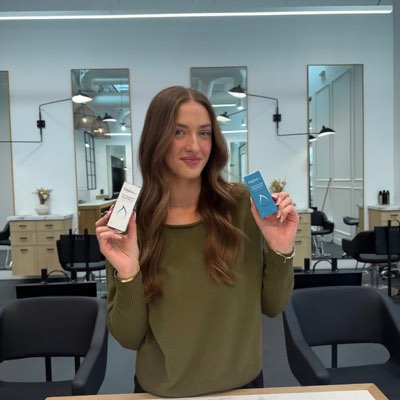
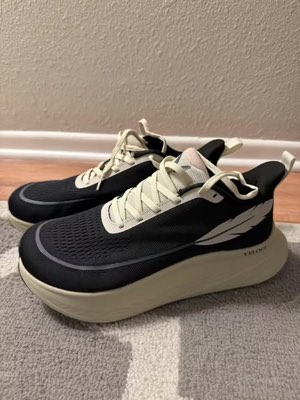
Πείτε το μία φορά. Το Hermoso βρίσκει τι δουλεύει ήδη στην αγορά σας, αποδίδει την ολοκληρωμένη διαφήμιση, τη βγάζει σε δέκα οργανικά κανάλια και έντεκα διαφημιστικές πλατφόρμες, και διαβάζει τα αποτελέσματα από τα δικά σας analytics. Ξεκινήστε από όπου θέλετε — κάθε κομμάτι λειτουργεί μόνο του.
- Threads
- TikTok
- YouTube
- X
- Bluesky
- Telegram
- Meta
- Google Ads
- Microsoft Advertising
- Reddit Ads
- X Ads
- TikTok Ads
- Snapchat Ads
- ChatGPT Ads
- Apple Search Ads
- Messenger
- Instagram Direct
- X
- Bluesky
- Telegram
- Google Analytics
- Google Tag Manager
- Google Search Console
- Bing Webmaster Tools
- PostHog
- Mixpanel
- Amplitude
- HubSpot
- Stripe
Η ομάδα marketing σας είναι ήδη μέσα στον agent σας.
Κάθε άλλο εργαλείο marketing σάς ζητά να ανοίξετε το dashboard του. Το Hermoso εγκαθίσταται μέσα στον βοηθό με τον οποίο ήδη μιλάτε. Ένα endpoint με OAuth’ δίνει στον agent σας 850+ εργαλεία — έρευνα διαφημίσεων, ολοκληρωμένα renders, δημοσίευση, διαχείριση καμπανιών — και το καθένα επιστρέφει ένα σταθερό URL asset ή ένα δομημένο αποτέλεσμα, ποτέ έναν τοίχο κειμένου που να ξαναδιαβάσει το μοντέλο.
Copy the connector URL
Open Customize → Connectors
+ Add → Add custom connector → name it Hermoso → paste the URL.
Connect & approve
Sign in with your Hermoso account on the consent page, and no key is needed. Then ask Claude for “an image ad with Hermoso.”
Create a key
In the Hermoso app open MCP & CLI → Terminal & API keys and create a key. Grok Bot runs in its own sandbox with no browser, so the usual sign-in cannot open; the key is what signs it in. Never paste a key into a URL.
Ask Grok Bot to set it up
Paste this into the chat with your key and let it add Hermoso as a local (stdio) MCP server. This is the route verified end to end on Grok Bot; its Settings → Plugins catalog does not list Hermoso yet, and the URL connector route is blocked by a Grok Bot sign-in defect that xAI has not fixed.
Start creating
Ask Grok Bot for “an image ad with Hermoso,” or “pull my competitors’ longest-running ads and remix the best one.”
Copy the connector URL
Open Plugins → Add → Create MCP App
Name it Hermoso, paste the URL as the Server URL, keep OAuth → Create. No Create MCP App? Switch on Developer mode under Settings → Plugins.
Connect & approve
Sign in with your Hermoso account on the consent page, and no key is needed. Then ask ChatGPT for “an image ad with Hermoso.”
Install Hermoso in Claude Code
Run this once in your terminal. It adds four Hermoso skills (research, ad-from-brand, generate, product-photoshoot) that run the hermoso command through npx, so no tool list is loaded into your sessions and nothing costs context until it runs. Already inside a session? Type /plugin marketplace add hermoso-ai/hermoso, then /plugin install hermoso@hermoso.
Sign in once
Opens your browser to sign in with your Hermoso account. Your agent runs this itself the first time it needs Hermoso, so you can also skip it. No browser on that machine? Use npx -y hermoso auth login --token <your key> with a key from MCP & CLI.
Start creating
Ask Claude Code for “an image ad with Hermoso,” or “pull my competitors’ longest-running ads and remix the best one.” Claude Code picks the Hermoso skill for the job and runs the commands. You type none of them.
Install Hermoso in Cursor
Run this once in your terminal. It adds four Hermoso skills (research, ad-from-brand, generate, product-photoshoot) that run the hermoso command through npx, so no tool list is loaded into your sessions and nothing costs context until it runs. Add -g to install it for every project instead of the current one.
Sign in once
Opens your browser to sign in with your Hermoso account. Your agent runs this itself the first time it needs Hermoso, so you can also skip it. No browser on that machine? Use npx -y hermoso auth login --token <your key> with a key from MCP & CLI.
Start creating
Ask Cursor for “an image ad with Hermoso,” or “pull my competitors’ longest-running ads and remix the best one.” Cursor picks the Hermoso skill for the job and runs the commands. You type none of them.
Install Hermoso in Codex
Run this once in your terminal. It adds four Hermoso skills (research, ad-from-brand, generate, product-photoshoot) that run the hermoso command through npx, so no tool list is loaded into your sessions and nothing costs context until it runs.
Sign in once
Opens your browser to sign in with your Hermoso account. Your agent runs this itself the first time it needs Hermoso, so you can also skip it. No browser on that machine? Use npx -y hermoso auth login --token <your key> with a key from MCP & CLI.
Start creating
Ask Codex for “an image ad with Hermoso,” or “pull my competitors’ longest-running ads and remix the best one.” Codex picks the Hermoso skill for the job and runs the commands. You type none of them.
Copy the connector URL
Open Plugins → Connectors
New Connector → Custom → paste the URL (or go straight to grok.com/connectors). On Business and Enterprise plans a team admin adds it once for everyone.
Connect & approve
Sign in with your Hermoso account on the consent page, and no key is needed. Then ask Grok for “an image ad with Hermoso.”
Install Hermoso in Cline
Run this once in your terminal. It adds four Hermoso skills (research, ad-from-brand, generate, product-photoshoot) that run the hermoso command through npx, so no tool list is loaded into your sessions and nothing costs context until it runs. Add -g to install it for every project instead of the current one.
Sign in once
Opens your browser to sign in with your Hermoso account. Your agent runs this itself the first time it needs Hermoso, so you can also skip it. No browser on that machine? Use npx -y hermoso auth login --token <your key> with a key from MCP & CLI.
Start creating
Ask Cline for “an image ad with Hermoso,” or “pull my competitors’ longest-running ads and remix the best one.” Cline picks the Hermoso skill for the job and runs the commands. You type none of them.
Install Hermoso in OpenClaw
Run this once in your terminal. It adds four Hermoso skills (research, ad-from-brand, generate, product-photoshoot) that run the hermoso command through npx, so no tool list is loaded into your sessions and nothing costs context until it runs. Add -g to install it for every project instead of the current one.
Sign in once
Opens your browser to sign in with your Hermoso account. Your agent runs this itself the first time it needs Hermoso, so you can also skip it. No browser on that machine? Use npx -y hermoso auth login --token <your key> with a key from MCP & CLI.
Start creating
Ask OpenClaw for “an image ad with Hermoso,” or “pull my competitors’ longest-running ads and remix the best one.” OpenClaw picks the Hermoso skill for the job and runs the commands. You type none of them.
Install Hermoso in Hermes
Run this once in your terminal. It adds four Hermoso skills (research, ad-from-brand, generate, product-photoshoot) that run the hermoso command through npx, so no tool list is loaded into your sessions and nothing costs context until it runs. Add -g to install it for every project instead of the current one.
Sign in once
Opens your browser to sign in with your Hermoso account. Your agent runs this itself the first time it needs Hermoso, so you can also skip it. No browser on that machine? Use npx -y hermoso auth login --token <your key> with a key from MCP & CLI.
Start creating
Ask Hermes for “an image ad with Hermoso,” or “pull my competitors’ longest-running ads and remix the best one.” Hermes picks the Hermoso skill for the job and runs the commands. You type none of them.
Copy the connector URL
Any client that takes an MCP server URL can use this one.
Or spawn it locally
Clients that launch a local process take this instead, which costs no context until a tool runs.
Neither shape fits?
There is a plain REST API at app.hermoso.ai/v1 with the same tools behind an hmk_ key, for an agent that speaks HTTP and nothing else.
“Βρες τις μακροβιότερες διαφημίσεις Meta των τριών πιο κοντινών μου ανταγωνιστών, πες μου ποιο hook επαναλαμβάνεται συνέχεια, και μετά φτιάξε μου μια διαφήμιση UGC βίντεο 9:16 με αυτό το hook — με την πραγματική φωτογραφία του προϊόντος μου, με ενσωματωμένους υπότιτλους — και προγραμμάτισέ την για Instagram και TikTok την Τρίτη στις 9πμ.”
Τα μεγαλύτερα brands του κόσμου προβάλλουν ήδη AI διαφημίσεις. Τώρα είναι εργαλείο, όχι κόστος στούντιο.
Δείτε τι ήδη κερδίζει. Πριν ξοδέψετε ούτε ένα ευρώ.
Το Ad Spy σαρώνει τις βιβλιοθήκες διαφημίσεων Meta, Google, LinkedIn και τις οργανικές ροές TikTok, Instagram, YouTube, Reddit και Threads και κατατάσσει το δημιουργικό της κατηγορίας σας βάσει του πόσο καιρό παραμένει σε προβολή — ένας δείκτης για το τι πραγματικά μετατρέπει, όχι για το τι απλώς φαίνεται ωραίο.
Νέο: Creator Search. Πληκτρολογήστε μια θεματική κατηγορία και το Hermoso εντοπίζει τους δημιουργούς που ήδη κυριαρχούν σε αυτήν στο organic TikTok, Instagram και YouTube, με κατάταξη βάσει διάμεσων προβολών, engagement και συνέπειας, με το δημόσιο email ή link τους στην κάρτα και επώνυμες λίστες για να τους οργανώσετε. Πώς λειτουργεί το creator search →
Σαρώστε την αγορά σας →
Περιγράψτε την. Το studio αναλαμβάνει ιδέα, casting, κείμενο.
Μία συνομιλία σχεδιάζει την προσέγγιση, γράφει το κείμενο, επιλέγει τον ηθοποιό και αποδίδει τη διαφήμιση — με το πραγματικό σας προϊόν και brand κλειδωμένα, και pixel-perfect κείμενο composited ώστε τα wordmarks να μην αλλοιώνονται ποτέ.
Νέο: Κλωνοποιήστε οποιοδήποτε βίντεο. Επικολλήστε τον σύνδεσμο ενός βίντεο από TikTok, Reel, Facebook, X ή YouTube και το Hermoso το ξαναφτιάχνει για τη μάρκα σας: ίδιο hook, ίδια δομή, ίδια κοψίματα και ίδιος ρυθμός, με το προϊόν σας, ένα νέο πρόσωπο στην οθόνη και τα δικά σας λόγια. Πώς λειτουργεί η κλωνοποίηση βίντεο →
Ανοίξτε το studio →
Έτοιμο σημαίνει έτοιμο. Αποθηκεύστε, παραλλάξτε, δημοσιεύστε.
Κάθε render καταλήγει στη βιβλιοθήκη σας έτοιμο για χρήση — το ίδιο και ό,τι ανεβάζετε. Δημοσιεύστε οργανικά απευθείας σε Facebook, Instagram, Threads, TikTok, YouTube, X, LinkedIn, Pinterest, Bluesky και Telegram — τώρα αμέσως, ή προγραμματισμένα σε ένα πραγματικό ημερολόγιο περιεχομένου. Στη συνέχεια δημιουργήστε, διαβάστε και βελτιστοποιήστε τις πληρωμένες καμπάνιες από πίσω σε έντεκα διαφημιστικές πλατφόρμες, χωρίς να φύγετε από το Hermoso.
- Threads
- TikTok
- YouTube
- X
- Bluesky
- Telegram
- Meta
- Google Ads
- Microsoft Advertising
- Reddit Ads
- X Ads
- TikTok Ads
- Snapchat Ads
- ChatGPT Ads
- Apple Search Ads

Κάθε format που ξέρει το feed σας. Τώρα δικό σας να το φτιάξετε.
Κινηματογραφικό film, ένα thread που διαβάζεται σαν αληθινό DM, ένα value-prop που κλείνει σε μία οθόνη — διαλέξτε σχήμα, ρίξτε το brand σας, και βγαίνει έτοιμο. Περάστε ή πατήστε οποιοδήποτε πλακίδιο για να το δείτε σε κίνηση.
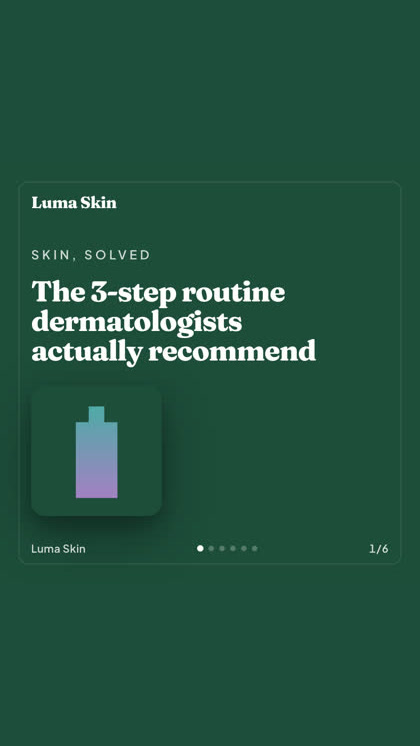
Το studio φέρνει 40+ φορμάτ διαφημιστικού βίντεο — καθένα με casting και απόδοση στο brand σας
Ένα studio. Πάντα τα πιο πρόσφατα μοντέλα.
A built-in model router picks the best model for every job.
Απλά credits. Κάθε δυνατότητα σε κάθε πλάνο.
Τα πλάνα διαφέρουν στα credits, ποτέ στις δυνατότητες. Χρησιμοποιήστε ένα μέρος του Hermoso ή όλα του — ο προγραμματισμός, η διαχείριση καμπανιών, η μέτρηση και οι απεριόριστοι χώροι εργασίας brand υπάρχουν σε κάθε πλάνο, συμπεριλαμβανομένου του Free.
Χρήσιμο να γνωρίζετε
https://app.hermoso.ai/mcp, οπότε λειτουργεί χωρίς τροποποιήσεις σε ChatGPT, Claude, Claude Desktop, Codex, Cursor, Cline, OpenClaw, Hermes και κάθε άλλον MCP client. Υπάρχει επίσης ένα npm CLI (npm install -g hermoso) για agents τερματικού που προτιμούν να τρέχουν εντολές, και εγκαταστάσιμα Claude skills που τυλίγουν τις συνηθισμένες ροές εργασίας.hermoso CLI αντί για έναν MCP server. Στο Claude Code, πληκτρολογήστε /plugin marketplace add hermoso-ai/hermoso και μετά /plugin install hermoso@hermoso. Στο Codex, εκτελέστε codex plugin marketplace add hermoso-ai/hermoso και μετά codex plugin add hermoso@hermoso. Στο Gemini CLI, εκτελέστε gemini extensions install https://github.com/hermoso-ai/hermoso. Στο Cursor ή σε οποιονδήποτε άλλο agent που υποστηρίζει skills, εκτελέστε npx skills add hermoso-ai/hermoso -a cursor, γράφοντας το όνομα του δικού σας agent μετά το -a. Έπειτα συνδεθείτε μία φορά με npx -y hermoso auth login. Στο Claude.ai, το ChatGPT ή οποιαδήποτε άλλη εφαρμογή συνομιλίας, επικολλήστε το https://app.hermoso.ai/mcp στις Ρυθμίσεις → Connectors και εγκρίνετέ το με τον λογαριασμό σας στο Hermoso. Τίποτα δεν χρειάζεται self-hosting, και όλα χρεώνονται στα credits σας.set_meta_campaign_status, set_google_ads_status, set_microsoft_ads_status, set_reddit_ads_status, set_linkedin_ads_status, set_pinterest_ads_status, set_x_ads_status και set_openai_ads_status — αρνούνται ο καθένας να εκτελεστεί χωρίς ρητή σημαία επιβεβαίωσης. Η δημιουργία περιεχομένου ξοδεύει credits από το υπόλοιπό σας, και το ακριβές κόστος ανά render κάθε μοντέλου δημοσιεύεται μέσω του hermoso_capabilities, ώστε ο agent να σας δώσει έναν αριθμό πριν κάνει render.Η επόμενη διαφήμισή σας είναι
ένα prompt μακριά.
Χωρίς πιστωτική κάρτα · Ξεκινήστε με 250+ δωρεάν credits — κερδίστε καθώς προχωράτε