Pemasaran dengan
autopilot.
Temukan iklan berkinerja terbaik di kategori Anda, buat iklan AI dan konten organik, posting di media sosial, dan jalankan semua kampanye iklan Anda. 850+ alat, satu endpoint.
Publikasikan dan jadwalkan ke 10 kanal organik. Bangun dan jalankan kampanye di 11 platform iklan. Satu login.
Tanpa kartu kredit · Mulai dengan 250+ kredit gratis


Berhenti berpindah-pindah antara lima aplikasi.
Kebanyakan alat iklan AI berhenti di tahap render. Anda memberi prompt di satu alat, mengunduh, mengunggah ke alat berikutnya, lalu menyusun ulang setiap kampanye secara manual. Hermoso menjalankan seluruh siklus: riset, render, publikasi, jalankan iklan, dan baca hasilnya. Hubungkan ke Claude atau buka studionya. Bawa selera Anda, kami yang mengerjakan bagian beratnya.
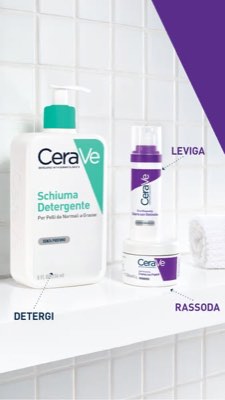
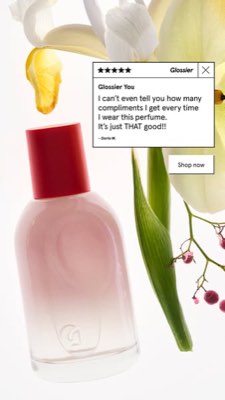
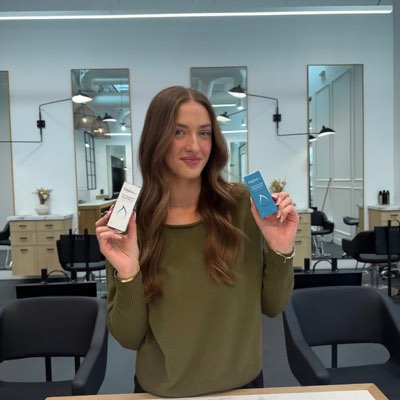








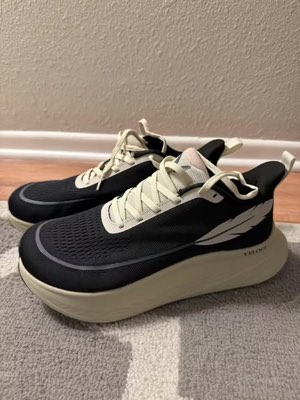
Satu brief. Di mana-mana sekaligus.
Katakan sekali. Hermoso menemukan apa yang sudah berhasil di pasar Anda, merender iklan jadi, menyebarkannya ke sepuluh saluran organik dan sebelas platform iklan, dan membaca kembali hasilnya dari analitik Anda sendiri. Mulai dari mana saja — setiap bagian bekerja sendiri.
- Threads
- TikTok
- YouTube
- X
- Bluesky
- Telegram
- Meta
- Google Ads
- Microsoft Advertising
- Reddit Ads
- X Ads
- TikTok Ads
- Snapchat Ads
- ChatGPT Ads
- Apple Search Ads
- Messenger
- Instagram Direct
- X
- Bluesky
- Telegram
- Google Analytics
- Google Tag Manager
- Google Search Console
- Bing Webmaster Tools
- PostHog
- Mixpanel
- Amplitude
- HubSpot
- Stripe
Tim pemasaran Anda sudah ada di dalam agen Anda.
Setiap alat pemasaran lain meminta Anda membuka dasbornya. Hermoso terpasang ke dalam asisten yang sudah Anda ajak bicara. Satu endpoint ber-OAuth memberi agen Anda 850+ alat — riset iklan, render siap pakai, publikasi, manajemen kampanye — dan masing-masing mengembalikan URL aset yang tahan lama atau hasil terstruktur, bukan dinding teks yang harus diurai ulang oleh model.
Copy the connector URL
Open Customize → Connectors
+ Add → Add custom connector → name it Hermoso → paste the URL.
Connect & approve
Sign in with your Hermoso account on the consent page, and no key is needed. Then ask Claude for “an image ad with Hermoso.”
Create a key
In the Hermoso app open MCP & CLI → Terminal & API keys and create a key. Grok Bot runs in its own sandbox with no browser, so the usual sign-in cannot open; the key is what signs it in. Never paste a key into a URL.
Ask Grok Bot to set it up
Paste this into the chat with your key and let it add Hermoso as a local (stdio) MCP server. This is the route verified end to end on Grok Bot; its Settings → Plugins catalog does not list Hermoso yet, and the URL connector route is blocked by a Grok Bot sign-in defect that xAI has not fixed.
Start creating
Ask Grok Bot for “an image ad with Hermoso,” or “pull my competitors’ longest-running ads and remix the best one.”
Copy the connector URL
Open Plugins → Add → Create MCP App
Name it Hermoso, paste the URL as the Server URL, keep OAuth → Create. No Create MCP App? Switch on Developer mode under Settings → Plugins.
Connect & approve
Sign in with your Hermoso account on the consent page, and no key is needed. Then ask ChatGPT for “an image ad with Hermoso.”
Install Hermoso in Claude Code
Run this once in your terminal. It adds four Hermoso skills (research, ad-from-brand, generate, product-photoshoot) that run the hermoso command through npx, so no tool list is loaded into your sessions and nothing costs context until it runs. Already inside a session? Type /plugin marketplace add hermoso-ai/hermoso, then /plugin install hermoso@hermoso.
Sign in once
Opens your browser to sign in with your Hermoso account. Your agent runs this itself the first time it needs Hermoso, so you can also skip it. No browser on that machine? Use npx -y hermoso auth login --token <your key> with a key from MCP & CLI.
Start creating
Ask Claude Code for “an image ad with Hermoso,” or “pull my competitors’ longest-running ads and remix the best one.” Claude Code picks the Hermoso skill for the job and runs the commands. You type none of them.
Install Hermoso in Cursor
Run this once in your terminal. It adds four Hermoso skills (research, ad-from-brand, generate, product-photoshoot) that run the hermoso command through npx, so no tool list is loaded into your sessions and nothing costs context until it runs. Add -g to install it for every project instead of the current one.
Sign in once
Opens your browser to sign in with your Hermoso account. Your agent runs this itself the first time it needs Hermoso, so you can also skip it. No browser on that machine? Use npx -y hermoso auth login --token <your key> with a key from MCP & CLI.
Start creating
Ask Cursor for “an image ad with Hermoso,” or “pull my competitors’ longest-running ads and remix the best one.” Cursor picks the Hermoso skill for the job and runs the commands. You type none of them.
Install Hermoso in Codex
Run this once in your terminal. It adds four Hermoso skills (research, ad-from-brand, generate, product-photoshoot) that run the hermoso command through npx, so no tool list is loaded into your sessions and nothing costs context until it runs.
Sign in once
Opens your browser to sign in with your Hermoso account. Your agent runs this itself the first time it needs Hermoso, so you can also skip it. No browser on that machine? Use npx -y hermoso auth login --token <your key> with a key from MCP & CLI.
Start creating
Ask Codex for “an image ad with Hermoso,” or “pull my competitors’ longest-running ads and remix the best one.” Codex picks the Hermoso skill for the job and runs the commands. You type none of them.
Copy the connector URL
Open Plugins → Connectors
New Connector → Custom → paste the URL (or go straight to grok.com/connectors). On Business and Enterprise plans a team admin adds it once for everyone.
Connect & approve
Sign in with your Hermoso account on the consent page, and no key is needed. Then ask Grok for “an image ad with Hermoso.”
Install Hermoso in Cline
Run this once in your terminal. It adds four Hermoso skills (research, ad-from-brand, generate, product-photoshoot) that run the hermoso command through npx, so no tool list is loaded into your sessions and nothing costs context until it runs. Add -g to install it for every project instead of the current one.
Sign in once
Opens your browser to sign in with your Hermoso account. Your agent runs this itself the first time it needs Hermoso, so you can also skip it. No browser on that machine? Use npx -y hermoso auth login --token <your key> with a key from MCP & CLI.
Start creating
Ask Cline for “an image ad with Hermoso,” or “pull my competitors’ longest-running ads and remix the best one.” Cline picks the Hermoso skill for the job and runs the commands. You type none of them.
Install Hermoso in OpenClaw
Run this once in your terminal. It adds four Hermoso skills (research, ad-from-brand, generate, product-photoshoot) that run the hermoso command through npx, so no tool list is loaded into your sessions and nothing costs context until it runs. Add -g to install it for every project instead of the current one.
Sign in once
Opens your browser to sign in with your Hermoso account. Your agent runs this itself the first time it needs Hermoso, so you can also skip it. No browser on that machine? Use npx -y hermoso auth login --token <your key> with a key from MCP & CLI.
Start creating
Ask OpenClaw for “an image ad with Hermoso,” or “pull my competitors’ longest-running ads and remix the best one.” OpenClaw picks the Hermoso skill for the job and runs the commands. You type none of them.
Install Hermoso in Hermes
Run this once in your terminal. It adds four Hermoso skills (research, ad-from-brand, generate, product-photoshoot) that run the hermoso command through npx, so no tool list is loaded into your sessions and nothing costs context until it runs. Add -g to install it for every project instead of the current one.
Sign in once
Opens your browser to sign in with your Hermoso account. Your agent runs this itself the first time it needs Hermoso, so you can also skip it. No browser on that machine? Use npx -y hermoso auth login --token <your key> with a key from MCP & CLI.
Start creating
Ask Hermes for “an image ad with Hermoso,” or “pull my competitors’ longest-running ads and remix the best one.” Hermes picks the Hermoso skill for the job and runs the commands. You type none of them.
Copy the connector URL
Any client that takes an MCP server URL can use this one.
Or spawn it locally
Clients that launch a local process take this instead, which costs no context until a tool runs.
Neither shape fits?
There is a plain REST API at app.hermoso.ai/v1 with the same tools behind an hmk_ key, for an agent that speaks HTTP and nothing else.
“Temukan iklan Meta yang paling lama berjalan untuk tiga pesaing terdekat saya, beri tahu hook mana yang terus berulang, lalu buatkan saya iklan video UGC 9:16 dengan hook itu — foto produk asli saya, teks tercetak — dan jadwalkan ke Instagram dan TikTok untuk Selasa jam 9 pagi.”
Merek-merek terbesar dunia sudah menayangkan iklan AI. Kini itu sekadar alat, bukan budget studio.
Lihat apa yang sudah berhasil. Sebelum Anda keluar sepeser pun.
Ad Spy memindai pustaka iklan Meta, Google, dan LinkedIn plus feed organik TikTok, Instagram, YouTube, Reddit dan Threads dan mengurutkan konten kreatif kategori Anda berdasarkan seberapa lama iklan terus ditayangkan — tolok ukur apa yang berkonversi, bukan sekadar yang terlihat menarik.
Baru: Creator Search. Ketik sebuah niche dan Hermoso menemukan para kreator yang sudah unggul di dalamnya secara organik di TikTok, Instagram dan YouTube, diperingkat berdasarkan median tayangan, engagement dan konsistensi, lengkap dengan email atau tautan publik mereka pada kartu serta daftar bernama untuk menyimpannya. Cara kerja creator search →
Pindai pasar Anda →
Deskripsikan saja. Studio mengurus konsep, casting, dan teks.
Satu obrolan merencanakan angle, menulis teks, memilih kreator, dan merender — dengan produk nyata dan merek Anda terkunci di dalamnya, plus teks yang dikomposit sempurna piksel demi piksel agar wordmark tidak pernah berantakan.
Baru: Kloning video apa pun. Tempel tautan video TikTok, Reel, Facebook, X, atau YouTube dan Hermoso membuatnya ulang untuk brand Anda: hook, struktur, potongan, dan tempo yang sama, dengan produk Anda, orang baru di layar, dan kata-kata Anda sendiri. Cara kerja kloning video →
Buka studio →
Selesai berarti benar-benar selesai. Simpan, variasikan, tayangkan.
Setiap render masuk ke pustaka Anda siap tayang — begitu pula apa pun yang Anda unggah. Publikasikan konten organik langsung ke Facebook, Instagram, Threads, TikTok, YouTube, X, LinkedIn, Pinterest, Bluesky, dan Telegram — sekarang juga, atau terjadwal dalam kalender konten sungguhan. Lalu bangun, baca, dan optimalkan kampanye berbayar di baliknya pada sebelas platform iklan, tanpa meninggalkan Hermoso.
- Threads
- TikTok
- YouTube
- X
- Bluesky
- Telegram
- Meta
- Google Ads
- Microsoft Advertising
- Reddit Ads
- X Ads
- TikTok Ads
- Snapchat Ads
- ChatGPT Ads
- Apple Search Ads

Setiap format yang dikenal feed Anda. Kini Anda yang membuatnya.
Film sinematik, thread yang terasa seperti DM asli, value-prop yang langsung nyantol dalam satu layar — pilih bentuknya, masukkan brand Anda, dan hasilnya langsung jadi. Arahkan atau ketuk tiap tile untuk lihat geraknya.
Studio punya 40+ format iklan video — semuanya di-casting dan di-render dengan brand Anda
Satu studio. Selalu model terbaru.
A built-in model router picks the best model for every job.
Kredit sederhana. Setiap fitur di setiap paket.
Paket berbeda berdasarkan credit, tidak pernah berdasarkan fitur. Gunakan satu bagian Hermoso atau semuanya — penjadwalan, pengelolaan kampanye, pengukuran, dan workspace merek tanpa batas ada di setiap paket, termasuk Free.
Penting untuk diketahui
https://app.hermoso.ai/mcp, jadi ia bekerja tanpa modifikasi di ChatGPT, Claude, Claude Desktop, Codex, Cursor, Cline, OpenClaw, Hermes, dan klien MCP lainnya. Ada juga CLI npm (npm install -g hermoso) untuk agen terminal yang lebih suka menjalankan lewat shell, serta skill Claude yang dapat diinstal untuk membungkus alur kerja umum.hermoso CLI, bukan server MCP. Di Claude Code, ketik /plugin marketplace add hermoso-ai/hermoso, lalu /plugin install hermoso@hermoso. Di Codex, jalankan codex plugin marketplace add hermoso-ai/hermoso, lalu codex plugin add hermoso@hermoso. Di Gemini CLI, jalankan gemini extensions install https://github.com/hermoso-ai/hermoso. Di Cursor atau agen lain yang mendukung skill, jalankan npx skills add hermoso-ai/hermoso -a cursor, dengan nama agen Anda sendiri setelah -a. Lalu masuk sekali dengan npx -y hermoso auth login. Di Claude.ai, ChatGPT, atau aplikasi chat lainnya, tempel https://app.hermoso.ai/mcp di bagian Settings → Connectors dan setujui dengan akun Hermoso Anda. Tidak perlu di-host sendiri, dan semuanya ditagih dari kredit Anda.set_meta_campaign_status, set_google_ads_status, set_microsoft_ads_status, set_reddit_ads_status, set_linkedin_ads_status, set_pinterest_ads_status, set_x_ads_status dan set_openai_ads_status di antaranya — masing-masing menolak berjalan tanpa flag konfirmasi eksplisit. Pembuatan konten menghabiskan kredit dari saldo Anda, dan biaya per-render yang tepat untuk setiap model dipublikasikan melalui hermoso_capabilities sehingga agen dapat memberi Anda angka sebelum merender.Iklan Anda berikutnya
tinggal satu prompt lagi.
Tanpa kartu kredit · Mulai dengan 250+ kredit gratis — dapatkan lebih banyak seiring pemakaian