التسويق على
الطيار الآلي.
اعثر على أفضل الإعلانات أداءً في فئتك، وأنشئ إعلانات بالذكاء الاصطناعي ومحتوى عضويًا، وانشر على الشبكات الاجتماعية، وأدر جميع حملاتك الإعلانية. أكثر من 850 أداة، نقطة نهاية واحدة.
انشر وجدوِل على 10 قنوات عضوية. أنشئ وأدر الحملات على 11 منصة إعلانية. تسجيل دخول واحد.
بدون بطاقة ائتمان · ابدأ بأكثر من 250 رصيداً مجانياً


توقّف عن التنقّل بين خمسة تطبيقات.
معظم أدوات الإعلانات بالذكاء الاصطناعي تتوقّف عند التصميم. تكتب الطلب في أداة، تُنزّل، ترفع إلى التالية، ثم تعيد بناء كل حملة يدويًا. أما Hermoso فيدير الدورة كاملة: البحث، التصميم، النشر، تشغيل الإعلانات وقراءة النتائج. اربطه بـ Claude أو افتح الاستوديو. أنت تجلب الذوق، ونحن نتولّى العمل الشاق.
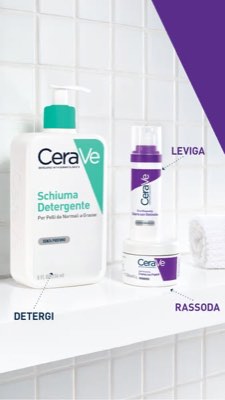
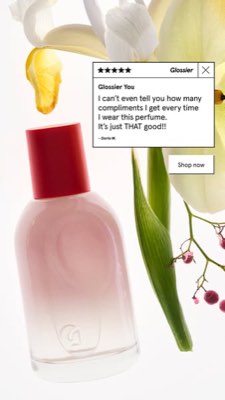
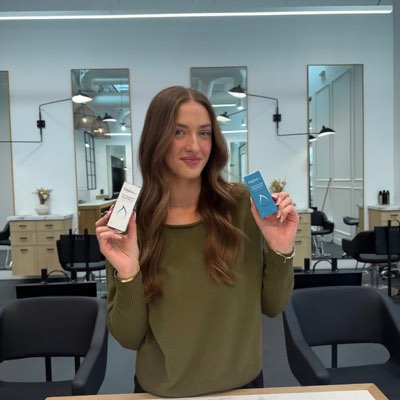








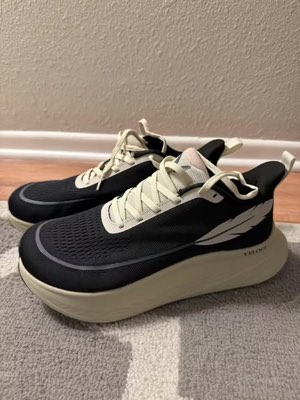
إيجاز واحد. في كل مكان في نفس الوقت.
قلها مرة واحدة. يجد Hermoso ما ينجح فعلاً في سوقك، وينشئ الإعلان الجاهز، وينشره عبر عشر قنوات عضوية وإحدى عشرة منصة إعلانية، ويقرأ لك النتائج من تحليلاتك الخاصة. ابدأ من أي نقطة — كل جزء يعمل بمفرده.
- Threads
- TikTok
- YouTube
- X
- Bluesky
- Telegram
- Meta
- Google Ads
- Microsoft Advertising
- Reddit Ads
- X Ads
- TikTok Ads
- Snapchat Ads
- ChatGPT Ads
- Apple Search Ads
- Messenger
- Instagram Direct
- X
- Bluesky
- Telegram
- Google Analytics
- Google Tag Manager
- Google Search Console
- Bing Webmaster Tools
- PostHog
- Mixpanel
- Amplitude
- HubSpot
- Stripe
فريقك التسويقي موجود داخل وكيلك بالفعل.
كل أداة تسويق أخرى تطلب منك فتح لوحة تحكمها. أما Hermoso فيثبَّت داخل المساعد الذي تتحدث إليه بالفعل. نقطة نهاية واحدة مصرّح بها عبر OAuth تمنح وكيلك أكثر من 850 أداة — بحث الإعلانات، والتصميمات الجاهزة، والنشر، وإدارة الحملات — وكل واحدة تعيد عنوان URL لأصل دائم أو نتيجة مهيكلة، لا جدارًا من النصوص على النموذج إعادة تحليله.
Copy the connector URL
Open Customize → Connectors
+ Add → Add custom connector → name it Hermoso → paste the URL.
Connect & approve
Sign in with your Hermoso account on the consent page, and no key is needed. Then ask Claude for “an image ad with Hermoso.”
Create a key
In the Hermoso app open MCP & CLI → Terminal & API keys and create a key. Grok Bot runs in its own sandbox with no browser, so the usual sign-in cannot open; the key is what signs it in. Never paste a key into a URL.
Ask Grok Bot to set it up
Paste this into the chat with your key and let it add Hermoso as a local (stdio) MCP server. This is the route verified end to end on Grok Bot; its Settings → Plugins catalog does not list Hermoso yet, and the URL connector route is blocked by a Grok Bot sign-in defect that xAI has not fixed.
Start creating
Ask Grok Bot for “an image ad with Hermoso,” or “pull my competitors’ longest-running ads and remix the best one.”
Copy the connector URL
Open Plugins → Add → Create MCP App
Name it Hermoso, paste the URL as the Server URL, keep OAuth → Create. No Create MCP App? Switch on Developer mode under Settings → Plugins.
Connect & approve
Sign in with your Hermoso account on the consent page, and no key is needed. Then ask ChatGPT for “an image ad with Hermoso.”
Install Hermoso in Claude Code
Run this once in your terminal. It adds four Hermoso skills (research, ad-from-brand, generate, product-photoshoot) that run the hermoso command through npx, so no tool list is loaded into your sessions and nothing costs context until it runs. Already inside a session? Type /plugin marketplace add hermoso-ai/hermoso, then /plugin install hermoso@hermoso.
Sign in once
Opens your browser to sign in with your Hermoso account. Your agent runs this itself the first time it needs Hermoso, so you can also skip it. No browser on that machine? Use npx -y hermoso auth login --token <your key> with a key from MCP & CLI.
Start creating
Ask Claude Code for “an image ad with Hermoso,” or “pull my competitors’ longest-running ads and remix the best one.” Claude Code picks the Hermoso skill for the job and runs the commands. You type none of them.
Install Hermoso in Cursor
Run this once in your terminal. It adds four Hermoso skills (research, ad-from-brand, generate, product-photoshoot) that run the hermoso command through npx, so no tool list is loaded into your sessions and nothing costs context until it runs. Add -g to install it for every project instead of the current one.
Sign in once
Opens your browser to sign in with your Hermoso account. Your agent runs this itself the first time it needs Hermoso, so you can also skip it. No browser on that machine? Use npx -y hermoso auth login --token <your key> with a key from MCP & CLI.
Start creating
Ask Cursor for “an image ad with Hermoso,” or “pull my competitors’ longest-running ads and remix the best one.” Cursor picks the Hermoso skill for the job and runs the commands. You type none of them.
Install Hermoso in Codex
Run this once in your terminal. It adds four Hermoso skills (research, ad-from-brand, generate, product-photoshoot) that run the hermoso command through npx, so no tool list is loaded into your sessions and nothing costs context until it runs.
Sign in once
Opens your browser to sign in with your Hermoso account. Your agent runs this itself the first time it needs Hermoso, so you can also skip it. No browser on that machine? Use npx -y hermoso auth login --token <your key> with a key from MCP & CLI.
Start creating
Ask Codex for “an image ad with Hermoso,” or “pull my competitors’ longest-running ads and remix the best one.” Codex picks the Hermoso skill for the job and runs the commands. You type none of them.
Copy the connector URL
Open Plugins → Connectors
New Connector → Custom → paste the URL (or go straight to grok.com/connectors). On Business and Enterprise plans a team admin adds it once for everyone.
Connect & approve
Sign in with your Hermoso account on the consent page, and no key is needed. Then ask Grok for “an image ad with Hermoso.”
Install Hermoso in Cline
Run this once in your terminal. It adds four Hermoso skills (research, ad-from-brand, generate, product-photoshoot) that run the hermoso command through npx, so no tool list is loaded into your sessions and nothing costs context until it runs. Add -g to install it for every project instead of the current one.
Sign in once
Opens your browser to sign in with your Hermoso account. Your agent runs this itself the first time it needs Hermoso, so you can also skip it. No browser on that machine? Use npx -y hermoso auth login --token <your key> with a key from MCP & CLI.
Start creating
Ask Cline for “an image ad with Hermoso,” or “pull my competitors’ longest-running ads and remix the best one.” Cline picks the Hermoso skill for the job and runs the commands. You type none of them.
Install Hermoso in OpenClaw
Run this once in your terminal. It adds four Hermoso skills (research, ad-from-brand, generate, product-photoshoot) that run the hermoso command through npx, so no tool list is loaded into your sessions and nothing costs context until it runs. Add -g to install it for every project instead of the current one.
Sign in once
Opens your browser to sign in with your Hermoso account. Your agent runs this itself the first time it needs Hermoso, so you can also skip it. No browser on that machine? Use npx -y hermoso auth login --token <your key> with a key from MCP & CLI.
Start creating
Ask OpenClaw for “an image ad with Hermoso,” or “pull my competitors’ longest-running ads and remix the best one.” OpenClaw picks the Hermoso skill for the job and runs the commands. You type none of them.
Install Hermoso in Hermes
Run this once in your terminal. It adds four Hermoso skills (research, ad-from-brand, generate, product-photoshoot) that run the hermoso command through npx, so no tool list is loaded into your sessions and nothing costs context until it runs. Add -g to install it for every project instead of the current one.
Sign in once
Opens your browser to sign in with your Hermoso account. Your agent runs this itself the first time it needs Hermoso, so you can also skip it. No browser on that machine? Use npx -y hermoso auth login --token <your key> with a key from MCP & CLI.
Start creating
Ask Hermes for “an image ad with Hermoso,” or “pull my competitors’ longest-running ads and remix the best one.” Hermes picks the Hermoso skill for the job and runs the commands. You type none of them.
Copy the connector URL
Any client that takes an MCP server URL can use this one.
Or spawn it locally
Clients that launch a local process take this instead, which costs no context until a tool runs.
Neither shape fits?
There is a plain REST API at app.hermoso.ai/v1 with the same tools behind an hmk_ key, for an agent that speaks HTTP and nothing else.
«ابحث عن أطول إعلانات Meta تشغيلاً لأقرب ثلاثة منافسين لي، وأخبرني أي خطاف يتكرر باستمرار، ثم اصنع لي إعلان فيديو UGC بنسبة 9:16 باستخدام ذلك الخطاف — صورة منتجي الحقيقية، مع تعليقات مدمجة — وجدوله على Instagram وTikTok يوم الثلاثاء التاسعة صباحًا.»
أكبر العلامات التجارية في العالم تُشغّل بالفعل إعلانات بالذكاء الاصطناعي. الآن أصبحت أداة، لا ميزانية استوديو.
اكتشف ما يفوز فعلاً. قبل أن تُنفق دولاراً واحداً.
يفحص Ad Spy مكتبات إعلانات Meta وGoogle وLinkedIn بالإضافة إلى الأعلاف العضوية في TikTok وInstagram وYouTube وReddit وThreads ويُرتّب إبداعات فئتك حسب مدة تشغيلها — مؤشر على ما يُحوّل فعلاً، لا على ما يبدو جميلاً فقط.
جديد: بحث صُنّاع المحتوى. اكتب مجالك ليجد Hermoso صُنّاع المحتوى الأكثر نجاحًا فيه بالفعل على TikTok وInstagram وYouTube، مُرتّبين حسب متوسط المشاهدات والتفاعل والانتظام، مع بريدهم أو رابطهم العام على البطاقة وقوائم مُسمّاة لحفظهم. كيف يعمل بحث صُنّاع المحتوى →
افحص سوقك →
صِفه. يتولى الاستوديو المفهوم والاختيار والنص.
محادثة واحدة تُخطط الزاوية، تكتب النص، تختار صانع المحتوى، وتُنتج الإعلان — مع منتجك الحقيقي وعلامتك مدمجَين بالكامل، ونص دقيق البكسل مُركَّب بحيث لا تتشوه الشعارات أبداً.
جديد: استنسخ أي فيديو. الصق رابط فيديو من TikTok أو Reel أو Facebook أو X أو YouTube، وسيعيد Hermoso صنعه لعلامتك التجارية: نفس الخطّاف والبنية والقطعات والإيقاع، مع منتجك وشخص جديد على الشاشة وكلماتك أنت. كيف يعمل استنساخ الفيديو →
افتح الاستوديو →
مكتمل يعني مكتمل فعلاً. احفظ، نوّع، وانشر.
كل تصميم يصل إلى مكتبتك جاهزًا للتشغيل — وكذلك أي شيء ترفعه. انشر عضويًا مباشرة على Facebook وInstagram وThreads وTikTok وYouTube وX وLinkedIn وPinterest وBluesky وTelegram — الآن، أو مجدولًا على تقويم محتوى حقيقي. ثم ابنِ واقرأ وحسّن الحملات المدفوعة خلفه على إحدى عشرة منصة إعلانية، دون مغادرة Hermoso.
- Threads
- TikTok
- YouTube
- X
- Bluesky
- Telegram
- Meta
- Google Ads
- Microsoft Advertising
- Reddit Ads
- X Ads
- TikTok Ads
- Snapchat Ads
- ChatGPT Ads
- Apple Search Ads

كل قالب يعرفه متابعوك. وصار بإمكانك صناعته بنفسك.
فيلم سينمائي، محادثة تبدو كرسالة DM حقيقية، وقيمة تصل في شاشة واحدة — اختر الشكل، ضع علامتك، وينتج جاهزًا. مرّر أو انقر أي مربع لتراه يتحرك.
يقدّم Studio أكثر من 40 قالبًا لإعلانات الفيديو — كلٌّ منها مصمَّم ومُنتَج بهوية علامتك
استوديو واحد. دائماً بأحدث النماذج.
A built-in model router picks the best model for every job.
أرصدة بسيطة. كل ميزة في كل خطة.
تختلف الخطط بالأرصدة، لا بالميزات أبدا. استخدم جزءا واحدا من Hermoso أو كله — الجدولة وإدارة الحملات والقياس ومساحات عمل العلامات غير المحدودة موجودة في كل خطة، بما في ذلك Free.
مهم أن تعرف
https://app.hermoso.ai/mcp، لذا يعمل دون أي تعديل في Claude وClaude Code وClaude Desktop وCodex وCursor وCline وOpenClaw وHermes وأي عميل MCP آخر. كما يتوفر npm CLI (npm install -g hermoso) لوكلاء الطرفية الذين يفضّلون التنفيذ عبر الأوامر، إضافةً إلى مهارات Claude قابلة للتثبيت تغلّف سير العمل الشائعة.hermoso CLI بدلًا من خادم MCP. في Claude Code، اكتب /plugin marketplace add hermoso-ai/hermoso ثم /plugin install hermoso@hermoso. في Codex، شغّل codex plugin marketplace add hermoso-ai/hermoso ثم codex plugin add hermoso@hermoso. في Gemini CLI، شغّل gemini extensions install https://github.com/hermoso-ai/hermoso. في Cursor أو أي وكيل آخر يدعم المهارات، شغّل npx skills add hermoso-ai/hermoso -a cursor واكتب اسم وكيلك بعد -a. ثم سجّل الدخول مرة واحدة باستخدام npx -y hermoso auth login. وفي Claude.ai أو ChatGPT أو أي تطبيق دردشة آخر، الصق https://app.hermoso.ai/mcp تحت الإعدادات → Connectors ووافق عليه بحساب Hermoso الخاص بك. لا شيء لاستضافته ذاتيًا، وكل شيء يُحتسب من رصيدك.set_meta_campaign_status وset_google_ads_status وset_microsoft_ads_status وset_reddit_ads_status وset_linkedin_ads_status وset_pinterest_ads_status وset_x_ads_status وset_openai_ads_status — يرفض كل منها العمل دون علامة تأكيد صريحة. يستهلك التوليد أرصدة من رصيدك، وتُنشر التكلفة الدقيقة لكل عملية عرض لكل نموذج عبر hermoso_capabilities حتى يتمكن الوكيل من إعطائك رقماً قبل أن يبدأ التوليد.إعلانك التالي يبعُد
مطالبة واحدة.
دون بطاقة ائتمان · ابدأ بأكثر من 250 رصيدًا مجانيًا — واكسب المزيد مع الاستخدام