Votre marketing en
pilote automatique.
Trouvez les publicités les plus performantes de votre catégorie, créez des publicités IA et du contenu organique, publiez sur les réseaux sociaux et pilotez toutes vos campagnes publicitaires. 850+ outils, un seul point de terminaison.
Publiez et programmez sur 10 canaux organiques. Créez et pilotez vos campagnes sur 11 plateformes publicitaires. Une seule connexion.
Sans carte bancaire · Démarrez avec plus de 250 crédits gratuits


Arrêtez de jongler entre cinq applis.
La plupart des outils publicitaires IA s'arrêtent au rendu. Vous rédigez le prompt dans l'un, vous téléchargez, vous importez dans le suivant, puis vous reconstruisez chaque campagne à la main. Hermoso gère toute la boucle : recherche, rendu, publication, diffusion des annonces et analyse des résultats. Connectez-le à Claude ou ouvrez le studio. Apportez le goût, on s'occupe du gros du travail.

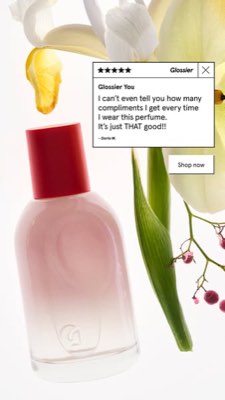
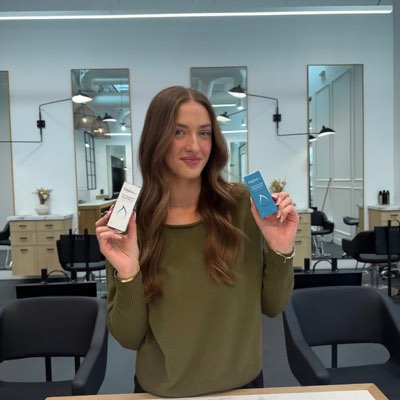








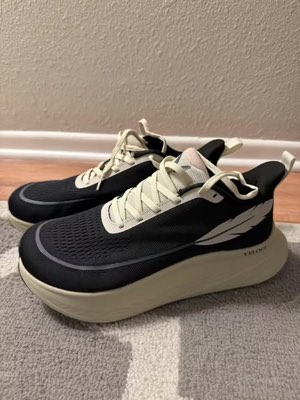
Un brief. Partout à la fois.
Dites-le une fois. Hermoso trouve ce qui marche déjà sur votre marché, produit l'annonce finalisée, la diffuse sur dix canaux organiques et onze plateformes publicitaires, puis vous restitue les résultats à partir de vos propres analyses. Commencez où vous voulez — chaque brique fonctionne seule.
- Threads
- TikTok
- YouTube
- X
- Bluesky
- Telegram
- Meta
- Google Ads
- Microsoft Advertising
- Reddit Ads
- X Ads
- TikTok Ads
- Snapchat Ads
- ChatGPT Ads
- Apple Search Ads
- Messenger
- Instagram Direct
- X
- Bluesky
- Telegram
- Google Analytics
- Google Tag Manager
- Google Search Console
- Bing Webmaster Tools
- PostHog
- Mixpanel
- Amplitude
- HubSpot
- Stripe
Votre équipe marketing est déjà à l'intérieur de votre agent.
Tous les autres outils marketing vous demandent d'ouvrir leur tableau de bord. Hermoso s'installe dans l'assistant auquel vous parlez déjà. Un seul point de terminaison authentifié via OAuth confie à votre agent 850+ outils — recherche publicitaire, rendus aboutis, publication, gestion de campagnes — et chacun renvoie une URL d'actif durable ou un résultat structuré, jamais un mur de texte que le modèle devrait réanalyser.
Copy the connector URL
Open Customize → Connectors
+ Add → Add custom connector → name it Hermoso → paste the URL.
Connect & approve
Sign in with your Hermoso account on the consent page, and no key is needed. Then ask Claude for “an image ad with Hermoso.”
Create a key
In the Hermoso app open MCP & CLI → Terminal & API keys and create a key. Grok Bot runs in its own sandbox with no browser, so the usual sign-in cannot open; the key is what signs it in. Never paste a key into a URL.
Ask Grok Bot to set it up
Paste this into the chat with your key and let it add Hermoso as a local (stdio) MCP server. This is the route verified end to end on Grok Bot; its Settings → Plugins catalog does not list Hermoso yet, and the URL connector route is blocked by a Grok Bot sign-in defect that xAI has not fixed.
Start creating
Ask Grok Bot for “an image ad with Hermoso,” or “pull my competitors’ longest-running ads and remix the best one.”
Copy the connector URL
Open Plugins → Add → Create MCP App
Name it Hermoso, paste the URL as the Server URL, keep OAuth → Create. No Create MCP App? Switch on Developer mode under Settings → Plugins.
Connect & approve
Sign in with your Hermoso account on the consent page, and no key is needed. Then ask ChatGPT for “an image ad with Hermoso.”
Install Hermoso in Claude Code
Run this once in your terminal. It adds four Hermoso skills (research, ad-from-brand, generate, product-photoshoot) that run the hermoso command through npx, so no tool list is loaded into your sessions and nothing costs context until it runs. Already inside a session? Type /plugin marketplace add hermoso-ai/hermoso, then /plugin install hermoso@hermoso.
Sign in once
Opens your browser to sign in with your Hermoso account. Your agent runs this itself the first time it needs Hermoso, so you can also skip it. No browser on that machine? Use npx -y hermoso auth login --token <your key> with a key from MCP & CLI.
Start creating
Ask Claude Code for “an image ad with Hermoso,” or “pull my competitors’ longest-running ads and remix the best one.” Claude Code picks the Hermoso skill for the job and runs the commands. You type none of them.
Install Hermoso in Cursor
Run this once in your terminal. It adds four Hermoso skills (research, ad-from-brand, generate, product-photoshoot) that run the hermoso command through npx, so no tool list is loaded into your sessions and nothing costs context until it runs. Add -g to install it for every project instead of the current one.
Sign in once
Opens your browser to sign in with your Hermoso account. Your agent runs this itself the first time it needs Hermoso, so you can also skip it. No browser on that machine? Use npx -y hermoso auth login --token <your key> with a key from MCP & CLI.
Start creating
Ask Cursor for “an image ad with Hermoso,” or “pull my competitors’ longest-running ads and remix the best one.” Cursor picks the Hermoso skill for the job and runs the commands. You type none of them.
Install Hermoso in Codex
Run this once in your terminal. It adds four Hermoso skills (research, ad-from-brand, generate, product-photoshoot) that run the hermoso command through npx, so no tool list is loaded into your sessions and nothing costs context until it runs.
Sign in once
Opens your browser to sign in with your Hermoso account. Your agent runs this itself the first time it needs Hermoso, so you can also skip it. No browser on that machine? Use npx -y hermoso auth login --token <your key> with a key from MCP & CLI.
Start creating
Ask Codex for “an image ad with Hermoso,” or “pull my competitors’ longest-running ads and remix the best one.” Codex picks the Hermoso skill for the job and runs the commands. You type none of them.
Copy the connector URL
Open Plugins → Connectors
New Connector → Custom → paste the URL (or go straight to grok.com/connectors). On Business and Enterprise plans a team admin adds it once for everyone.
Connect & approve
Sign in with your Hermoso account on the consent page, and no key is needed. Then ask Grok for “an image ad with Hermoso.”
Install Hermoso in Cline
Run this once in your terminal. It adds four Hermoso skills (research, ad-from-brand, generate, product-photoshoot) that run the hermoso command through npx, so no tool list is loaded into your sessions and nothing costs context until it runs. Add -g to install it for every project instead of the current one.
Sign in once
Opens your browser to sign in with your Hermoso account. Your agent runs this itself the first time it needs Hermoso, so you can also skip it. No browser on that machine? Use npx -y hermoso auth login --token <your key> with a key from MCP & CLI.
Start creating
Ask Cline for “an image ad with Hermoso,” or “pull my competitors’ longest-running ads and remix the best one.” Cline picks the Hermoso skill for the job and runs the commands. You type none of them.
Install Hermoso in OpenClaw
Run this once in your terminal. It adds four Hermoso skills (research, ad-from-brand, generate, product-photoshoot) that run the hermoso command through npx, so no tool list is loaded into your sessions and nothing costs context until it runs. Add -g to install it for every project instead of the current one.
Sign in once
Opens your browser to sign in with your Hermoso account. Your agent runs this itself the first time it needs Hermoso, so you can also skip it. No browser on that machine? Use npx -y hermoso auth login --token <your key> with a key from MCP & CLI.
Start creating
Ask OpenClaw for “an image ad with Hermoso,” or “pull my competitors’ longest-running ads and remix the best one.” OpenClaw picks the Hermoso skill for the job and runs the commands. You type none of them.
Install Hermoso in Hermes
Run this once in your terminal. It adds four Hermoso skills (research, ad-from-brand, generate, product-photoshoot) that run the hermoso command through npx, so no tool list is loaded into your sessions and nothing costs context until it runs. Add -g to install it for every project instead of the current one.
Sign in once
Opens your browser to sign in with your Hermoso account. Your agent runs this itself the first time it needs Hermoso, so you can also skip it. No browser on that machine? Use npx -y hermoso auth login --token <your key> with a key from MCP & CLI.
Start creating
Ask Hermes for “an image ad with Hermoso,” or “pull my competitors’ longest-running ads and remix the best one.” Hermes picks the Hermoso skill for the job and runs the commands. You type none of them.
Copy the connector URL
Any client that takes an MCP server URL can use this one.
Or spawn it locally
Clients that launch a local process take this instead, which costs no context until a tool runs.
Neither shape fits?
There is a plain REST API at app.hermoso.ai/v1 with the same tools behind an hmk_ key, for an agent that speaks HTTP and nothing else.
“Trouve les pubs Meta les plus anciennes de mes trois concurrents les plus proches, dis-moi quelle accroche revient sans cesse, puis fabrique-moi une pub vidéo UGC en 9:16 avec cette accroche — la vraie photo de mon produit, sous-titres incrustés — et programme-la sur Instagram et TikTok pour mardi 9h.”
Les plus grandes marques du monde diffusent déjà des publicités IA. Désormais, c’est un outil, plus un budget de studio.
Voyez ce qui gagne déjà. Avant de dépenser un centime.
Ad Spy analyse les bibliothèques Meta, Google, LinkedIn et les flux organiques TikTok, Instagram, YouTube, Reddit et Threads et classe les créations de votre catégorie selon leur durée de diffusion — un indicateur de ce qui convertit, pas de ce qui est joli.
Nouveau : Recherche de créateurs. Saisissez une niche et Hermoso repère les créateurs qui cartonnent déjà en organique sur TikTok, Instagram et YouTube, classés selon leurs vues médianes, leur engagement et leur régularité, avec leur e-mail public ou leur lien sur la fiche et des listes nommées pour les garder à portée. Comment fonctionne la recherche de créateurs →
Analysez votre marché →
Décrivez-la. Le studio s’occupe du concept, du casting, des textes.
Un seul chat conçoit l’angle, rédige les textes, choisit le créateur et génère le rendu — avec votre vrai produit et votre marque intégrés, et un texte composité au pixel près pour que les logotypes ne soient jamais déformés.
Nouveau : clonez n'importe quelle vidéo. Collez le lien d'une vidéo TikTok, Reel, Facebook, X ou YouTube et Hermoso la refait pour votre marque : même accroche, même structure, mêmes coupes et même rythme, avec votre produit, une nouvelle personne à l'écran et vos propres mots. Comment fonctionne le clonage vidéo →
Ouvrir le studio →
Fini veut dire fini. Sauvegardez, variez, publiez.
Chaque rendu arrive dans votre bibliothèque prêt à être diffusé — tout comme ce que vous importez. Publiez en organique directement sur Facebook, Instagram, Threads, TikTok, YouTube, X, LinkedIn, Pinterest, Bluesky et Telegram — tout de suite, ou programmé sur un véritable calendrier de contenu. Puis construisez, lisez et optimisez les campagnes payantes derrière, sur onze plateformes publicitaires, sans quitter Hermoso.
- Threads
- TikTok
- YouTube
- X
- Bluesky
- Telegram
- Meta
- Google Ads
- Microsoft Advertising
- Reddit Ads
- X Ads
- TikTok Ads
- Snapchat Ads
- ChatGPT Ads
- Apple Search Ads

Tous les formats que votre feed connaît. À vous de les créer.
Un film cinématique, un fil aussi vrai qu’un DM, un argument qui tient sur un écran — choisissez la forme, glissez votre marque, et le rendu est prêt. Survolez ou tapez une tuile pour la voir s’animer.
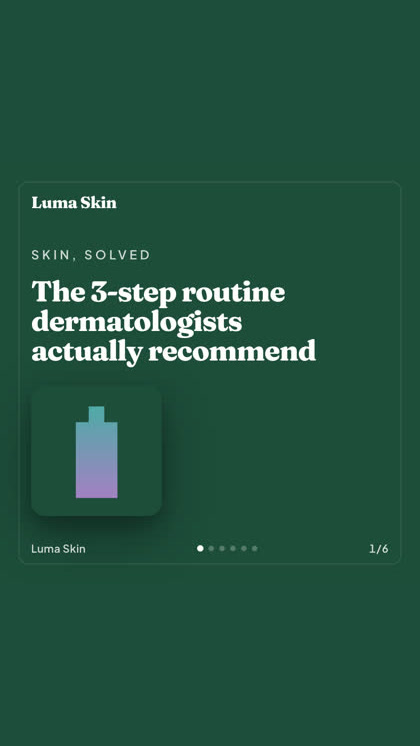
Studio propose plus de 40 formats de pub vidéo — chacun casté et rendu aux couleurs de votre marque
Un seul studio. Toujours les derniers modèles.
A built-in model router picks the best model for every job.
Des crédits simples. Toutes les fonctionnalités sur chaque forfait.
Les forfaits diffèrent par les crédits, jamais par les fonctionnalités. Utilisez une seule partie de Hermoso ou la totalité — la programmation, la gestion des campagnes, la mesure et les espaces de marque illimités sont sur chaque forfait, y compris Free.
Bon à savoir
https://app.hermoso.ai/mcp, il fonctionne donc sans aucune modification dans ChatGPT, Claude, Claude Desktop, Codex, Cursor, Cline, OpenClaw, Hermes et tout autre client MCP. Il existe aussi une CLI npm (npm install -g hermoso) pour les agents en terminal qui préfèrent passer par le shell, ainsi que des skills Claude installables qui encapsulent les workflows courants.hermoso, plutôt qu’un serveur MCP. Dans Claude Code, tapez /plugin marketplace add hermoso-ai/hermoso, puis /plugin install hermoso@hermoso. Dans Codex, exécutez codex plugin marketplace add hermoso-ai/hermoso, puis codex plugin add hermoso@hermoso. Dans Gemini CLI, exécutez gemini extensions install https://github.com/hermoso-ai/hermoso. Dans Cursor ou tout autre agent compatible avec les skills, exécutez npx skills add hermoso-ai/hermoso -a cursor en indiquant votre propre agent après -a. Connectez-vous ensuite une seule fois avec npx -y hermoso auth login. Dans Claude.ai, ChatGPT ou toute autre app de chat, collez https://app.hermoso.ai/mcp dans Paramètres → Connecteurs et validez avec votre compte Hermoso. Rien à héberger soi-même, et tout est débité de vos crédits.set_meta_campaign_status, set_google_ads_status, set_microsoft_ads_status, set_reddit_ads_status, set_linkedin_ads_status, set_pinterest_ads_status, set_x_ads_status et set_openai_ads_status — refusent chacun de s'exécuter sans un indicateur de confirmation explicite. La génération consomme des crédits de votre solde, et le coût exact par rendu de chaque modèle est publié via hermoso_capabilities, afin que l'agent puisse vous annoncer un chiffre avant même de lancer le rendu.Votre prochaine pub est à
un prompt d'ici.
Sans carte bancaire · Démarrez avec 250+ crédits gratuits — gagnez-en au fil de l'eau