Markkinointi
autopilotilla.
Löydä kategoriasi parhaiten menestyvät mainokset, luo AI-mainoksia ja orgaanista sisältöä, julkaise somessa ja pyöritä kaikki mainoskampanjasi. 850+ työkalua, yksi päätepiste.
Julkaise ja ajasta 10 orgaaniseen kanavaan. Rakenna ja pyöritä kampanjat 11 mainosalustalla. Yksi kirjautuminen.
Ei luottokorttia · Aloita 250+ ilmaisella krediitillä


Lopeta pomppiminen viiden sovelluksen välillä.
Useimmat tekoälymainostyökalut pysähtyvät renderöintiin. Kirjoitat kehotteen yhteen, lataat, siirrät seuraavaan ja rakennat jokaisen kampanjan käsin uudelleen. Hermoso hoitaa koko kierron: tutkimus, renderöinti, julkaisu, mainonnan pyöritys ja tulosten luku. Yhdistä se Claudeen tai avaa studio. Tuo maku, me teemme raskaan työn.

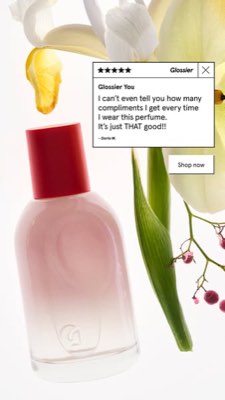
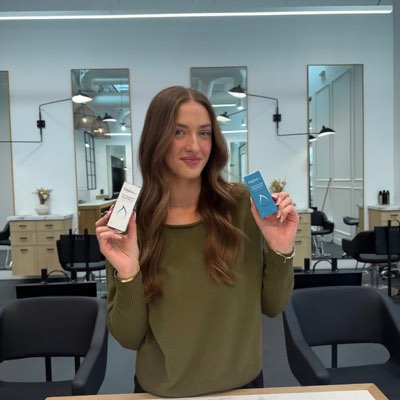








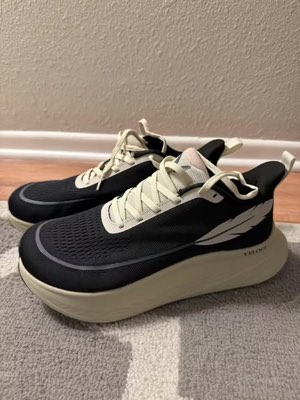
Yksi ohjeistus. Kaikkialla kerralla.
Sano se kerran. Hermoso etsii sen, mikä jo toimii markkinallasi, luo valmiin mainoksen, julkaisee sen kymmenessä orgaanisessa kanavassa ja yhdellätoista mainosalustalla ja lukee tulokset takaisin omasta analytiikastasi. Aloita mistä tahansa — jokainen osa toimii itsenäisesti.
- Threads
- TikTok
- YouTube
- X
- Bluesky
- Telegram
- Meta
- Google Ads
- Microsoft Advertising
- Reddit Ads
- X Ads
- TikTok Ads
- Snapchat Ads
- ChatGPT Ads
- Apple Search Ads
- Messenger
- Instagram Direct
- X
- Bluesky
- Telegram
- Google Analytics
- Google Tag Manager
- Google Search Console
- Bing Webmaster Tools
- PostHog
- Mixpanel
- Amplitude
- HubSpot
- Stripe
Markkinointitiimisi on jo agenttisi sisällä.
Jokainen muu markkinointityökalu pyytää sinua avaamaan hallintapaneelinsa. Hermoso asentuu suoraan avustajaan, jonka kanssa jo puhut. Yksi OAuth-suojattu päätepiste antaa agentillesi 850+ työkalua – mainostutkimus, valmiit renderöinnit, julkaisu, kampanjahallinta – ja jokainen palauttaa pysyvän resurssin URL-osoitteen tai jäsennellyn tuloksen, ei koskaan proosaseinämää mallin uudelleentulkittavaksi.
Copy the connector URL
Open Customize → Connectors
+ Add → Add custom connector → name it Hermoso → paste the URL.
Connect & approve
Sign in with your Hermoso account on the consent page, and no key is needed. Then ask Claude for “an image ad with Hermoso.”
Create a key
In the Hermoso app open MCP & CLI → Terminal & API keys and create a key. Grok Bot runs in its own sandbox with no browser, so the usual sign-in cannot open; the key is what signs it in. Never paste a key into a URL.
Ask Grok Bot to set it up
Paste this into the chat with your key and let it add Hermoso as a local (stdio) MCP server. This is the route verified end to end on Grok Bot; its Settings → Plugins catalog does not list Hermoso yet, and the URL connector route is blocked by a Grok Bot sign-in defect that xAI has not fixed.
Start creating
Ask Grok Bot for “an image ad with Hermoso,” or “pull my competitors’ longest-running ads and remix the best one.”
Copy the connector URL
Open Plugins → Add → Create MCP App
Name it Hermoso, paste the URL as the Server URL, keep OAuth → Create. No Create MCP App? Switch on Developer mode under Settings → Plugins.
Connect & approve
Sign in with your Hermoso account on the consent page, and no key is needed. Then ask ChatGPT for “an image ad with Hermoso.”
Install Hermoso in Claude Code
Run this once in your terminal. It adds four Hermoso skills (research, ad-from-brand, generate, product-photoshoot) that run the hermoso command through npx, so no tool list is loaded into your sessions and nothing costs context until it runs. Already inside a session? Type /plugin marketplace add hermoso-ai/hermoso, then /plugin install hermoso@hermoso.
Sign in once
Opens your browser to sign in with your Hermoso account. Your agent runs this itself the first time it needs Hermoso, so you can also skip it. No browser on that machine? Use npx -y hermoso auth login --token <your key> with a key from MCP & CLI.
Start creating
Ask Claude Code for “an image ad with Hermoso,” or “pull my competitors’ longest-running ads and remix the best one.” Claude Code picks the Hermoso skill for the job and runs the commands. You type none of them.
Install Hermoso in Cursor
Run this once in your terminal. It adds four Hermoso skills (research, ad-from-brand, generate, product-photoshoot) that run the hermoso command through npx, so no tool list is loaded into your sessions and nothing costs context until it runs. Add -g to install it for every project instead of the current one.
Sign in once
Opens your browser to sign in with your Hermoso account. Your agent runs this itself the first time it needs Hermoso, so you can also skip it. No browser on that machine? Use npx -y hermoso auth login --token <your key> with a key from MCP & CLI.
Start creating
Ask Cursor for “an image ad with Hermoso,” or “pull my competitors’ longest-running ads and remix the best one.” Cursor picks the Hermoso skill for the job and runs the commands. You type none of them.
Install Hermoso in Codex
Run this once in your terminal. It adds four Hermoso skills (research, ad-from-brand, generate, product-photoshoot) that run the hermoso command through npx, so no tool list is loaded into your sessions and nothing costs context until it runs.
Sign in once
Opens your browser to sign in with your Hermoso account. Your agent runs this itself the first time it needs Hermoso, so you can also skip it. No browser on that machine? Use npx -y hermoso auth login --token <your key> with a key from MCP & CLI.
Start creating
Ask Codex for “an image ad with Hermoso,” or “pull my competitors’ longest-running ads and remix the best one.” Codex picks the Hermoso skill for the job and runs the commands. You type none of them.
Copy the connector URL
Open Plugins → Connectors
New Connector → Custom → paste the URL (or go straight to grok.com/connectors). On Business and Enterprise plans a team admin adds it once for everyone.
Connect & approve
Sign in with your Hermoso account on the consent page, and no key is needed. Then ask Grok for “an image ad with Hermoso.”
Install Hermoso in Cline
Run this once in your terminal. It adds four Hermoso skills (research, ad-from-brand, generate, product-photoshoot) that run the hermoso command through npx, so no tool list is loaded into your sessions and nothing costs context until it runs. Add -g to install it for every project instead of the current one.
Sign in once
Opens your browser to sign in with your Hermoso account. Your agent runs this itself the first time it needs Hermoso, so you can also skip it. No browser on that machine? Use npx -y hermoso auth login --token <your key> with a key from MCP & CLI.
Start creating
Ask Cline for “an image ad with Hermoso,” or “pull my competitors’ longest-running ads and remix the best one.” Cline picks the Hermoso skill for the job and runs the commands. You type none of them.
Install Hermoso in OpenClaw
Run this once in your terminal. It adds four Hermoso skills (research, ad-from-brand, generate, product-photoshoot) that run the hermoso command through npx, so no tool list is loaded into your sessions and nothing costs context until it runs. Add -g to install it for every project instead of the current one.
Sign in once
Opens your browser to sign in with your Hermoso account. Your agent runs this itself the first time it needs Hermoso, so you can also skip it. No browser on that machine? Use npx -y hermoso auth login --token <your key> with a key from MCP & CLI.
Start creating
Ask OpenClaw for “an image ad with Hermoso,” or “pull my competitors’ longest-running ads and remix the best one.” OpenClaw picks the Hermoso skill for the job and runs the commands. You type none of them.
Install Hermoso in Hermes
Run this once in your terminal. It adds four Hermoso skills (research, ad-from-brand, generate, product-photoshoot) that run the hermoso command through npx, so no tool list is loaded into your sessions and nothing costs context until it runs. Add -g to install it for every project instead of the current one.
Sign in once
Opens your browser to sign in with your Hermoso account. Your agent runs this itself the first time it needs Hermoso, so you can also skip it. No browser on that machine? Use npx -y hermoso auth login --token <your key> with a key from MCP & CLI.
Start creating
Ask Hermes for “an image ad with Hermoso,” or “pull my competitors’ longest-running ads and remix the best one.” Hermes picks the Hermoso skill for the job and runs the commands. You type none of them.
Copy the connector URL
Any client that takes an MCP server URL can use this one.
Or spawn it locally
Clients that launch a local process take this instead, which costs no context until a tool runs.
Neither shape fits?
There is a plain REST API at app.hermoso.ai/v1 with the same tools behind an hmk_ key, for an agent that speaks HTTP and nothing else.
“Etsi kolmen lähimmän kilpailijani pisimpään pyörineet Meta-mainokset, kerro mikä koukku toistuu jatkuvasti, ja tee minulle 9:16 UGC-videomainos tuolla koukulla — oikea tuotekuvani, tekstitykset poltettuina — ja ajoita se Instagramiin ja TikTokiin tiistaiksi klo 9.”
Maailman suurimmat brändit julkaisevat jo tekoälymainoksia. Nyt se on työkalu, ei studiobudjetti.
Katso mikä jo voittaa. Ennen kuin käytät senttiäkään.
Ad Spy skannaa Meta-, Google- ja LinkedIn-mainoskirjastot sekä orgaanisen sisällön TikTokista, Instagramista, YouTubesta, Redditistä ja Threadsista ja järjestää kategoriasi luovan sisällön sen mukaan, kuinka kauan sitä on pyöritetty — mittari sille, mikä konvertoi, ei sille, mikä näyttää hyvältä.
Uutta: Creator Search. Kirjoita aihealue, ja Hermoso etsii tekijät, jotka jo menestyvät siinä orgaanisesti TikTokissa, Instagramissa ja YouTubessa — järjestettynä katselukertojen mediaanin, sitoutumisen ja tasaisuuden mukaan, julkinen sähköposti tai linkki kortissa ja nimetyt listat heidän tallentamiseensa. Näin creator search toimii →
Skannaa markkinasi →
Kuvaile se. Studio hoitaa konseptin, näyttelijävalinnan, tekstin.
Yksi chat suunnittelee kulman, kirjoittaa tekstin, valitsee tekijän ja renderöi — oikea tuotteesi ja brändisi lukittuna sisään, ja pikselinperfekti teksti komposoituna niin, että logot eivät koskaan vääristy.
Uutta: Kloonaa mikä tahansa video. Liitä linkki TikTok-, Reel-, Facebook-, X- tai YouTube-videoon, ja Hermoso tekee siitä uuden version brändillesi: sama koukku, rakenne, leikkaukset ja tahti, mutta sinun tuotteesi, uusi henkilö ruudussa ja omat sanasi. Näin videon kloonaus toimii →
Avaa studio →
Valmis tarkoittaa valmista. Tallenna, varioi, julkaise.
Jokainen renderöinti päätyy kirjastoosi valmiina käyttöön — samoin kaikki lataamasi. Julkaise orgaanisesti suoraan Facebookiin, Instagramiin, Threadsiin, TikTokiin, YouTubeen, X:ään, LinkedIniin, Pinterestiin, Blueskyhyn ja Telegramiin — heti tai ajastettuna oikeaan sisältökalenteriin. Rakenna, lue ja optimoi sen taustalla olevat maksetut kampanjat yhdellätoista mainosalustalla poistumatta Hermososta.
- Threads
- TikTok
- YouTube
- X
- Bluesky
- Telegram
- Meta
- Google Ads
- Microsoft Advertising
- Reddit Ads
- X Ads
- TikTok Ads
- Snapchat Ads
- ChatGPT Ads
- Apple Search Ads

Kaikki formaatit, jotka feedisi tuntee. Nyt sinun tehtävissäsi.
Elokuvamainen filmi, keskustelu joka lukee kuin oikea DM, hyötylupaus joka osuu yhdellä ruudulla — valitse muoto, pudota brändisi mukaan, ja se renderöityy valmiiksi. Vie kursori tai napauta laattaa nähdäksesi liikkeen.
Studio tarjoaa yli 40 videomainosformaattia — jokainen castattu ja renderöity brändillesi
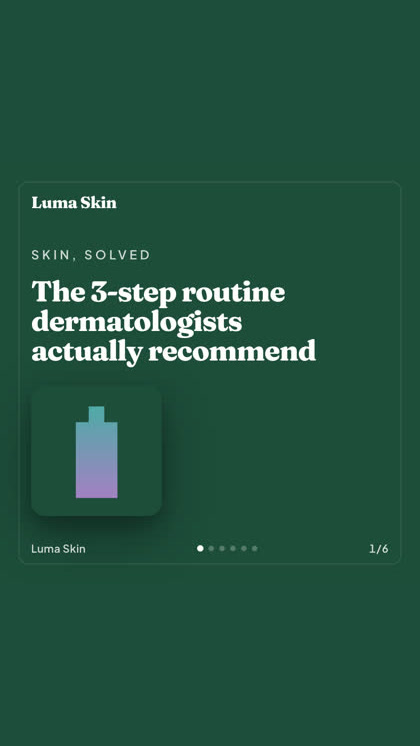
Yksi studio. Aina uusimmat mallit.
A built-in model router picks the best model for every job.
Yksinkertaiset krediitit. Kaikki ominaisuudet joka paketissa.
Suunnitelmat eroavat krediiteillä, eivät koskaan ominaisuuksilla. Käytä yhtä osaa Hermososta tai kaikkia — ajastus, kampanjanhallinta, mittaus ja rajattomat brändityötilat kuuluvat jokaiseen suunnitelmaan, Free mukaan lukien.
Hyvä tietää
https://app.hermoso.ai/mcp, joten se toimii sellaisenaan Claudessa, Claude Codessa, Claude Desktopissa, Codexissa, Cursorissa, Clinessä, OpenClawssa, Hermesissä ja missä tahansa muussa MCP-asiakkaassa. Tarjolla on myös npm-CLI (npm install -g hermoso) terminaaliagenteille, jotka mieluummin ajavat komentoja, sekä asennettavat Claude-skillit, jotka kääräisevät yleisimmät työnkulut.hermoso-CLI:tä. Claude Codessa kirjoita /plugin marketplace add hermoso-ai/hermoso ja sitten /plugin install hermoso@hermoso. Codexissa aja codex plugin marketplace add hermoso-ai/hermoso ja sitten codex plugin add hermoso@hermoso. Gemini CLI:ssä aja gemini extensions install https://github.com/hermoso-ai/hermoso. Cursorissa tai missä tahansa muussa skillejä tukevassa agentissa aja npx skills add hermoso-ai/hermoso -a cursor ja nimeä oma agenttisi -a-valitsimen jälkeen. Kirjaudu sitten kerran sisään komennolla npx -y hermoso auth login. Claude.ai:ssa, ChatGPT:ssä tai missä tahansa muussa chat-sovelluksessa liitä https://app.hermoso.ai/mcp kohtaan Asetukset → Connectors ja hyväksy se Hermoso-tililläsi. Mitään ei tarvitse itse isännöidä, ja kaikki veloitetaan krediiteistäsi.set_meta_campaign_status, set_google_ads_status, set_microsoft_ads_status, set_reddit_ads_status, set_linkedin_ads_status, set_pinterest_ads_status, set_x_ads_status ja set_openai_ads_status — kieltäytyvät kaikki toimimasta ilman erillistä vahvistuslippua. Generointi kuluttaa krediittejä saldostasi, ja jokaisen mallin tarkka renderöintikohtainen hinta julkaistaan hermoso_capabilities-rajapinnan kautta, joten agentti voi kertoa sinulle luvun ennen renderöintiä.Seuraava mainoksesi on
yhden promptin päässä.
Ei luottokorttia · Aloita yli 250 ilmaisella krediitillä — ansaitse lisää matkan varrella