การตลาดแบบ
ออโต้ไพลอต
ค้นหาโฆษณาที่ทำผลงานได้ดีที่สุดในหมวดหมู่ของคุณ สร้างโฆษณา AI และคอนเทนต์ออร์แกนิก โพสต์ลงโซเชียล และรันแคมเปญโฆษณาทั้งหมดของคุณ 850+ เครื่องมือ หนึ่ง endpoint
เผยแพร่และตั้งเวลาโพสต์ไปยัง 10 ช่องทางออร์แกนิก สร้างและจัดการแคมเปญบน 11 แพลตฟอร์มโฆษณา ด้วยการล็อกอินเพียงครั้งเดียว
ไม่ต้องใช้บัตรเครดิต · เริ่มต้นด้วยเครดิตฟรี 250+


หยุดสลับไปมาระหว่าง ห้าแอป
เครื่องมือทำโฆษณา AI ส่วนใหญ่จบแค่ตอนเรนเดอร์ คุณต้องพิมพ์พรอมป์ในแอปหนึ่ง ดาวน์โหลด อัปโหลดไปอีกแอป แล้วสร้างทุกแคมเปญใหม่ด้วยมือ แต่ Hermoso ทำงานครบทั้งวงจร ทั้งวิจัย เรนเดอร์ เผยแพร่ ยิงโฆษณา และอ่านผลลัพธ์ เชื่อมต่อกับ Claude หรือเปิดสตูดิโอก็ได้ คุณแค่นำรสนิยมมา ที่เหลือเราจัดการเอง
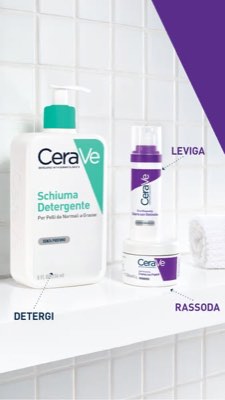
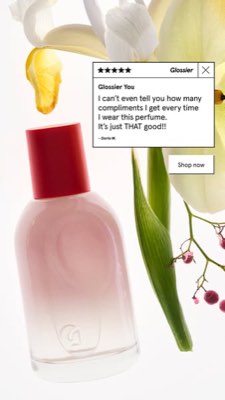
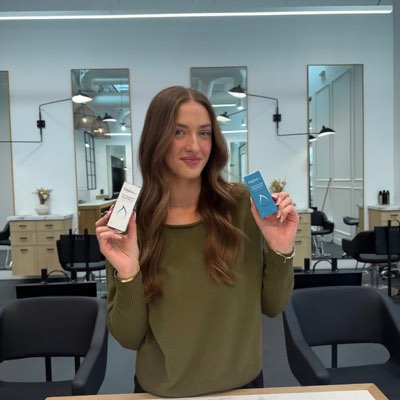








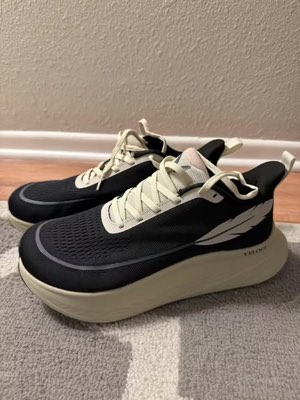
งานชิ้นเดียว ทุกที่พร้อมกัน
พูดครั้งเดียว Hermoso จะค้นหาสิ่งที่กำลังได้ผลในตลาดของคุณ เรนเดอร์โฆษณาสำเร็จรูป ปล่อยออกไปยังสิบช่องทางออร์แกนิกและสิบเอ็ดแพลตฟอร์มโฆษณา และอ่านผลลัพธ์กลับมาจากการวิเคราะห์ของคุณเอง เริ่มจากตรงไหนก็ได้ — ทุกส่วนทำงานได้ด้วยตัวเอง
- Threads
- TikTok
- YouTube
- X
- Bluesky
- Telegram
- Meta
- Google Ads
- Microsoft Advertising
- Reddit Ads
- X Ads
- TikTok Ads
- Snapchat Ads
- ChatGPT Ads
- Apple Search Ads
- Messenger
- Instagram Direct
- X
- Bluesky
- Telegram
- Google Analytics
- Google Tag Manager
- Google Search Console
- Bing Webmaster Tools
- PostHog
- Mixpanel
- Amplitude
- HubSpot
- Stripe
ทีมการตลาดของคุณ อยู่ในเอเจนต์ของคุณแล้ว
เครื่องมือการตลาดอื่นทุกตัวขอให้คุณเปิดแดชบอร์ดของมัน แต่ Hermoso ติดตั้งเข้าไปในผู้ช่วยที่คุณพูดคุยด้วยอยู่แล้ว หนึ่ง endpoint ที่ผ่าน OAuth ส่งมอบ 850+ เครื่องมือ ให้เอเจนต์ของคุณ — การวิจัยโฆษณา งานเรนเดอร์ที่เสร็จสมบูรณ์ การเผยแพร่ การจัดการแคมเปญ — และแต่ละตัวจะคืนค่าเป็น URL ของแอสเซ็ตที่คงทนหรือผลลัพธ์ที่มีโครงสร้าง ไม่ใช่กำแพงข้อความยาวเหยียดให้โมเดลต้องมาแยกวิเคราะห์ใหม่
Copy the connector URL
Open Customize → Connectors
+ Add → Add custom connector → name it Hermoso → paste the URL.
Connect & approve
Sign in with your Hermoso account on the consent page, and no key is needed. Then ask Claude for “an image ad with Hermoso.”
Create a key
In the Hermoso app open MCP & CLI → Terminal & API keys and create a key. Grok Bot runs in its own sandbox with no browser, so the usual sign-in cannot open; the key is what signs it in. Never paste a key into a URL.
Ask Grok Bot to set it up
Paste this into the chat with your key and let it add Hermoso as a local (stdio) MCP server. This is the route verified end to end on Grok Bot; its Settings → Plugins catalog does not list Hermoso yet, and the URL connector route is blocked by a Grok Bot sign-in defect that xAI has not fixed.
Start creating
Ask Grok Bot for “an image ad with Hermoso,” or “pull my competitors’ longest-running ads and remix the best one.”
Copy the connector URL
Open Plugins → Add → Create MCP App
Name it Hermoso, paste the URL as the Server URL, keep OAuth → Create. No Create MCP App? Switch on Developer mode under Settings → Plugins.
Connect & approve
Sign in with your Hermoso account on the consent page, and no key is needed. Then ask ChatGPT for “an image ad with Hermoso.”
Install Hermoso in Claude Code
Run this once in your terminal. It adds four Hermoso skills (research, ad-from-brand, generate, product-photoshoot) that run the hermoso command through npx, so no tool list is loaded into your sessions and nothing costs context until it runs. Already inside a session? Type /plugin marketplace add hermoso-ai/hermoso, then /plugin install hermoso@hermoso.
Sign in once
Opens your browser to sign in with your Hermoso account. Your agent runs this itself the first time it needs Hermoso, so you can also skip it. No browser on that machine? Use npx -y hermoso auth login --token <your key> with a key from MCP & CLI.
Start creating
Ask Claude Code for “an image ad with Hermoso,” or “pull my competitors’ longest-running ads and remix the best one.” Claude Code picks the Hermoso skill for the job and runs the commands. You type none of them.
Install Hermoso in Cursor
Run this once in your terminal. It adds four Hermoso skills (research, ad-from-brand, generate, product-photoshoot) that run the hermoso command through npx, so no tool list is loaded into your sessions and nothing costs context until it runs. Add -g to install it for every project instead of the current one.
Sign in once
Opens your browser to sign in with your Hermoso account. Your agent runs this itself the first time it needs Hermoso, so you can also skip it. No browser on that machine? Use npx -y hermoso auth login --token <your key> with a key from MCP & CLI.
Start creating
Ask Cursor for “an image ad with Hermoso,” or “pull my competitors’ longest-running ads and remix the best one.” Cursor picks the Hermoso skill for the job and runs the commands. You type none of them.
Install Hermoso in Codex
Run this once in your terminal. It adds four Hermoso skills (research, ad-from-brand, generate, product-photoshoot) that run the hermoso command through npx, so no tool list is loaded into your sessions and nothing costs context until it runs.
Sign in once
Opens your browser to sign in with your Hermoso account. Your agent runs this itself the first time it needs Hermoso, so you can also skip it. No browser on that machine? Use npx -y hermoso auth login --token <your key> with a key from MCP & CLI.
Start creating
Ask Codex for “an image ad with Hermoso,” or “pull my competitors’ longest-running ads and remix the best one.” Codex picks the Hermoso skill for the job and runs the commands. You type none of them.
Copy the connector URL
Open Plugins → Connectors
New Connector → Custom → paste the URL (or go straight to grok.com/connectors). On Business and Enterprise plans a team admin adds it once for everyone.
Connect & approve
Sign in with your Hermoso account on the consent page, and no key is needed. Then ask Grok for “an image ad with Hermoso.”
Install Hermoso in Cline
Run this once in your terminal. It adds four Hermoso skills (research, ad-from-brand, generate, product-photoshoot) that run the hermoso command through npx, so no tool list is loaded into your sessions and nothing costs context until it runs. Add -g to install it for every project instead of the current one.
Sign in once
Opens your browser to sign in with your Hermoso account. Your agent runs this itself the first time it needs Hermoso, so you can also skip it. No browser on that machine? Use npx -y hermoso auth login --token <your key> with a key from MCP & CLI.
Start creating
Ask Cline for “an image ad with Hermoso,” or “pull my competitors’ longest-running ads and remix the best one.” Cline picks the Hermoso skill for the job and runs the commands. You type none of them.
Install Hermoso in OpenClaw
Run this once in your terminal. It adds four Hermoso skills (research, ad-from-brand, generate, product-photoshoot) that run the hermoso command through npx, so no tool list is loaded into your sessions and nothing costs context until it runs. Add -g to install it for every project instead of the current one.
Sign in once
Opens your browser to sign in with your Hermoso account. Your agent runs this itself the first time it needs Hermoso, so you can also skip it. No browser on that machine? Use npx -y hermoso auth login --token <your key> with a key from MCP & CLI.
Start creating
Ask OpenClaw for “an image ad with Hermoso,” or “pull my competitors’ longest-running ads and remix the best one.” OpenClaw picks the Hermoso skill for the job and runs the commands. You type none of them.
Install Hermoso in Hermes
Run this once in your terminal. It adds four Hermoso skills (research, ad-from-brand, generate, product-photoshoot) that run the hermoso command through npx, so no tool list is loaded into your sessions and nothing costs context until it runs. Add -g to install it for every project instead of the current one.
Sign in once
Opens your browser to sign in with your Hermoso account. Your agent runs this itself the first time it needs Hermoso, so you can also skip it. No browser on that machine? Use npx -y hermoso auth login --token <your key> with a key from MCP & CLI.
Start creating
Ask Hermes for “an image ad with Hermoso,” or “pull my competitors’ longest-running ads and remix the best one.” Hermes picks the Hermoso skill for the job and runs the commands. You type none of them.
Copy the connector URL
Any client that takes an MCP server URL can use this one.
Or spawn it locally
Clients that launch a local process take this instead, which costs no context until a tool runs.
Neither shape fits?
There is a plain REST API at app.hermoso.ai/v1 with the same tools behind an hmk_ key, for an agent that speaks HTTP and nothing else.
“หาโฆษณา Meta ที่รันยาวนานที่สุดของคู่แข่งที่ใกล้เคียงที่สุดสามรายของฉัน บอกฉันว่าฮุคไหนที่ซ้ำ ๆ อยู่ตลอด แล้วทำโฆษณาวิดีโอ UGC ขนาด 9:16 โดยใช้ฮุคนั้น — รูปสินค้าจริงของฉัน แคปชันฝังเข้าไปในภาพ — แล้วกำหนดเวลาลง Instagram และ TikTok วันอังคาร 9 โมงเช้า”
แบรนด์ใหญ่ที่สุดในโลกใช้โฆษณา AI กันแล้ว ตอนนี้มันคือเครื่องมือ ไม่ใช่งบสตูดิโอมหาศาล
ดูว่าอะไรกำลังชนะอยู่แล้ว ก่อนที่คุณจะเสียเงินสักบาท
Ad Spy สแกนคลังโฆษณา Meta, Google และ LinkedIn บวกกับฟีดอร์แกนิกจาก TikTok, Instagram, YouTube, Reddit และ Threads แล้วจัดอันดับครีเอทีฟในหมวดหมู่ของคุณตามระยะเวลาที่ยังคงเผยแพร่อยู่ — ตัวบ่งชี้ว่าอะไรเปลี่ยนเป็นยอดขายจริง ไม่ใช่แค่ดูสวย
ใหม่: Creator Search พิมพ์ระบุกลุ่มเป้าหมายของคุณ แล้ว Hermoso จะค้นหาครีเอเตอร์ที่กำลังประสบความสำเร็จในกลุ่มนั้นบน TikTok, Instagram และ YouTube แบบออร์แกนิก จัดอันดับตามยอดวิวมัธยฐาน การมีส่วนร่วม และความสม่ำเสมอ พร้อมอีเมลหรือลิงก์สาธารณะบนการ์ด และรายชื่อที่ตั้งชื่อได้เพื่อเก็บพวกเขาไว้ Creator Search ทำงานอย่างไร →
สแกนตลาดของคุณ →
แค่บอกไอเดีย สตูดิโอจัดการคอนเซ็ปต์ คัดนักแสดง และคำโฆษณาให้
แชทเดียววางแนวทาง เขียนคำโฆษณา คัดนักแสดง และเรนเดอร์ — พร้อมสินค้าและแบรนด์จริงของคุณล็อกไว้ และข้อความคอมโพสิตแม่นยำพิกเซลเพื่อให้โลโก้ไม่มีวันเสียหาย
ใหม่: โคลนวิดีโอใดก็ได้ วางลิงก์วิดีโอจาก TikTok, Reel, Facebook, X หรือ YouTube แล้ว Hermoso จะสร้างใหม่ให้แบรนด์ของคุณ ใช้ฮุก โครงสร้าง จังหวะตัดต่อ และความเร็วแบบเดิม แต่เป็นสินค้าของคุณ คนใหม่บนหน้าจอ และถ้อยคำของคุณเอง การโคลนวิดีโอทำงานอย่างไร →
เปิดสตูดิโอ →
สำเร็จรูปคือสำเร็จรูปจริงๆ บันทึก ปรับแต่ง เผยแพร่
ทุกภาพที่เรนเดอร์จะเข้าสู่คลังของคุณพร้อมใช้งานทันที — และสิ่งที่คุณอัปโหลดก็เช่นกัน เผยแพร่แบบออร์แกนิกตรงไปยัง Facebook, Instagram, Threads, TikTok, YouTube, X, LinkedIn, Pinterest, Bluesky และ Telegram — เดี๋ยวนี้ หรือตั้งเวลาบนปฏิทินเนื้อหาจริง จากนั้นสร้าง อ่าน และปรับแคมเปญแบบเสียเงินเบื้องหลังบนแพลตฟอร์มโฆษณาสิบเอ็ดแห่ง โดยไม่ต้องออกจาก Hermoso
- Threads
- TikTok
- YouTube
- X
- Bluesky
- Telegram
- Meta
- Google Ads
- Microsoft Advertising
- Reddit Ads
- X Ads
- TikTok Ads
- Snapchat Ads
- ChatGPT Ads
- Apple Search Ads

ทุกฟอร์แมตที่ฟีดคุณคุ้นเคย ตอนนี้เป็นของคุณแล้ว
หนังโฆษณาระดับซีเนม่า เธรดที่อ่านเหมือน DM จริง จุดขายที่จบในหน้าจอเดียว — เลือกรูปแบบ ใส่แบรนด์คุณ แล้วมันเรนเดอร์เสร็จเลย ชี้หรือแตะทุกไทล์เพื่อดูภาพเคลื่อนไหว
Studio มีฟอร์แมตโฆษณาวิดีโอกว่า 40 แบบ — ทุกแบบแคสต์และเรนเดอร์ในแบรนด์ของคุณ
สตูดิโอเดียว โมเดลใหม่ล่าสุดเสมอ
A built-in model router picks the best model for every job.
เครดิตง่าย ๆ ทุกฟีเจอร์ในทุกแพ็กเกจ
แผนต่างกันที่เครดิต ไม่ใช่ที่ฟีเจอร์ ใช้ Hermoso ส่วนเดียวหรือทั้งหมดก็ได้ — การตั้งเวลา การจัดการแคมเปญ การวัดผล และเวิร์กสเปซแบรนด์แบบไม่จำกัด มีอยู่ในทุกแผน รวมถึง Free ด้วย
ควรรู้ไว้
https://app.hermoso.ai/mcp จึงทำงานได้ทันทีโดยไม่ต้องปรับแต่งใน ChatGPT, Claude, Claude Desktop, Codex, Cursor, Cline, OpenClaw, Hermes และไคลเอนต์ MCP อื่น ๆ ทั้งหมด นอกจากนี้ยังมี npm CLI (npm install -g hermoso) สำหรับเอเจนต์บนเทอร์มินัลที่ชอบเรียกผ่านเชลล์ และ Claude skills ที่ติดตั้งได้ซึ่งห่อหุ้มเวิร์กโฟลว์ที่ใช้กันบ่อยไว้ให้แล้วhermoso CLI แทนการใช้เซิร์ฟเวอร์ MCP ใน Claude Code ให้พิมพ์ /plugin marketplace add hermoso-ai/hermoso แล้วตามด้วย /plugin install hermoso@hermoso ใน Codex ให้รัน codex plugin marketplace add hermoso-ai/hermoso แล้วตามด้วย codex plugin add hermoso@hermoso ใน Gemini CLI ให้รัน gemini extensions install https://github.com/hermoso-ai/hermoso ใน Cursor หรือเอเจนต์อื่นที่รองรับสกิล ให้รัน npx skills add hermoso-ai/hermoso -a cursor โดยใส่ชื่อเอเจนต์ของคุณหลัง -a จากนั้นลงชื่อเข้าใช้ครั้งเดียวด้วย npx -y hermoso auth login ส่วนใน Claude.ai, ChatGPT หรือแอปแชตอื่น ๆ ให้วาง https://app.hermoso.ai/mcp ในหัวข้อ Settings → Connectors และอนุมัติด้วยบัญชี Hermoso ของคุณ ไม่ต้องโฮสต์เอง และทุกอย่างหักจากเครดิตของคุณset_meta_campaign_status, set_google_ads_status, set_microsoft_ads_status, set_reddit_ads_status, set_linkedin_ads_status, set_pinterest_ads_status, set_x_ads_status และ set_openai_ads_status เป็นต้น — แต่ละตัวจะปฏิเสธการทำงานหากไม่มีแฟล็กยืนยันอย่างชัดเจน การสร้างชิ้นงานจะใช้เครดิตจากยอดคงเหลือของคุณ และต้นทุนต่อการเรนเดอร์ที่แน่นอนของทุกโมเดลจะถูกเผยแพร่ผ่าน hermoso_capabilities เพื่อให้เอเจนต์สามารถแจ้งตัวเลขให้คุณทราบก่อนเรนเดอร์ได้โฆษณาชิ้นถัดไปของคุณ
อยู่ห่างแค่ พรอมต์เดียว
ไม่ต้องใช้บัตรเครดิต · เริ่มด้วยเครดิตฟรี 250+ — รับเพิ่มไปเรื่อย ๆ ระหว่างใช้งาน