مارکیٹنگ
آٹو پائلٹ پر۔
اپنی کیٹیگری میں بہترین کارکردگی والے اشتہارات تلاش کریں، AI ایڈز اور آرگینک کنٹینٹ بنائیں، سوشلز پر پوسٹ کریں، اور اپنی تمام ایڈ مہمات چلائیں۔ 850+ ٹولز، ایک اینڈ پوائنٹ۔
10 آرگینک چینلز پر شائع اور شیڈول کریں۔ 11 اشتہاری پلیٹ فارمز پر مہمات بنائیں اور چلائیں۔ ایک لاگ اِن۔
کوئی کریڈٹ کارڈ نہیں · 250+ مفت کریڈٹس کے ساتھ شروع کریں


پانچ ایپس کے درمیان اچھلنا بند کریں۔
زیادہ تر AI ایڈ ٹولز رینڈر پر ہی رک جاتے ہیں۔ آپ ایک میں پرامپٹ کرتے ہیں، ڈاؤن لوڈ کرتے ہیں، اگلے میں اپ لوڈ کرتے ہیں، پھر ہر مہم کو ہاتھ سے دوبارہ بناتے ہیں۔ Hermoso پورا لوپ چلاتا ہے: ریسرچ، رینڈر، پبلش، اشتہارات چلانا اور نتائج پڑھنا۔ اسے Claude سے جوڑیں یا اسٹوڈیو کھولیں۔ آپ ذوق لائیں، بھاری کام ہم کرتے ہیں۔
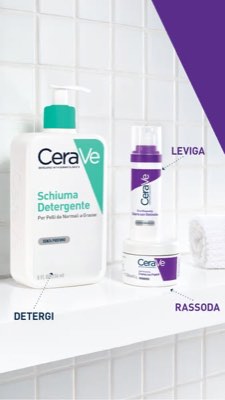
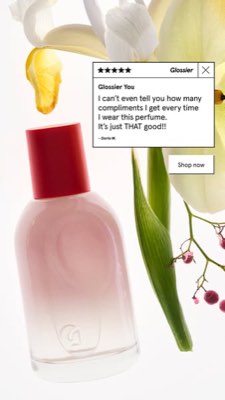
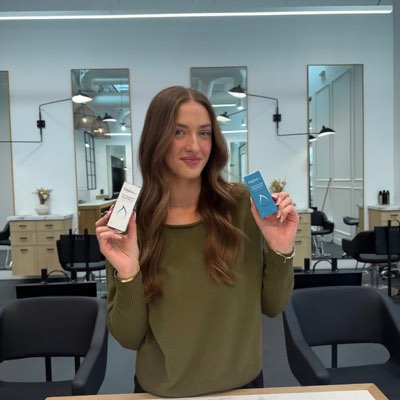








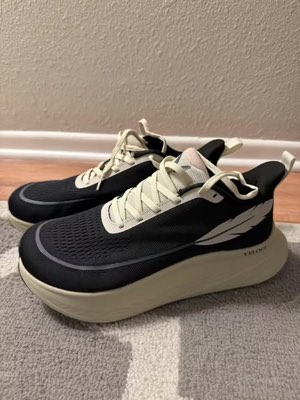
ایک بریف۔ ہر جگہ بیک وقت۔
ایک بار کہیں۔ Hermoso ڈھونڈ لیتا ہے کہ آپ کی مارکیٹ میں پہلے سے کیا کام کر رہا ہے، مکمل اشتہار تیار کرتا ہے، اسے دس آرگینک چینلز اور گیارہ ایڈ پلیٹ فارمز پر پیش کرتا ہے، اور نتائج آپ کے اپنے اینالیٹکس سے پڑھ کر بتاتا ہے۔ کہیں سے بھی شروع کریں — ہر حصہ خود سے کام کرتا ہے۔
- Threads
- TikTok
- YouTube
- X
- Bluesky
- Telegram
- Meta
- Google Ads
- Microsoft Advertising
- Reddit Ads
- X Ads
- TikTok Ads
- Snapchat Ads
- ChatGPT Ads
- Apple Search Ads
- Messenger
- Instagram Direct
- X
- Bluesky
- Telegram
- Google Analytics
- Google Tag Manager
- Google Search Console
- Bing Webmaster Tools
- PostHog
- Mixpanel
- Amplitude
- HubSpot
- Stripe
آپ کی مارکیٹنگ ٹیم پہلے سے آپ کے ایجنٹ کے اندر موجود ہے۔
ہر دوسرا مارکیٹنگ ٹول آپ سے اپنا ڈیش بورڈ کھولنے کو کہتا ہے۔ Hermoso اسی اسسٹنٹ میں انسٹال ہوتا ہے جس سے آپ پہلے ہی بات کرتے ہیں۔ ایک OAuth’d اینڈ پوائنٹ آپ کے ایجنٹ کو 850+ ٹولز تھما دیتا ہے — ایڈ ریسرچ، مکمل رینڈرز، پبلشنگ، مہم مینجمنٹ — اور ہر ایک ایک پائیدار ایسیٹ URL یا ساختہ نتیجہ لوٹاتا ہے، ماڈل کے دوبارہ پارس کرنے کے لیے کبھی نثر کی دیوار نہیں۔
Copy the connector URL
Open Customize → Connectors
+ Add → Add custom connector → name it Hermoso → paste the URL.
Connect & approve
Sign in with your Hermoso account on the consent page, and no key is needed. Then ask Claude for “an image ad with Hermoso.”
Create a key
In the Hermoso app open MCP & CLI → Terminal & API keys and create a key. Grok Bot runs in its own sandbox with no browser, so the usual sign-in cannot open; the key is what signs it in. Never paste a key into a URL.
Ask Grok Bot to set it up
Paste this into the chat with your key and let it add Hermoso as a local (stdio) MCP server. This is the route verified end to end on Grok Bot; its Settings → Plugins catalog does not list Hermoso yet, and the URL connector route is blocked by a Grok Bot sign-in defect that xAI has not fixed.
Start creating
Ask Grok Bot for “an image ad with Hermoso,” or “pull my competitors’ longest-running ads and remix the best one.”
Copy the connector URL
Open Plugins → Add → Create MCP App
Name it Hermoso, paste the URL as the Server URL, keep OAuth → Create. No Create MCP App? Switch on Developer mode under Settings → Plugins.
Connect & approve
Sign in with your Hermoso account on the consent page, and no key is needed. Then ask ChatGPT for “an image ad with Hermoso.”
Install Hermoso in Claude Code
Run this once in your terminal. It adds four Hermoso skills (research, ad-from-brand, generate, product-photoshoot) that run the hermoso command through npx, so no tool list is loaded into your sessions and nothing costs context until it runs. Already inside a session? Type /plugin marketplace add hermoso-ai/hermoso, then /plugin install hermoso@hermoso.
Sign in once
Opens your browser to sign in with your Hermoso account. Your agent runs this itself the first time it needs Hermoso, so you can also skip it. No browser on that machine? Use npx -y hermoso auth login --token <your key> with a key from MCP & CLI.
Start creating
Ask Claude Code for “an image ad with Hermoso,” or “pull my competitors’ longest-running ads and remix the best one.” Claude Code picks the Hermoso skill for the job and runs the commands. You type none of them.
Install Hermoso in Cursor
Run this once in your terminal. It adds four Hermoso skills (research, ad-from-brand, generate, product-photoshoot) that run the hermoso command through npx, so no tool list is loaded into your sessions and nothing costs context until it runs. Add -g to install it for every project instead of the current one.
Sign in once
Opens your browser to sign in with your Hermoso account. Your agent runs this itself the first time it needs Hermoso, so you can also skip it. No browser on that machine? Use npx -y hermoso auth login --token <your key> with a key from MCP & CLI.
Start creating
Ask Cursor for “an image ad with Hermoso,” or “pull my competitors’ longest-running ads and remix the best one.” Cursor picks the Hermoso skill for the job and runs the commands. You type none of them.
Install Hermoso in Codex
Run this once in your terminal. It adds four Hermoso skills (research, ad-from-brand, generate, product-photoshoot) that run the hermoso command through npx, so no tool list is loaded into your sessions and nothing costs context until it runs.
Sign in once
Opens your browser to sign in with your Hermoso account. Your agent runs this itself the first time it needs Hermoso, so you can also skip it. No browser on that machine? Use npx -y hermoso auth login --token <your key> with a key from MCP & CLI.
Start creating
Ask Codex for “an image ad with Hermoso,” or “pull my competitors’ longest-running ads and remix the best one.” Codex picks the Hermoso skill for the job and runs the commands. You type none of them.
Copy the connector URL
Open Plugins → Connectors
New Connector → Custom → paste the URL (or go straight to grok.com/connectors). On Business and Enterprise plans a team admin adds it once for everyone.
Connect & approve
Sign in with your Hermoso account on the consent page, and no key is needed. Then ask Grok for “an image ad with Hermoso.”
Install Hermoso in Cline
Run this once in your terminal. It adds four Hermoso skills (research, ad-from-brand, generate, product-photoshoot) that run the hermoso command through npx, so no tool list is loaded into your sessions and nothing costs context until it runs. Add -g to install it for every project instead of the current one.
Sign in once
Opens your browser to sign in with your Hermoso account. Your agent runs this itself the first time it needs Hermoso, so you can also skip it. No browser on that machine? Use npx -y hermoso auth login --token <your key> with a key from MCP & CLI.
Start creating
Ask Cline for “an image ad with Hermoso,” or “pull my competitors’ longest-running ads and remix the best one.” Cline picks the Hermoso skill for the job and runs the commands. You type none of them.
Install Hermoso in OpenClaw
Run this once in your terminal. It adds four Hermoso skills (research, ad-from-brand, generate, product-photoshoot) that run the hermoso command through npx, so no tool list is loaded into your sessions and nothing costs context until it runs. Add -g to install it for every project instead of the current one.
Sign in once
Opens your browser to sign in with your Hermoso account. Your agent runs this itself the first time it needs Hermoso, so you can also skip it. No browser on that machine? Use npx -y hermoso auth login --token <your key> with a key from MCP & CLI.
Start creating
Ask OpenClaw for “an image ad with Hermoso,” or “pull my competitors’ longest-running ads and remix the best one.” OpenClaw picks the Hermoso skill for the job and runs the commands. You type none of them.
Install Hermoso in Hermes
Run this once in your terminal. It adds four Hermoso skills (research, ad-from-brand, generate, product-photoshoot) that run the hermoso command through npx, so no tool list is loaded into your sessions and nothing costs context until it runs. Add -g to install it for every project instead of the current one.
Sign in once
Opens your browser to sign in with your Hermoso account. Your agent runs this itself the first time it needs Hermoso, so you can also skip it. No browser on that machine? Use npx -y hermoso auth login --token <your key> with a key from MCP & CLI.
Start creating
Ask Hermes for “an image ad with Hermoso,” or “pull my competitors’ longest-running ads and remix the best one.” Hermes picks the Hermoso skill for the job and runs the commands. You type none of them.
Copy the connector URL
Any client that takes an MCP server URL can use this one.
Or spawn it locally
Clients that launch a local process take this instead, which costs no context until a tool runs.
Neither shape fits?
There is a plain REST API at app.hermoso.ai/v1 with the same tools behind an hmk_ key, for an agent that speaks HTTP and nothing else.
“میرے تین قریب ترین حریفوں کے سب سے دیر تک چلنے والے Meta اشتہارات تلاش کرو، بتاؤ کون سا ہُک بار بار دہرایا جا رہا ہے، پھر اسی ہُک سے میرے لیے ایک 9:16 UGC ویڈیو اشتہار بناؤ — میری اصلی پروڈکٹ کی تصویر، کیپشنز اندر جلے ہوئے — اور اسے منگل صبح 9 بجے Instagram اور TikTok پر شیڈول کر دو۔”
دنیا کے سب سے بڑے برانڈز پہلے ہی AI اشتہارات چلا رہے ہیں۔ اب یہ ایک ٹول ہے، اسٹوڈیو بجٹ نہیں۔
دیکھیں کیا پہلے سے جیت رہا ہے۔ ایک ڈالر خرچ کرنے سے پہلے۔
Ad Spy، Meta، Google اور LinkedIn کی لائبریریاں اسکین کرتا ہے اور TikTok، Instagram، YouTube، Reddit اور Threads کی آرگینک فیڈز میں تلاش کرتا ہے اور آپ کی کیٹیگری کے کریئیٹیو کو اس بنیاد پر درجہ بند کرتا ہے کہ وہ کتنے عرصے سے چل رہا ہے — یہ خوبصورتی نہیں بلکہ تبادلے کا اشارہ ہے۔
نیا: Creator Search۔ کوئی نِیچ لکھیں اور Hermoso آپ کو وہ کری ایٹرز دکھائے گا جو پہلے ہی آرگینک TikTok، Instagram اور YouTube پر کامیاب ہیں، جنہیں میڈین ویوز، اینگیجمنٹ اور تسلسل کے مطابق درجہ بندی کیا جاتا ہے، ان کے کارڈ پر عوامی ای میل یا لنک اور نامزد فہرستوں میں محفوظ کرنے کے ساتھ۔ کری ایٹر سرچ کیسے کام کرتی ہے →
اپنی مارکیٹ اسکین کریں →
بیان کریں۔ Studio تصور، کاسٹنگ اور کاپی سنبھالتا ہے۔
ایک ہی چیٹ زاویہ منصوبہ بناتی ہے، کاپی لکھتی ہے، کریئیٹر کاسٹ کرتی ہے اور رینڈر کرتی ہے — آپ کا اصل پروڈکٹ اور برانڈ لاک شدہ، اور پکسل پرفیکٹ ٹیکسٹ کمپوزٹ شدہ تاکہ ورڈ مارک کبھی خراب نہ ہو۔
نیا: کسی بھی ویڈیو کو کلون کریں۔ TikTok، Reel، Facebook، X یا YouTube ویڈیو کا لنک پیسٹ کریں اور Hermoso اسے آپ کے برانڈ کے لیے نئے سرے سے بنائے گا: وہی ہُک، وہی ساخت، وہی کٹس اور وہی رفتار، آپ کے پروڈکٹ، اسکرین پر ایک نئے شخص اور آپ کے اپنے الفاظ کے ساتھ۔ ویڈیو کلوننگ کیسے کام کرتی ہے →
Studio کھولیں →
مکمل کا مطلب مکمل ہے۔ محفوظ کریں، متبادل بنائیں، شائع کریں۔
ہر رینڈر آپ کی لائبریری میں چلانے کے لیے تیار پہنچتا ہے — اور آپ جو کچھ اپلوڈ کرتے ہیں وہ بھی۔ Facebook، Instagram، Threads، TikTok، YouTube، X، LinkedIn، Pinterest، Bluesky اور Telegram پر براہِ راست آرگینک شائع کریں — ابھی، یا ایک حقیقی کنٹینٹ کیلنڈر پر شیڈول کر کے۔ پھر اس کے پیچھے کی پیڈ مہمات کو گیارہ ایڈ پلیٹ فارمز پر بنائیں، پڑھیں اور بہتر کریں، وہ بھی Hermoso چھوڑے بغیر۔
- Threads
- TikTok
- YouTube
- X
- Bluesky
- Telegram
- Meta
- Google Ads
- Microsoft Advertising
- Reddit Ads
- X Ads
- TikTok Ads
- Snapchat Ads
- ChatGPT Ads
- Apple Search Ads

ہر فارمیٹ جو آپ کی فیڈ جانتی ہے۔ اب آپ کے بنانے کے لیے۔
سنیمائی فلم، ایک تھریڈ جو اصلی DM لگے، ایک ویلیو پروپ جو ایک ہی اسکرین میں پوری اترے — شکل چنیں، اپنا برانڈ ڈالیں، اور تیار رینڈر ہو جائے۔ حرکت دیکھنے کے لیے کسی بھی ٹائل پر ہوور یا ٹیپ کریں۔
Studio میں 40+ ویڈیو اشتہاری فارمیٹس موجود ہیں — ہر ایک آپ کے برانڈ میں کاسٹ اور رینڈر شدہ
ایک Studio۔ ہمیشہ تازہ ترین ماڈلز۔
A built-in model router picks the best model for every job.
سادہ کریڈٹس۔ ہر پلان میں ہر فیچر۔
پلانز کریڈٹس سے مختلف ہوتے ہیں، فیچرز سے کبھی نہیں۔ Hermoso کا ایک حصہ استعمال کریں یا سارا — شیڈولنگ، کیمپین مینجمنٹ، پیمائش اور لامحدود برانڈ ورک اسپیسز ہر پلان پر ہیں، Free سمیت۔
جاننا اچھا ہے
https://app.hermoso.ai/mcp پر فراہم کرتا ہے، اس لیے یہ بغیر کسی تبدیلی کے Claude، Claude Code، Claude Desktop، Codex، Cursor، Cline، OpenClaw، Hermes اور کسی بھی دوسرے MCP کلائنٹ میں کام کرتا ہے۔ ٹرمینل ایجنٹس کے لیے ایک npm CLI (npm install -g hermoso) بھی موجود ہے جو شیل آؤٹ کرنا پسند کرتے ہیں، اور انسٹال ہونے والی Claude skills بھی جو عام ورک فلوز کو لپیٹ دیتی ہیں۔hermoso CLI چلاتی ہیں۔ Claude Code میں /plugin marketplace add hermoso-ai/hermoso ٹائپ کریں، پھر /plugin install hermoso@hermoso۔ Codex میں codex plugin marketplace add hermoso-ai/hermoso چلائیں، پھر codex plugin add hermoso@hermoso۔ Gemini CLI میں gemini extensions install https://github.com/hermoso-ai/hermoso چلائیں۔ Cursor یا اسکلز سپورٹ کرنے والے کسی بھی دوسرے ایجنٹ میں npx skills add hermoso-ai/hermoso -a cursor چلائیں، اور -a کے بعد اپنے ایجنٹ کا نام لکھیں۔ پھر npx -y hermoso auth login سے ایک بار سائن ان کریں۔ Claude.ai، ChatGPT یا کسی بھی دوسری چیٹ ایپ میں، https://app.hermoso.ai/mcp کو Settings → Connectors کے تحت پیسٹ کریں اور اپنے Hermoso اکاؤنٹ سے منظور کریں۔ کچھ بھی خود ہوسٹ نہیں کرنا، اور سب کچھ آپ کے کریڈٹس سے بل ہوتا ہے۔set_meta_campaign_status، set_google_ads_status، set_microsoft_ads_status، set_reddit_ads_status، set_linkedin_ads_status، set_pinterest_ads_status، set_x_ads_status اور set_openai_ads_status شامل ہیں — ہر ایک واضح تصدیقی فلیگ کے بغیر چلنے سے انکار کرتا ہے۔ جنریشن آپ کے بیلنس سے کریڈٹس خرچ کرتی ہے، اور ہر ماڈل کی فی رینڈر درست لاگت hermoso_capabilities کے ذریعے شائع کی جاتی ہے تاکہ ایجنٹ رینڈر کرنے سے پہلے آپ کو ایک نمبر بتا سکے۔آپ کا اگلا اشتہار
صرف ایک پرامپٹ دور ہے۔
کوئی کریڈٹ کارڈ نہیں · 250+ مفت کریڈٹس کے ساتھ شروع کریں — چلتے چلتے کماتے جائیں