بازاریابی روی
خلبان خودکار.
بهترین تبلیغات دسته خود را پیدا کنید، تبلیغات هوش مصنوعی و محتوای ارگانیک بسازید، در شبکههای اجتماعی پست کنید و همه کمپینهای تبلیغاتی خود را اجرا کنید. بیش از ۸۵۰ ابزار، یک endpoint.
انتشار و زمانبندی در ۱۰ کانال ارگانیک. ساخت و اجرای کمپینها روی ۱۱ پلتفرم تبلیغاتی. یک ورود.
بدون کارت اعتباری · با بیش از ۲۵۰ اعتبار رایگان شروع کنید


دیگر بین پنج اپلیکیشن سرگردان نشوید.
بیشتر ابزارهای تبلیغاتی هوش مصنوعی همانجا که رندر تمام میشود، متوقف میشوند. در یکی پرامپت میدهید، دانلود میکنید، در بعدی آپلود میکنید و بعد هر کمپین را دستی از نو میسازید. Hermoso کل چرخه را اجرا میکند: تحقیق، رندر، انتشار، اجرای تبلیغات و تحلیل نتایج. آن را به Claude وصل کنید یا استودیو را باز کنید. شما ذوق بیاورید، کار سنگین با ماست.
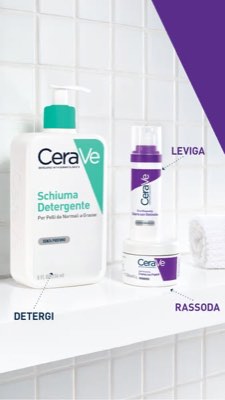
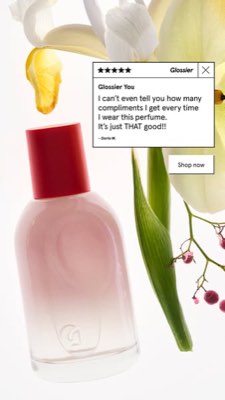
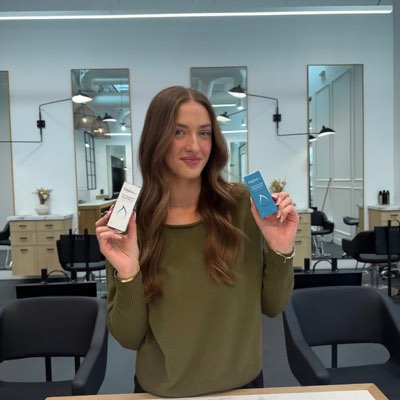








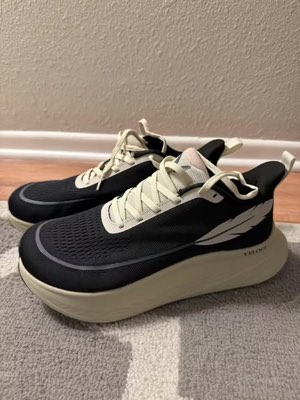
یک خریف. در همه جا به طور همزمان.
یک بار بگویید. Hermoso آنچه را که همین حالا در بازار شما جواب میدهد پیدا میکند، تبلیغ نهایی را رندر میکند، آن را در ده کانال ارگانیک و یازده پلتفرم تبلیغاتی منتشر میکند، و نتایج را از تحلیلهای خودتان بازمیخواند. از هر جا شروع کنید — هر بخش بهتنهایی کار میکند.
- Threads
- TikTok
- YouTube
- X
- Bluesky
- Telegram
- Meta
- Google Ads
- Microsoft Advertising
- Reddit Ads
- X Ads
- TikTok Ads
- Snapchat Ads
- ChatGPT Ads
- Apple Search Ads
- Messenger
- Instagram Direct
- X
- Bluesky
- Telegram
- Google Analytics
- Google Tag Manager
- Google Search Console
- Bing Webmaster Tools
- PostHog
- Mixpanel
- Amplitude
- HubSpot
- Stripe
تیم بازاریابی شما همین حالا داخل ایجنتتان است.
هر ابزار بازاریابی دیگری از شما میخواهد داشبوردش را باز کنید. Hermoso درون همان دستیاری نصب میشود که همین حالا با آن حرف میزنید. یک endpoint با OAuth بیش از ۸۵۰ ابزار را به عامل شما تحویل میدهد — تحقیق تبلیغات، رندرهای نهایی، انتشار، مدیریت کمپین — و هر کدام یک URL دارایی ماندگار یا نتیجهای ساختاریافته برمیگرداند، نه دیواری از متن که مدل مجبور باشد دوباره آن را تجزیه کند.
Copy the connector URL
Open Customize → Connectors
+ Add → Add custom connector → name it Hermoso → paste the URL.
Connect & approve
Sign in with your Hermoso account on the consent page, and no key is needed. Then ask Claude for “an image ad with Hermoso.”
Create a key
In the Hermoso app open MCP & CLI → Terminal & API keys and create a key. Grok Bot runs in its own sandbox with no browser, so the usual sign-in cannot open; the key is what signs it in. Never paste a key into a URL.
Ask Grok Bot to set it up
Paste this into the chat with your key and let it add Hermoso as a local (stdio) MCP server. This is the route verified end to end on Grok Bot; its Settings → Plugins catalog does not list Hermoso yet, and the URL connector route is blocked by a Grok Bot sign-in defect that xAI has not fixed.
Start creating
Ask Grok Bot for “an image ad with Hermoso,” or “pull my competitors’ longest-running ads and remix the best one.”
Copy the connector URL
Open Plugins → Add → Create MCP App
Name it Hermoso, paste the URL as the Server URL, keep OAuth → Create. No Create MCP App? Switch on Developer mode under Settings → Plugins.
Connect & approve
Sign in with your Hermoso account on the consent page, and no key is needed. Then ask ChatGPT for “an image ad with Hermoso.”
Install Hermoso in Claude Code
Run this once in your terminal. It adds four Hermoso skills (research, ad-from-brand, generate, product-photoshoot) that run the hermoso command through npx, so no tool list is loaded into your sessions and nothing costs context until it runs. Already inside a session? Type /plugin marketplace add hermoso-ai/hermoso, then /plugin install hermoso@hermoso.
Sign in once
Opens your browser to sign in with your Hermoso account. Your agent runs this itself the first time it needs Hermoso, so you can also skip it. No browser on that machine? Use npx -y hermoso auth login --token <your key> with a key from MCP & CLI.
Start creating
Ask Claude Code for “an image ad with Hermoso,” or “pull my competitors’ longest-running ads and remix the best one.” Claude Code picks the Hermoso skill for the job and runs the commands. You type none of them.
Install Hermoso in Cursor
Run this once in your terminal. It adds four Hermoso skills (research, ad-from-brand, generate, product-photoshoot) that run the hermoso command through npx, so no tool list is loaded into your sessions and nothing costs context until it runs. Add -g to install it for every project instead of the current one.
Sign in once
Opens your browser to sign in with your Hermoso account. Your agent runs this itself the first time it needs Hermoso, so you can also skip it. No browser on that machine? Use npx -y hermoso auth login --token <your key> with a key from MCP & CLI.
Start creating
Ask Cursor for “an image ad with Hermoso,” or “pull my competitors’ longest-running ads and remix the best one.” Cursor picks the Hermoso skill for the job and runs the commands. You type none of them.
Install Hermoso in Codex
Run this once in your terminal. It adds four Hermoso skills (research, ad-from-brand, generate, product-photoshoot) that run the hermoso command through npx, so no tool list is loaded into your sessions and nothing costs context until it runs.
Sign in once
Opens your browser to sign in with your Hermoso account. Your agent runs this itself the first time it needs Hermoso, so you can also skip it. No browser on that machine? Use npx -y hermoso auth login --token <your key> with a key from MCP & CLI.
Start creating
Ask Codex for “an image ad with Hermoso,” or “pull my competitors’ longest-running ads and remix the best one.” Codex picks the Hermoso skill for the job and runs the commands. You type none of them.
Copy the connector URL
Open Plugins → Connectors
New Connector → Custom → paste the URL (or go straight to grok.com/connectors). On Business and Enterprise plans a team admin adds it once for everyone.
Connect & approve
Sign in with your Hermoso account on the consent page, and no key is needed. Then ask Grok for “an image ad with Hermoso.”
Install Hermoso in Cline
Run this once in your terminal. It adds four Hermoso skills (research, ad-from-brand, generate, product-photoshoot) that run the hermoso command through npx, so no tool list is loaded into your sessions and nothing costs context until it runs. Add -g to install it for every project instead of the current one.
Sign in once
Opens your browser to sign in with your Hermoso account. Your agent runs this itself the first time it needs Hermoso, so you can also skip it. No browser on that machine? Use npx -y hermoso auth login --token <your key> with a key from MCP & CLI.
Start creating
Ask Cline for “an image ad with Hermoso,” or “pull my competitors’ longest-running ads and remix the best one.” Cline picks the Hermoso skill for the job and runs the commands. You type none of them.
Install Hermoso in OpenClaw
Run this once in your terminal. It adds four Hermoso skills (research, ad-from-brand, generate, product-photoshoot) that run the hermoso command through npx, so no tool list is loaded into your sessions and nothing costs context until it runs. Add -g to install it for every project instead of the current one.
Sign in once
Opens your browser to sign in with your Hermoso account. Your agent runs this itself the first time it needs Hermoso, so you can also skip it. No browser on that machine? Use npx -y hermoso auth login --token <your key> with a key from MCP & CLI.
Start creating
Ask OpenClaw for “an image ad with Hermoso,” or “pull my competitors’ longest-running ads and remix the best one.” OpenClaw picks the Hermoso skill for the job and runs the commands. You type none of them.
Install Hermoso in Hermes
Run this once in your terminal. It adds four Hermoso skills (research, ad-from-brand, generate, product-photoshoot) that run the hermoso command through npx, so no tool list is loaded into your sessions and nothing costs context until it runs. Add -g to install it for every project instead of the current one.
Sign in once
Opens your browser to sign in with your Hermoso account. Your agent runs this itself the first time it needs Hermoso, so you can also skip it. No browser on that machine? Use npx -y hermoso auth login --token <your key> with a key from MCP & CLI.
Start creating
Ask Hermes for “an image ad with Hermoso,” or “pull my competitors’ longest-running ads and remix the best one.” Hermes picks the Hermoso skill for the job and runs the commands. You type none of them.
Copy the connector URL
Any client that takes an MCP server URL can use this one.
Or spawn it locally
Clients that launch a local process take this instead, which costs no context until a tool runs.
Neither shape fits?
There is a plain REST API at app.hermoso.ai/v1 with the same tools behind an hmk_ key, for an agent that speaks HTTP and nothing else.
«طولانیترین تبلیغات Meta سه رقیب نزدیکم را پیدا کن، بگو کدام قلاب مدام تکرار میشود، بعد با همان قلاب یک تبلیغ ویدیویی UGC با نسبت 9:16 برایم بساز — با عکس واقعی محصولم و زیرنویس روی تصویر — و آن را برای سهشنبه ساعت ۹ صبح برای Instagram و TikTok زمانبندی کن.»
بزرگترین برندهای جهان همین حالا تبلیغات هوش مصنوعی اجرا میکنند. حالا این یک ابزار است، نه یک بودجهی استودیویی.
ببینید همین حالا چه چیزی برنده است. پیش از خرج کردن حتی یک دلار.
Ad Spy کتابخانههای تبلیغاتی Meta، Google و LinkedIn را اسکن میکند و خوراکهای ارگانیک TikTok، Instagram، YouTube، Reddit و Threads را جستجو میکند و خلاقیتهای حوزهی شما را بر اساس مدت زمانی که اجرا ماندهاند رتبهبندی میکند — نشانهای از آنچه واقعاً تبدیل ایجاد میکند، نه فقط از آنچه زیباست.
جدید: جستوجوی سازنده. یک حوزه را تایپ کنید تا Hermoso سازندگانی را که همین حالا در آن حوزه در فضای ارگانیک TikTok، Instagram و YouTube پیروز هستند بیابد؛ رتبهبندیشده بر اساس میانگین بازدید، تعامل و پیوستگی، با ایمیل یا لینک عمومیشان روی کارت و فهرستهای نامگذاریشده برای نگهداشتن آنها. جستوجوی سازنده چطور کار میکند →
بازار خود را اسکن کنید →
توصیفش کنید. استودیو ایدهپردازی، کستانتخابی و متن را انجام میدهد.
یک چت زاویهی خلاقانه را طراحی میکند، متن را مینویسد، بازیگر را انتخاب میکند و رندر میکند — با محصول و برند واقعی شما از پیش گنجاندهشده، و متنی که با دقت پیکسلی کامپوزیت میشود تا لوگوها هرگز مخدوش نشوند.
جدید: هر ویدیویی را شبیهسازی کنید. لینک یک ویدیوی TikTok، Reel، Facebook، X یا YouTube را جایگذاری کنید تا Hermoso آن را برای برند شما از نو بسازد: همان قلاب، همان ساختار، همان برشها و همان ریتم، با محصول شما، فردی تازه در تصویر و کلمات خودتان. شبیهسازی ویدیو چطور کار میکند →
استودیو را باز کنید →
نهایی یعنی واقعاً نهایی. ذخیره کنید، تنوع دهید، منتشر کنید.
هر خروجی رندرشده در کتابخانهی شما آمادهی اجرا مینشیند — و هرچه هم آپلود کنید همینطور. محتوای ارگانیک را مستقیم در Facebook، Instagram، Threads، TikTok، YouTube، X، LinkedIn، Pinterest، Bluesky و Telegram منتشر کنید — همین حالا، یا زمانبندیشده روی یک تقویم محتوایی واقعی. سپس کمپینهای پولی پشت آن را روی یازده پلتفرم تبلیغاتی بسازید، بخوانید و بهینه کنید، بدون آنکه از Hermoso خارج شوید.
- Threads
- TikTok
- YouTube
- X
- Bluesky
- Telegram
- Meta
- Google Ads
- Microsoft Advertising
- Reddit Ads
- X Ads
- TikTok Ads
- Snapchat Ads
- ChatGPT Ads
- Apple Search Ads

هر فرمتی که فید شما میشناسد. حالا نوبت شماست که بسازید.
فیلم سینمایی، گفتوگویی که مثل یک DM واقعی خوانده میشود، پیامی که در یک نگاه جا میافتد — قالب را انتخاب کن، برندت را بگذار و آماده تحویل بگیر. روی هر کاشی نگهدار یا لمس کن تا به حرکت درآید.
Studio بیش از ۴۰ فرمت آگهی ویدیویی ارائه میدهد — هرکدام با کستینگ و رندر در برند خودت
یک استودیو. همیشه با تازهترین مدلها.
A built-in model router picks the best model for every job.
اعتبارهای ساده. همه امکانات در همه پلنها.
پلنها بر اساس اعتبار تفاوت دارند، هرگز بر اساس امکانات. از یک بخش Hermoso استفاده کنید یا از همهاش — برنامهریزی، مدیریت کمپین، اندازهگیری و فضاهای کاری برند نامحدود روی هر پلنی هستند، از جمله Free.
خوب است بدانید
https://app.hermoso.ai/mcp ارائه میدهد، بنابراین بدون هیچ تغییری در Claude، Claude Code، Claude Desktop، Codex، Cursor، Cline، OpenClaw، Hermes و هر کلاینت MCP دیگری کار میکند. یک CLI روی npm هم وجود دارد (npm install -g hermoso) برای ایجنتهای ترمینالی که ترجیح میدهند از خط فرمان اجرا کنند، و مهارتهای نصبشدنی Claude که جریانهای کاری رایج را بستهبندی میکنند.hermoso CLI را اجرا میکنند. در Claude Code، /plugin marketplace add hermoso-ai/hermoso و سپس /plugin install hermoso@hermoso را تایپ کنید. در Codex، codex plugin marketplace add hermoso-ai/hermoso و سپس codex plugin add hermoso@hermoso را اجرا کنید. در Gemini CLI، gemini extensions install https://github.com/hermoso-ai/hermoso را اجرا کنید. در Cursor یا هر ایجنت دیگری که از مهارتها پشتیبانی میکند، npx skills add hermoso-ai/hermoso -a cursor را اجرا کنید و نام ایجنت خود را بعد از -a بنویسید. سپس یک بار با npx -y hermoso auth login وارد شوید. در Claude.ai، ChatGPT یا هر اپ چت دیگر، آدرس https://app.hermoso.ai/mcp را در بخش Settings → Connectors بچسبانید و با حساب Hermoso خود آن را تأیید کنید. چیزی برای میزبانی شخصی نیست و همهچیز از اعتبار شما کسر میشود.set_meta_campaign_status، set_google_ads_status، set_microsoft_ads_status، set_reddit_ads_status، set_linkedin_ads_status، set_pinterest_ads_status، set_x_ads_status و set_openai_ads_status — هر کدام بدون یک پرچم تأیید صریح از اجرا خودداری میکنند. تولید محتوا از موجودی اعتبار شما خرج میکند و هزینه دقیق هر رندر برای هر مدل از طریق hermoso_capabilities منتشر میشود تا عامل بتواند پیش از رندر، عددی را به شما اعلام کند.تبلیغ بعدی شما فقط
یک پرامپت فاصله دارد.
بدون کارت اعتباری · با بیش از ۲۵۰ اعتبار رایگان شروع کنید — همزمان با کار اعتبار بگیرید