Make a carousel post
Say what the carousel is about. Hermoso writes every slide and lays it out, ready to download.
Opens in the Hermoso app with this filled in. Nothing runs until you press Generate, and the app shows the exact price first. Rather ask your AI? Add Hermoso to Claude or ChatGPT and say what you want.
Carousels get swiped, saved and shared more than almost any other post, which is why every feed is full of them. They are also slow to make: write the points, cut them down, design a cover, lay out each slide, export them all. Hermoso's carousel maker does the whole thing from a topic. It writes a cover that makes people swipe, one point per slide, and a closing slide that tells them what to do next, then lays it out in your brand's colours and fonts.
Example
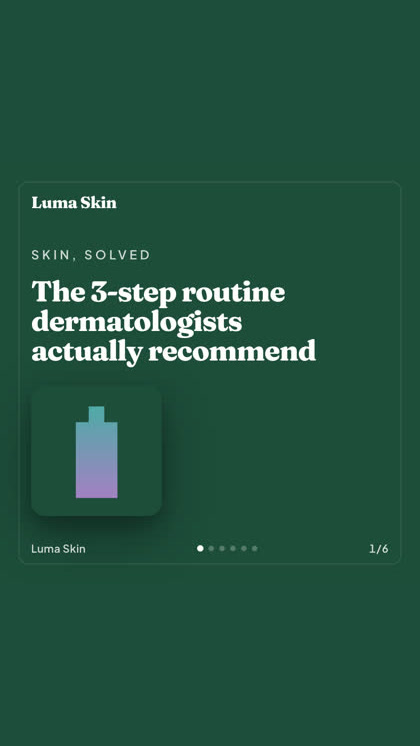
Made with Hermoso.
How do I make a carousel?
- Say what it is about. A topic, a tip list or a launch, like 5 mistakes people make with sunscreen.
- Pick how many points. From 3 to 8, plus the cover and a closing slide, so 5 to 10 slides in all.
- Add your own points, if you have them. Write one per line and they are tightened to fit, in your order. You can also say what people should do at the end, and the name and website for the last slide.
- Download the slides. The app shows the price before anything runs.
Does it use my brand?
Yes, when you are signed in with a brand saved in Hermoso: the colours, logo, fonts, name and website come from it, and you do not have to type any of them. Without one, you can still put a brand name and a website on the slides.
Will it make things up?
It is written not to. Each slide makes one point in a short headline and a line of support. A number only appears when it is a real, well-known fact; it never invents prices, studies, ratings or statistics. Still, read the slides before you post them, as you would anything with your name on it.
Where can I post it?
The slides are square, which works in every feed: Instagram, LinkedIn, Facebook, Threads and TikTok photo posts. Post them straight away or schedule the carousel from Hermoso to your channels.
Can I make carousels from ChatGPT or Claude?
Yes. Connect the Hermoso MCP and ask your assistant for a carousel on your topic. It runs through the make_template_ad tool with the carousel layout, and the same assistant can post or schedule it.
Related
Frequently asked questions
Is there a free carousel maker?
Hermoso has a free plan with no card, and you can earn 250+ free credits on it. The app shows the price of a carousel before it is made.
How many slides does a carousel have?
5 to 10: a cover, 3 to 8 points, and a closing slide.
Can I write my own points?
Yes. Write one per line and each becomes a slide, tightened to fit, in your order.
Does it work for LinkedIn carousels?
Yes. The square slides work on LinkedIn as well as Instagram, Facebook, Threads and TikTok.
Does it use my brand colours?
Yes, when you are signed in with a brand saved in Hermoso. Its colours, logo and fonts are used on every slide.
What size are the slides?
Square, the shape every feed shows in full.
Start free, 250+ earnable free credits, no card. The app shows the exact price before anything runs.
Start free → See pricing