
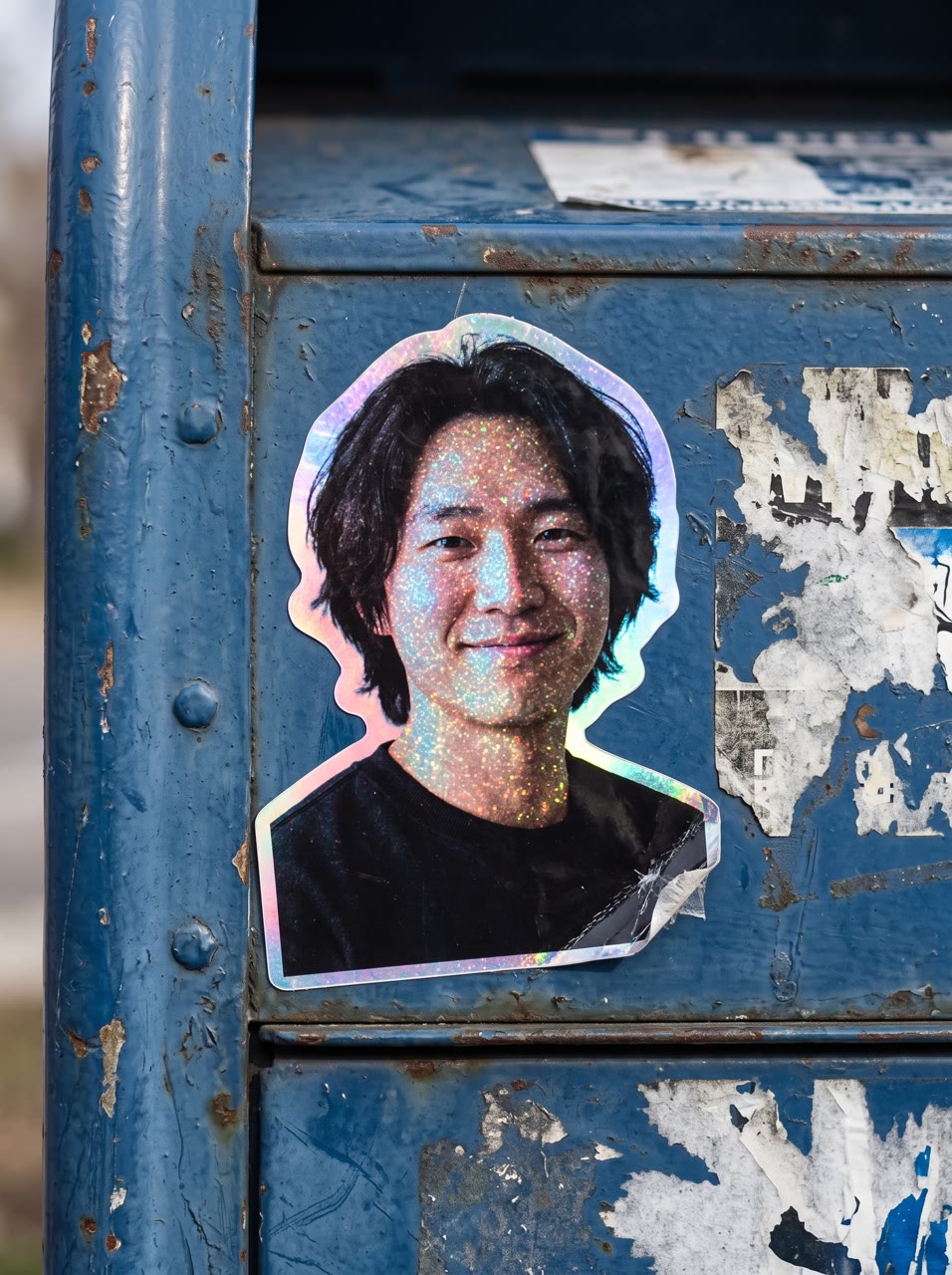
How does the glitter sticker maker work?
- Add a photo. A person, a pet or a product. One clear photo works best.
- Pick where it is stuck. A street mailbox, a laptop lid, a skateboard, a water bottle or a lamppost. Or describe your own.
- Pick the shape. 3:4, 1:1 or 9:16.
- Press the button. The app shows the price first. You get a picture of your sticker.
What do I get?
A picture of a holographic glitter sticker with your photo on it, stuck on the surface you chose. It shows how a sticker could look. It is not a print order.
Can I print it?
The tool makes the picture only. If you want real stickers, use the picture as a design and take it to a sticker printer.
What is it good for?
- A merch idea for a brand, a band or a shop.
- A fun post with your pet or your logo as a sticker.
- A preview before you order a print run.
Does a pet or a logo work?
Yes. A clear photo of a pet gives a cute sticker, and a clean product or logo picture gives a neat one. Keep the subject large in the photo so the sticker reads well.
Can I do this from ChatGPT or Claude?
Yes. Connect the Hermoso MCP and ask for a glitter sticker from your photo. Your assistant tells you the price first, then hands back the file.
Related
Frequently asked questions
Is the glitter sticker free?
Hermoso has a free plan with no card, and new accounts can claim free credits. The app shows the exact price before anything runs.
Do I need an account?
Yes, a free Hermoso account. You can fill the box on this page first and sign up when the app opens.
Can I stick it on something else?
Yes. Pick one of the five places or describe your own.
Will I get a print-ready sticker file?
No. You get a picture of the sticker. Printing is not part of this tool.
Can I use a pet or a product?
Yes, a person, a pet or a product all work.
Start free, no card needed. The app shows the exact price before anything runs.
Start free → See pricing