
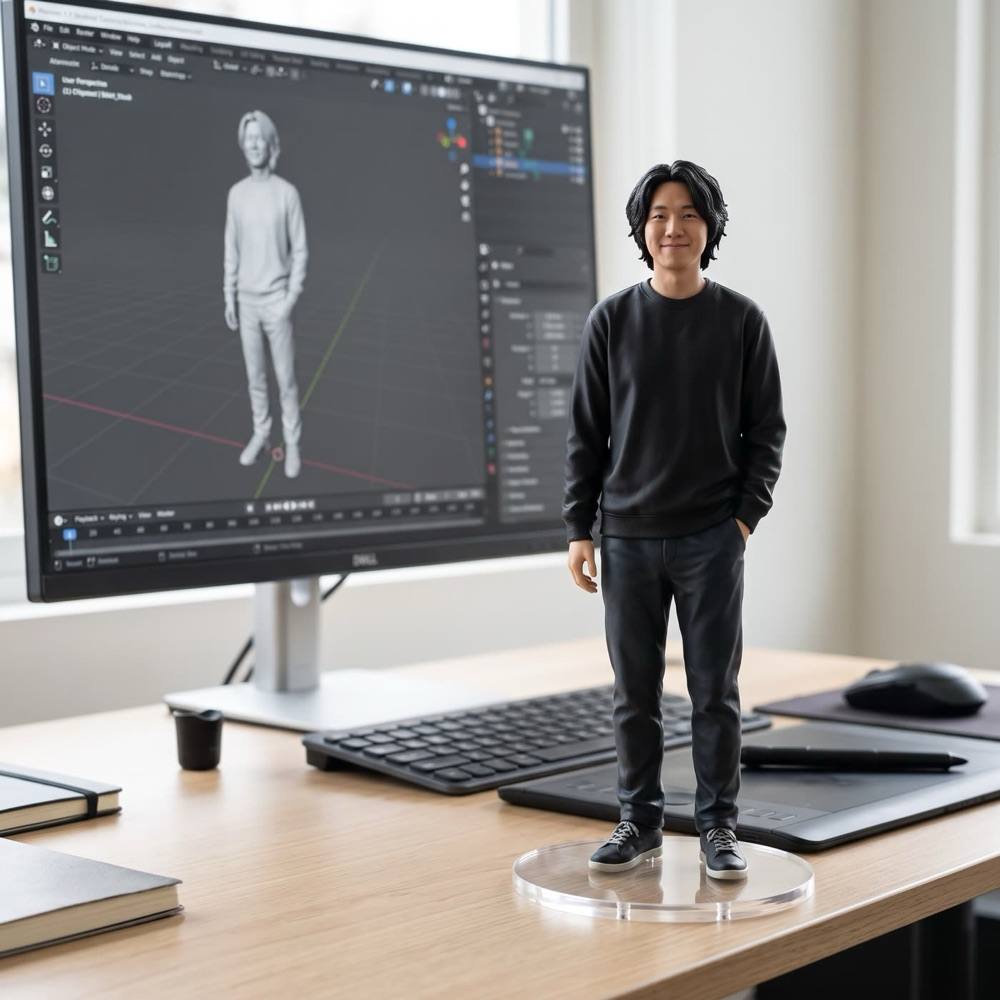
The collectible figure trend took over feeds for a reason: it is fun to see yourself as a toy. Hermoso turns your photo into a detailed figurine on a clear base and sets the scene around it. Pick a designer’s desk with the figure’s 3D model on the monitor behind it, a lit collector’s shelf, or the figure next to its own collector’s box.
How do I turn a photo into an action figure?
- Upload a photo. A person, a pet or a product. One clear photo works best.
- Pick the setting. A designer’s desk, a collector’s shelf, or with its box. Or describe your own.
- Pick the shape. 1:1, 9:16, 16:9, 3:4 or 4:3.
- Press the button. The app shows the price first.
Like the picture? Press Make it move under it and it becomes a 5-second clip. That step has its own price, shown on the button before you press it.
Can I turn my product into a figure?
Yes, and brands do: a figurine of your product or mascot makes a playful post or ad. A photo of a real person, you included, needs a paid plan, so we can verify who is using it. Pets, products and AI-made people work on every plan, the free one too.
Can I do this from ChatGPT or Claude?
Yes. Connect the Hermoso MCP and ask for your photo as a collectible figure. Your assistant runs the same effect through the make_effect tool, tells you the price first, and hands back the picture.
Related
Frequently asked questions
What settings can I pick?
A designer’s desk, a collector’s shelf, or the figure with its box. You can also describe your own.
Can I use a photo of my pet or product?
Yes, on every plan. A photo of a real person needs a paid plan.
Can I make it into a video?
Yes. Press Make it move for a 5-second clip, priced separately.
Is it a real 3D model I can print?
No. It is a picture of a figure, made to look real. It is not a 3D file.
Is it free?
Hermoso has a free plan with no card. The app shows the exact price before anything runs.
Start free, no card needed. The app shows the exact price before anything runs.
Start free → See pricing