How does the macro product video work?
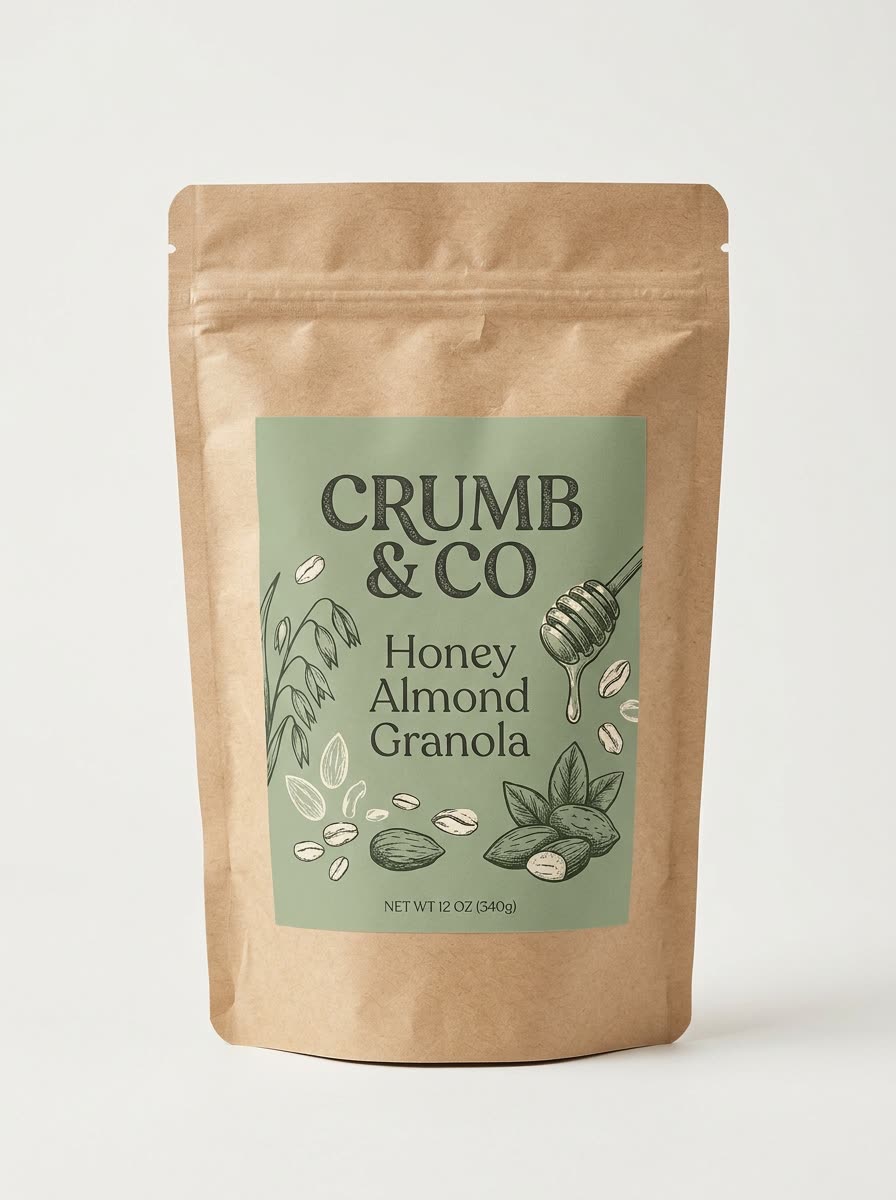
- Add your product photo. One clear photo, ideally on a plain background.
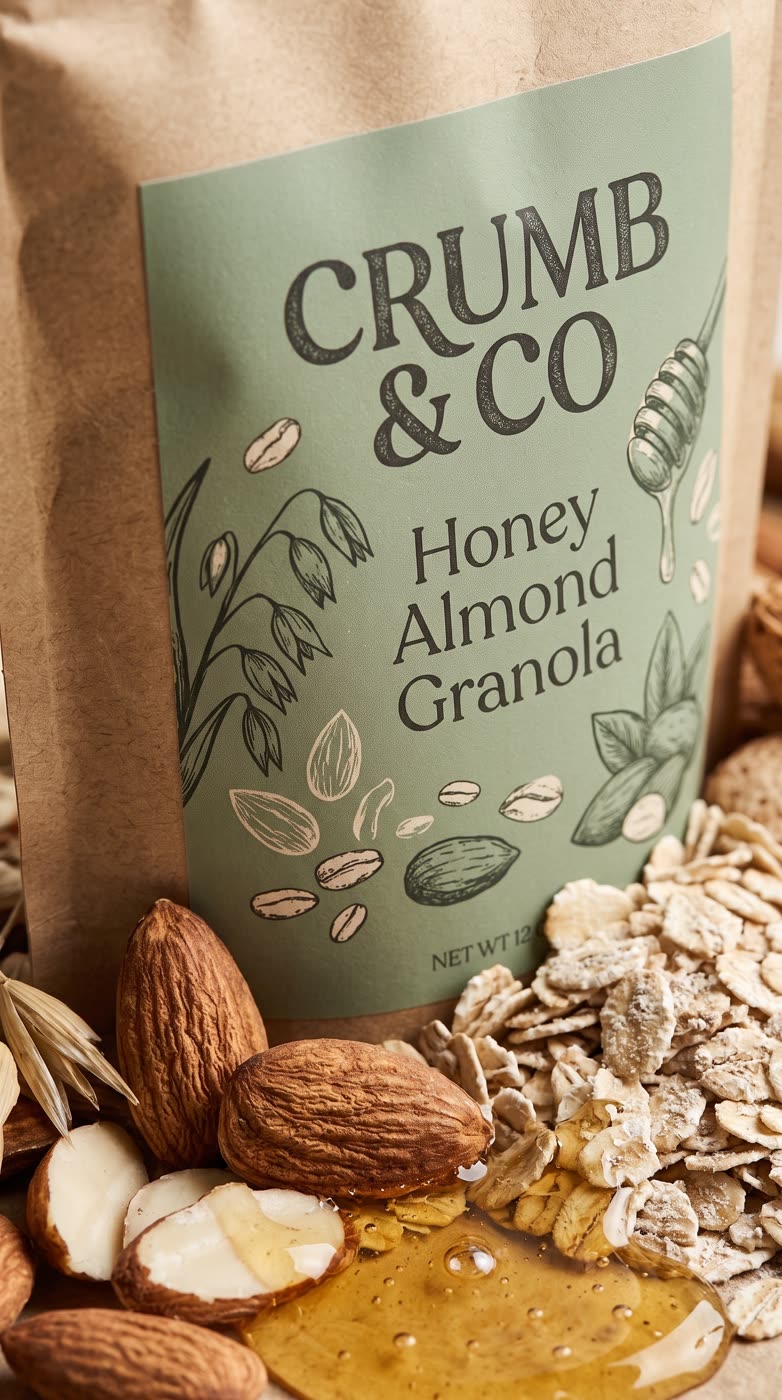
- Pick the setting. A studio close-up, a scene that fits the product, or the product with its ingredients. Or describe your own.
- Pick the size. 9:16 is the default, with 1:1, 16:9, 3:4 and 4:3 as options.
- Press the button. The app shows the price first. You get a close-up picture and a short clip.
What is a macro product shot?
Macro means very close. The camera gets right up to the product so you see texture, droplets, grain and finish. Filming it normally needs a macro lens and a studio. Here you start from a photo you already have.
Which products suit it?
- Food and drink, where texture sells: granola, sauce, coffee, chocolate.
- Skincare and cosmetics, to show a cream or a droplet.
- Jewellery, watches and small gadgets, to show finish and detail.
How do I get a good result?
Start from a sharp photo with the full product and label visible. Pick the ingredients setting for food, where showing what is inside makes the shot more appetising. For a product with a label, check the text in the result before you post it. Try each setting once, because the same photo reads very differently in a studio and in a scene.
Can I do this from ChatGPT or Claude?
Yes. Connect the Hermoso MCP and ask for a macro close-up of your product. Your assistant tells you the price first, then runs it and hands back the file.
Related
Frequently asked questions
Is the macro product video free?
Hermoso has a free plan with no card, and new accounts can claim free credits. The app shows the exact price before anything runs.
Do I need an account?
Yes, a free Hermoso account. You can fill the box on this page first and sign up when the app opens.
Do I need a macro lens?
No. You start from an ordinary product photo and there is no filming.
What settings can I choose?
A studio close-up, a scene that fits the product, the product with its ingredients, or one you describe.
What do I get back?
A close-up picture of your product and a short clip.
Start free, no card needed. The app shows the exact price before anything runs.
Start free → See pricing