
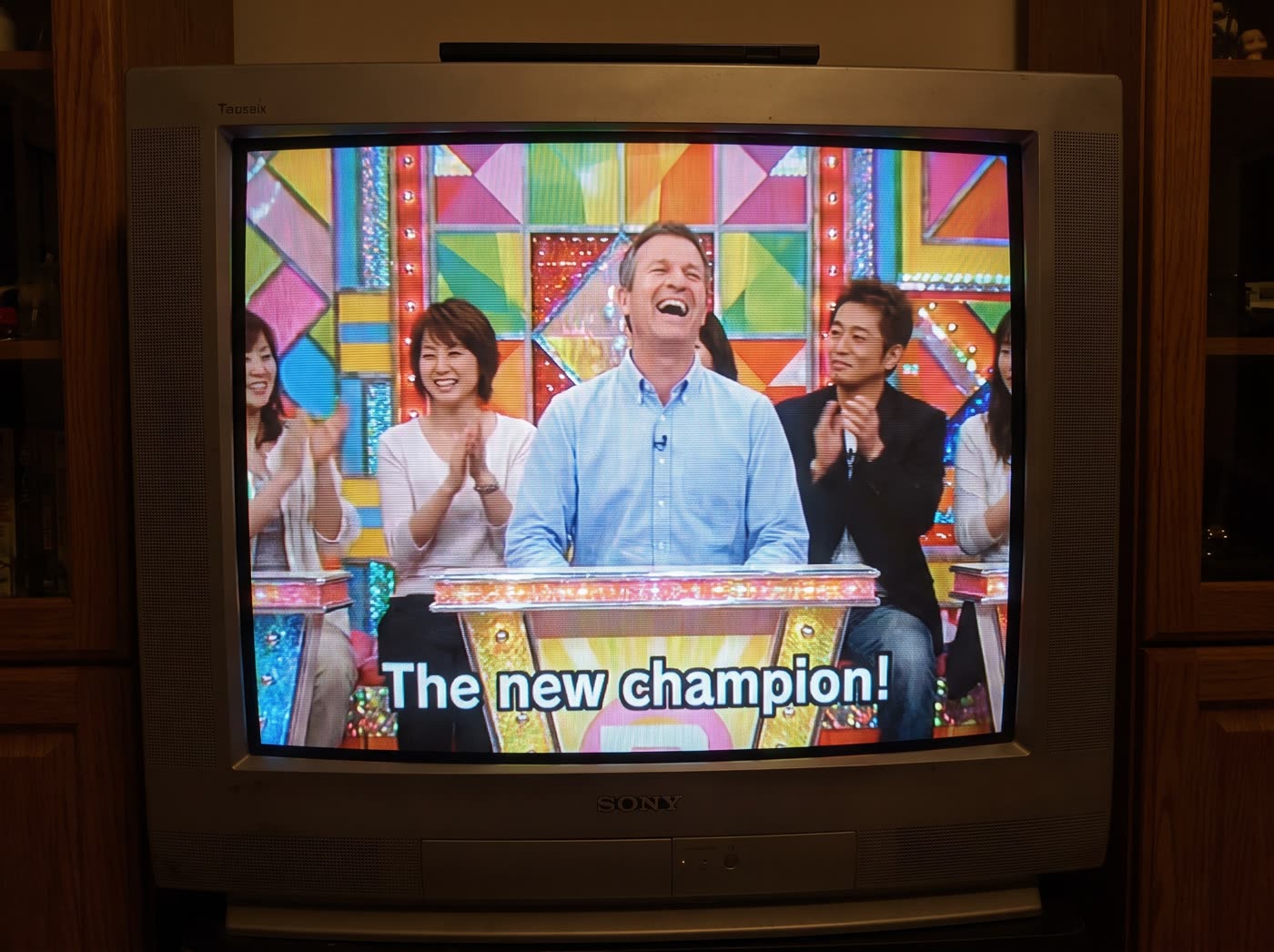
How does the old TV effect work?
- Add one clear photo. A photo of one person: you, or someone who agreed to it.
- Add a subtitle. Optional, up to 40 characters. It is printed on the screen exactly as you type it.
- Pick the shape. 4:3 for the classic TV look, or 16:9.
- Press the button. The app shows the price first, then makes your picture.
What do I get?
You get a picture of yourself as a guest on a 2000s variety show, framed on an old TV, with the look of a worn screen. It is a new picture, so you do not need a green screen or an overlay file.
Is this the green screen overlay?
No. A green screen overlay is a clip you lay over your own video in an editor. This tool makes a finished picture from your photo instead, so there is nothing to key out or line up.
What can I use it for?
- A profile picture or a funny post.
- A throwback look for a brand, a launch or an event.
- A caption on screen, such as a name or a short line.
Run it again with another subtitle to get a new version from the same photo.
Can I do this from ChatGPT or Claude?
Yes. Connect the Hermoso MCP and ask your assistant for an old TV show picture of yourself. It tells you the price first, then runs it and hands back the file.
Related
Frequently asked questions
Is the old TV effect free?
Hermoso has a free plan with no card, and new accounts can claim free credits. The app shows the exact price before anything runs.
Do I need an account?
Yes, a free Hermoso account. You can fill the box on this page first and sign up when the app opens.
Is it a video?
No. The result is a picture, in 4:3 or 16:9.
How long can the subtitle be?
Up to 40 characters. It is printed exactly as you type it.
Can I use a photo of a friend?
Only if they agreed to it.
Start free, no card needed. The app shows the exact price before anything runs.
Start free → See pricing