
How does the MS Paint filter work?
- Add one clear photo. A person, a pet or a product.
- Add your touch. Optional: a detail such as a half-finished drawing of a cat.
- Pick the shape. 4:3 is the default. 1:1 and 16:9 are there too.
- Press the button. The app shows the price first, then makes your picture.
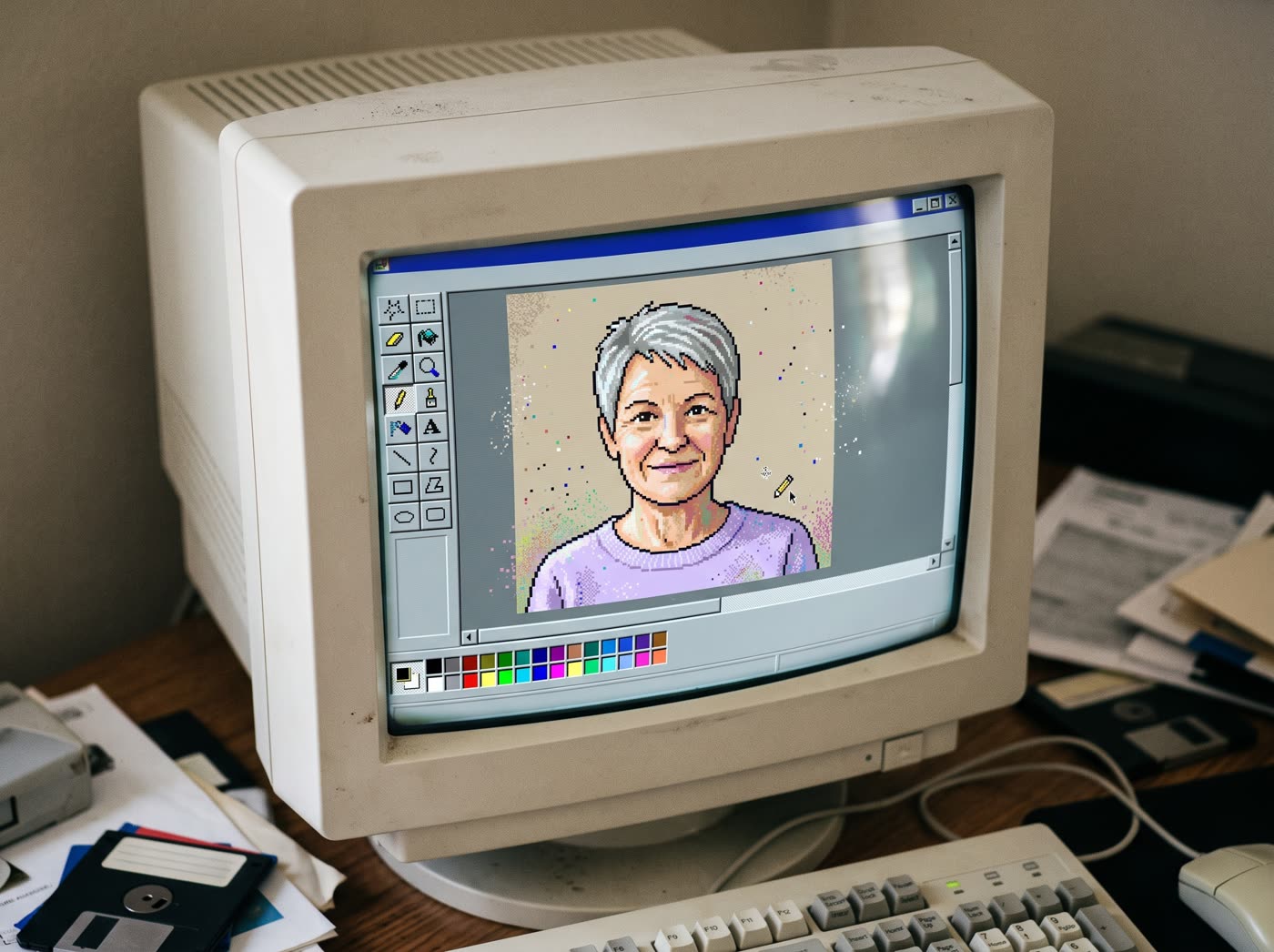
What does it look like?
Your photo is redrawn as if it was made in an early paint program on an old screen: blocky lines, flat colours and a retro window around it. It is a new picture in that style, not a filter you can undo.
Tips for a good result
- Use a photo with one clear subject.
- Pick a photo with simple light and a plain background.
- Use a photo of yourself or of someone who agreed to it.
Where can I use it?
It suits memes, profile pictures, nostalgia posts and throwback campaigns. A brand can use it to show a product in a 90s way.
Can I change what is painted?
Yes. The optional touch lets you add a detail to the scene. Run it again with a different detail to get another version of your picture.
Can I do this from ChatGPT or Claude?
Yes. Connect the Hermoso MCP and ask your assistant for a retro paint style picture from your photo. It tells you the price first, then runs it and hands back the file.
Related
Frequently asked questions
Is the MS Paint filter free?
Hermoso has a free plan with no card, and new accounts can claim free credits. The app shows the exact price before anything runs.
Do I need an account?
Yes, a free Hermoso account. You can fill the box on this page first and sign up when the app opens.
Is this affiliated with Microsoft?
No. Hermoso is not affiliated with Microsoft or MS Paint. The tool makes an original retro paint style picture.
What sizes can I make?
4:3 by default, plus 1:1 and 16:9.
Can I use a pet or a product photo?
Yes. A person, a pet or a product all work.
Start free, no card needed. The app shows the exact price before anything runs.
Start free → See pricing