
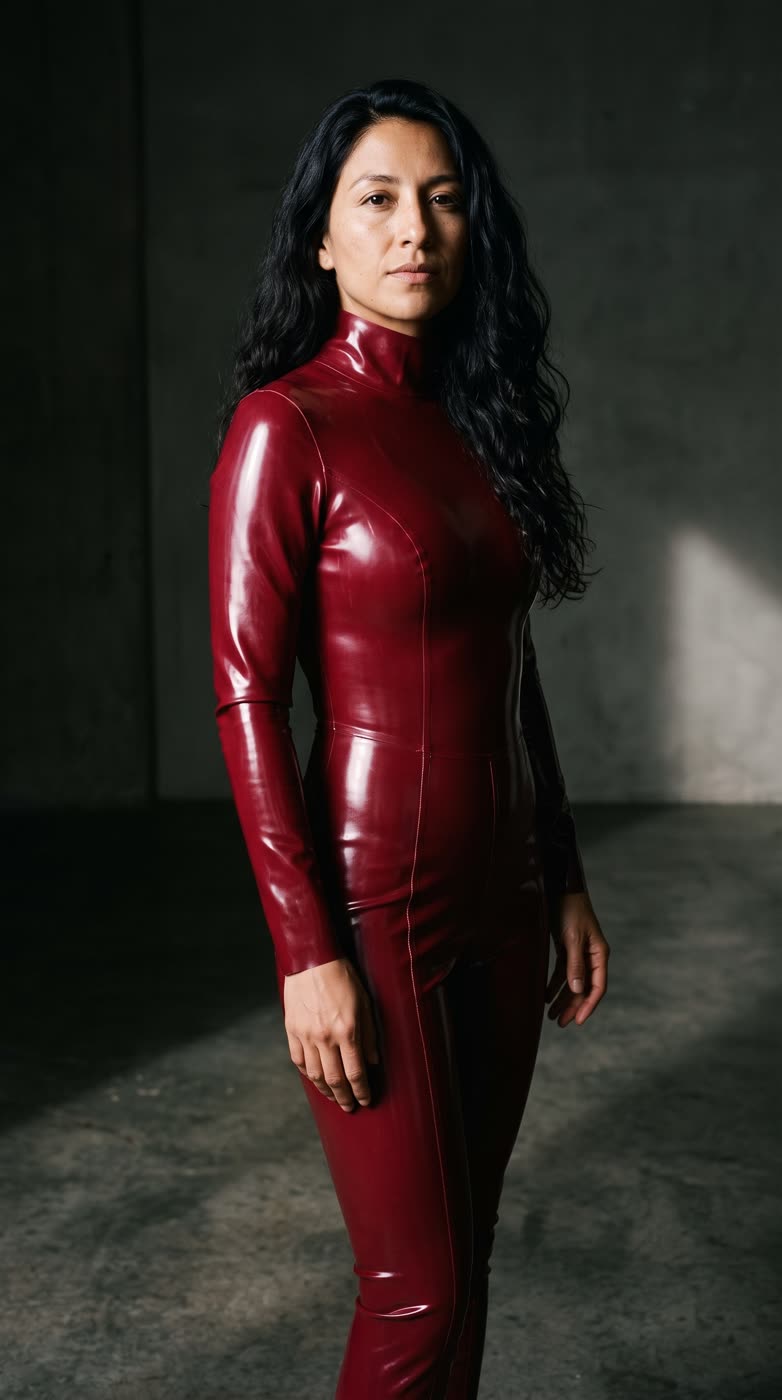
How does the ai fashion photo work?
- Add one clear photo of yourself, or of someone who agreed to it.
- Pick the colour: black, red, silver or white, or type your own.
- Pick the shape: 9:16, square or 16:9.
- Press the button. The app shows the price first, then makes your picture.
What do I get?
A styled fashion picture of you in a sleek, glossy suit. It is a bold editorial look for profile pictures, lookbooks and trend posts. After the picture you can choose to bring it to life as a short clip.
Which colour looks best?
- Black is the classic high shine look.
- Red stands out in a feed.
- Silver gives a futuristic feel.
- White reads clean and bright.
What photo should I use?
A clear, well lit photo of one person, with the face and body easy to see. Use a photo of yourself or someone who agreed to it.
Can I do this from ChatGPT or Claude?
Yes. Connect the Hermoso MCP and ask your assistant for a glossy fashion photo of yourself. It tells you the price first, then hands back the file.
Can I type my own colour?
Yes. Besides black, red, silver and white you can type any colour you like, such as deep green or pastel pink.
Related
Frequently asked questions
Is the AI fashion photo free?
Hermoso has a free plan with no card, and new accounts can claim free credits. The app shows the exact price before anything runs.
Do I need an account?
Yes, a free Hermoso account. You can fill the box on this page first and sign up when the app opens.
Which colours can I pick?
Black, red, silver and white, or a colour you type yourself.
Whose photo can I use?
Your own, or someone who agreed to it.
Which sizes can I make?
9:16 (the default), 1:1 and 16:9.
Start free, no card needed. The app shows the exact price before anything runs.
Start free → See pricing