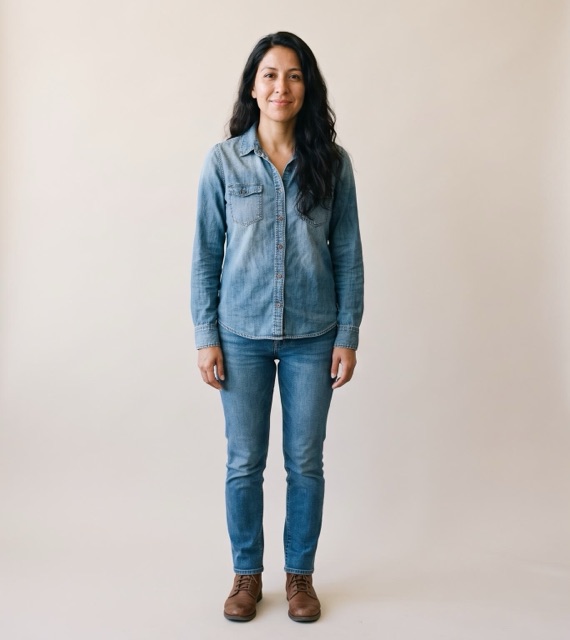
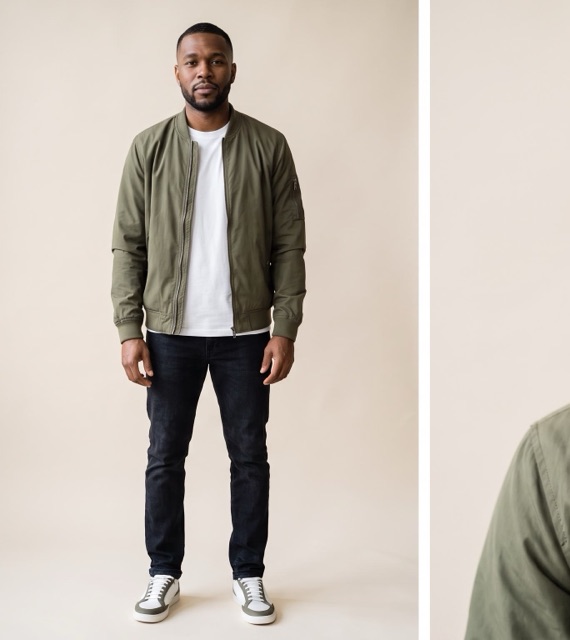
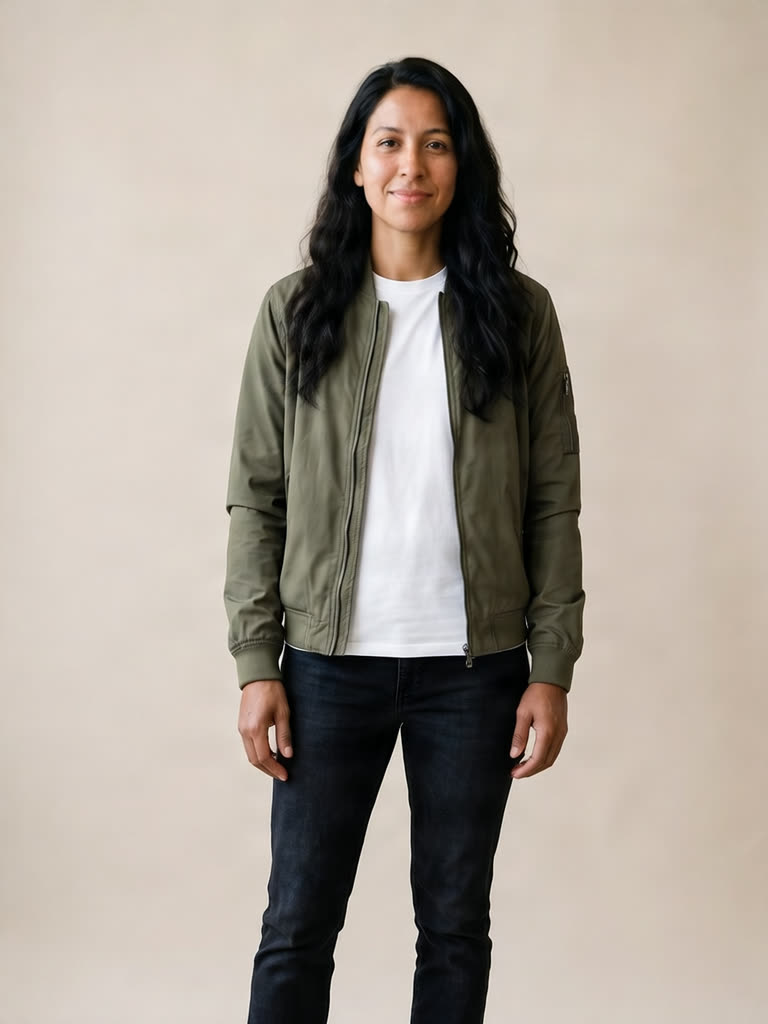
Hermoso keeps the person, their pose and the background, and dresses them in the new clothes.
Want to see how a jacket looks on you before you buy it, or show a customer your new collection on a real body? The AI clothes changer takes two photos: the person, and the outfit. The outfit can be worn by someone else or laid flat on a bed. You get back the first photo with the new clothes on, the same face, pose and background.
How do I change the clothes in a photo?
- Upload the person. A clear photo of one person, ideally showing the whole outfit.
- Upload the outfit. A photo of the clothes: worn by someone else, on a hanger or laid flat.
- Add a note if you want. For example "tuck the shirt in".
- Press Swap the outfit. The app shows the price first. The new photo is ready in about a minute.
Will it keep my face and pose?
Yes. The try-on model keeps the person, their pose and their background and only changes what they wear. The shape of the result follows your photo.
Who uses an AI outfit changer?
Clothing brands use it to show one product on several models without a new shoot. Shoppers use it to try something on before ordering. Creators use it for outfit posts. A photo of a real person, you included, needs a paid plan, so we can verify who is using it. Pets, products and AI-made people work on every plan, the free one too.
Can I try on more than one piece at once?
Yes, in the virtual try-on: pick one of our AI models or your own photo and try up to three pieces together, like a top, trousers and shoes.
Related
Frequently asked questions
Is the AI clothes changer free?
Hermoso has a free plan with no card, and the app shows the exact price before anything runs. A photo of a real person needs a paid plan.
What photos do I need?
Two: a clear photo of the person, and a photo of the outfit, worn or laid flat.
Does it change my face or background?
No. The person, their pose and the background stay the same. Only the clothes change.
How long does it take?
About a minute.
Can I use someone else’s photo?
Only with their permission. The app asks you to confirm you have it.
Start free, no card needed. The app shows the exact price before anything runs.
Start free → See pricing