
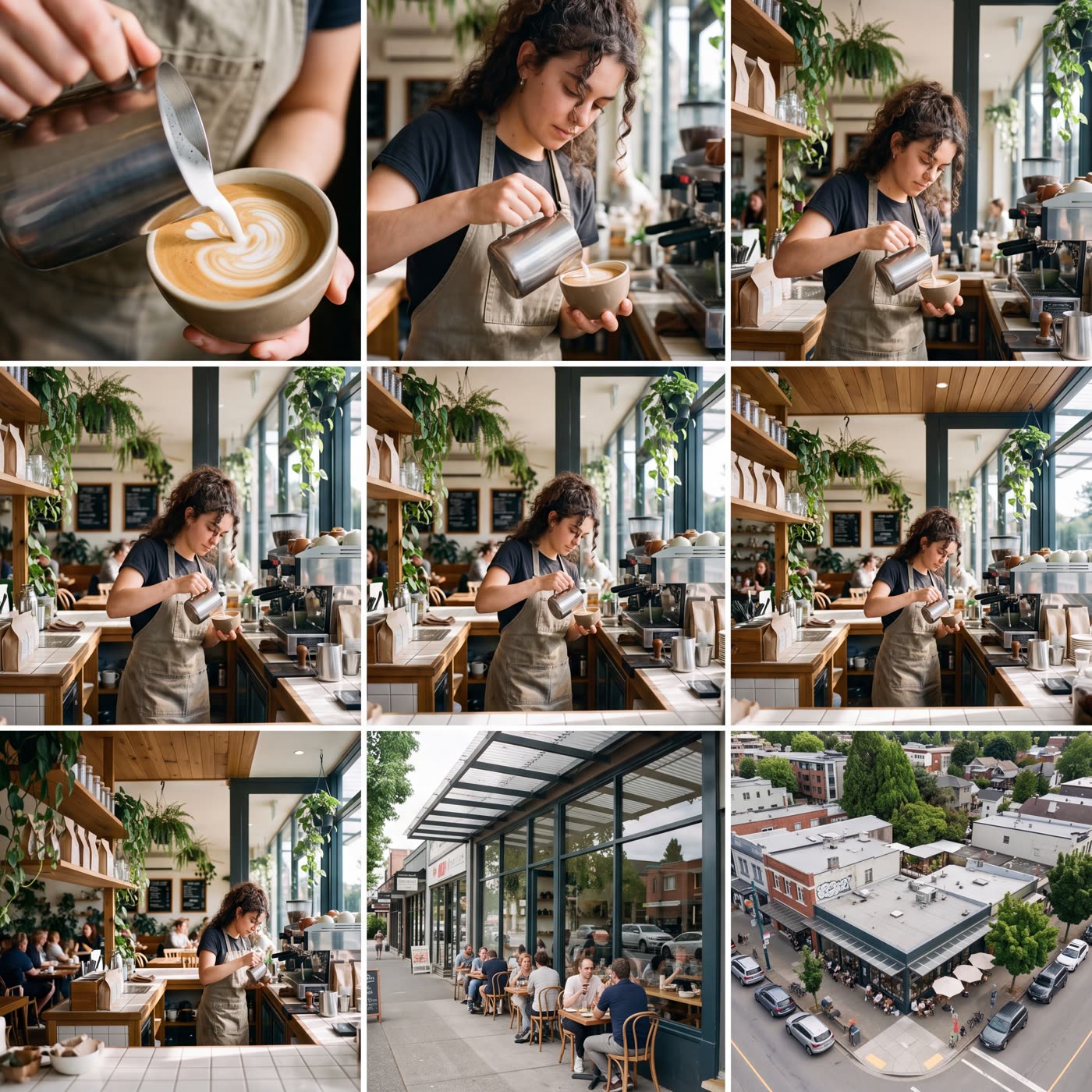
How does the ai zoom out image work?
- Add your picture. Any photo or picture, as a file or a link.
- Check the shape. The result is one square grid, three views across and three down.
- Press the button. The app shows the price first, then makes the grid.
What are the nine zoom levels?
Reading the grid in order: macro, extreme close-up, close-up, medium close, medium, medium wide, wide, very wide and aerial. Each tile shows the same scene from a different distance.
What is it good for?
- Seeing a scene from every angle of distance in one go.
- Picking the shot you like best for an ad or a post.
- Building shot lists and storyboards from a single reference picture.
How big is the result?
The result is a square 4K image holding all nine views. You can crop any tile you like.
Can I do this from ChatGPT or Claude?
Yes. Connect the Hermoso MCP and ask your assistant for nine zoom levels of your picture. It tells you the price first, then hands back the file.
Is it an infinite zoom video?
No. You get one still picture with nine tiles. If you want a moving shot, use it as a reference for a video tool and ask for a pull back.
Related
Frequently asked questions
Is the AI zoom out image tool free?
Hermoso has a free plan with no card, and new accounts can claim free credits. The app shows the exact price before anything runs.
Do I need an account?
Yes, a free Hermoso account. You can fill the box on this page first and sign up when the app opens.
What do I get back?
One square picture with nine tiles, each a different zoom level of your scene.
Does it make a video?
No. It makes a single picture with nine views. It is not an animated infinite zoom.
How big is the picture?
It is a square 4K image.
Start free, no card needed. The app shows the exact price before anything runs.
Start free → See pricing