
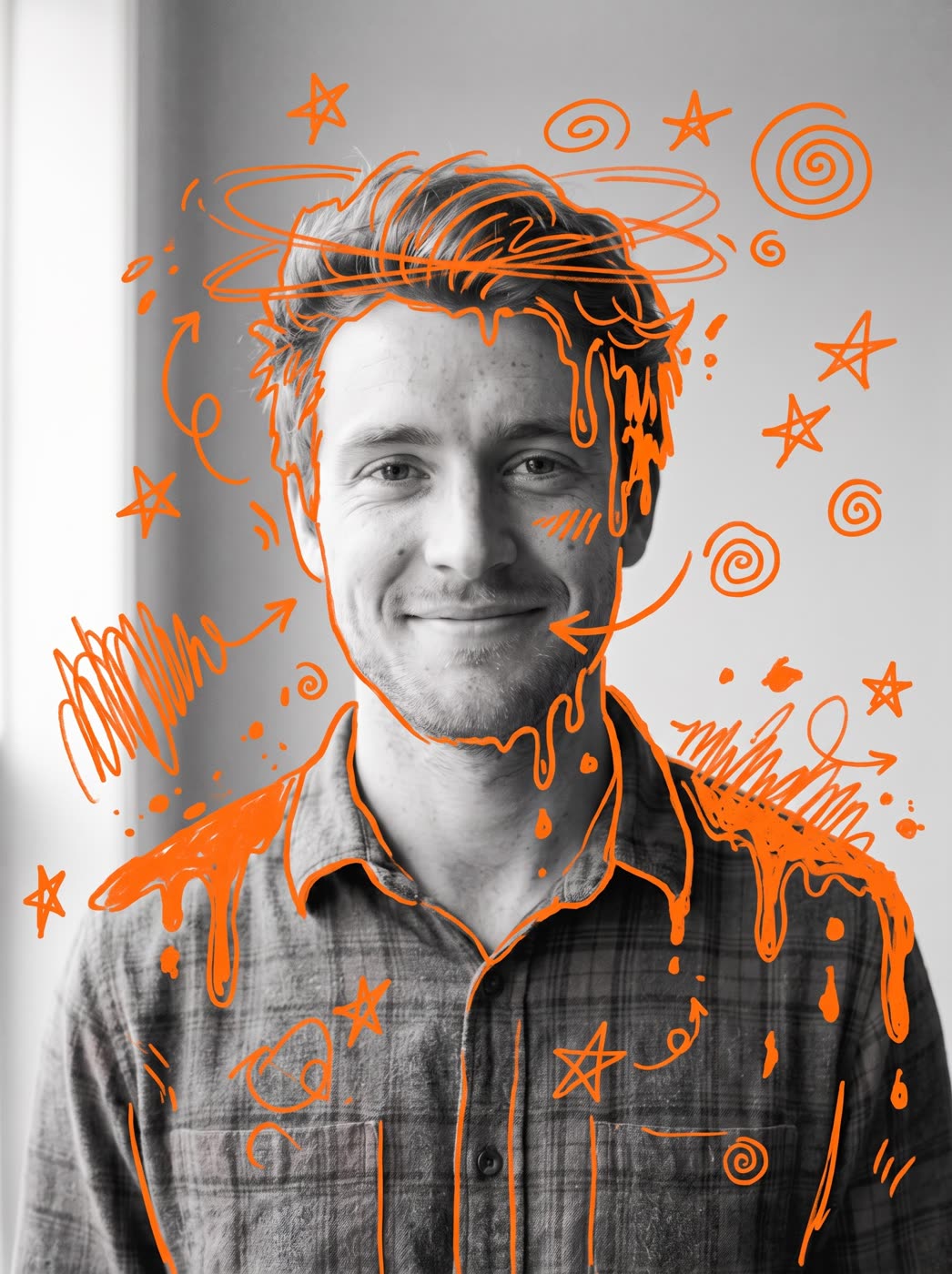
How does the doodle photo effect work?
- Add a photo. A person, a pet or a product. One clear photo works best.
- Pick the doodle colour. Orange, hot pink, electric blue or lime green. You can also describe your own.
- Pick the shape. 3:4 is the default. 9:16, 1:1, 16:9 and 4:3 are there too.
- Press the button. The app shows the price first.
What does the result look like?
Your photo turns black and white, then marker doodles in one bright colour drip and melt over it. It is a graphic, hand-drawn look that stands out in a feed.
Is it a photo filter or a drawing app?
Neither. The picture is made fresh from your photo, so the doodles follow the shape of the person, pet or product. You do not draw anything yourself.
What can I use it for?
- Profile pictures, covers and posters.
- Product shots with a bold, creative edge.
- A pet portrait you can print.
The app can also animate the picture into a short clip. If it shows a person, use a photo of yourself or someone who agreed to it.
How do I get a good result?
Use a sharp photo with a clear subject and a simple background. A strong colour, like hot pink on a dark photo, makes the doodles pop.
Can I do this from ChatGPT or Claude?
Yes. Connect the Hermoso MCP and ask your assistant for a doodle effect on your photo. It runs the same tool, tells you the price first and hands back the finished file.
Related
Frequently asked questions
Is the doodle photo effect free?
Hermoso has a free plan with no card, and new accounts can claim free credits. The app shows the exact price before anything runs.
Do I need an account?
Yes, a free Hermoso account. You can fill the box on this page first and sign up when the app opens.
What can I put in the photo?
A person, a pet or a product. One clear photo works best.
Which doodle colours are there?
Orange, hot pink, electric blue and lime green, or describe your own.
Can I get a different shape?
Yes. 3:4 is the default, and you can pick 9:16, 1:1, 16:9 or 4:3.
Start free, no card needed. The app shows the exact price before anything runs.
Start free → See pricing