
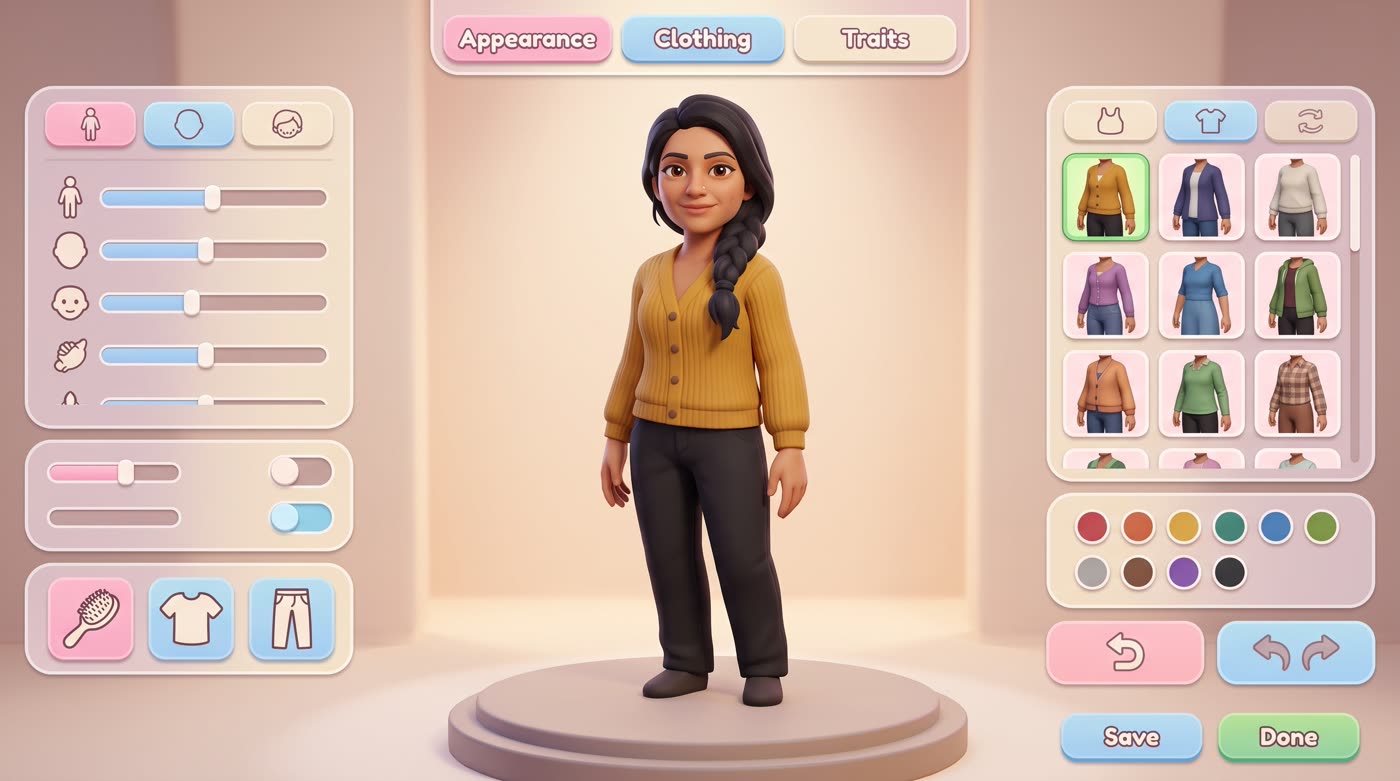
How does the sims character AI work?
- Add a photo. One clear photo of one person: you, or someone who agreed to it.
- Add clothes if you want. You can add up to two clothing photos, like a top, a dress or shoes. Both are optional.
- Pick the shape. Wide 16:9 is the default. Tall, square, 3:4 and 4:3 are there too.
- Press the button. The app shows the price first.
What does the picture look like?
It looks like a create-a-character screen from a life-sim game: your 3D character in the middle, built from your face. The result is a stylised game look, not a photo, so it will not match you exactly.
Can I put real clothes on the character?
Yes. Add a photo of a top, a dress or a pair of shoes and the character wears it. A flat, clear photo of one item works best.
What can I use it for?
- A profile picture or banner with a game feel.
- A trend post that friends can copy with their own photo.
- A fun gift or a stream overlay.
Use a photo of yourself or someone who agreed to it.
Can I do this from ChatGPT or Claude?
Yes. Connect the Hermoso MCP and ask your assistant for a 3D game character made from your photo. It runs the same tool, tells you the price first and hands back the finished file.
Related
- AI video game character generator
- AI game character generator
- AI outfit generator
- Turn yourself into LEGO
Frequently asked questions
Is the Sims character AI free?
Hermoso has a free plan with no card, and new accounts can claim free credits. The app shows the exact price before anything runs.
Do I need an account?
Yes, a free Hermoso account. You can fill the box on this page first and sign up when the app opens.
Is this affiliated with The Sims?
No. Hermoso is not affiliated with The Sims or its makers. The tool makes an original life-sim style character picture.
Can I add clothes?
Yes. Add up to two clothing photos. They are optional.
What shapes can I make?
16:9 by default, plus 9:16, 1:1, 3:4 and 4:3.
Start free, no card needed. The app shows the exact price before anything runs.
Start free → See pricing