
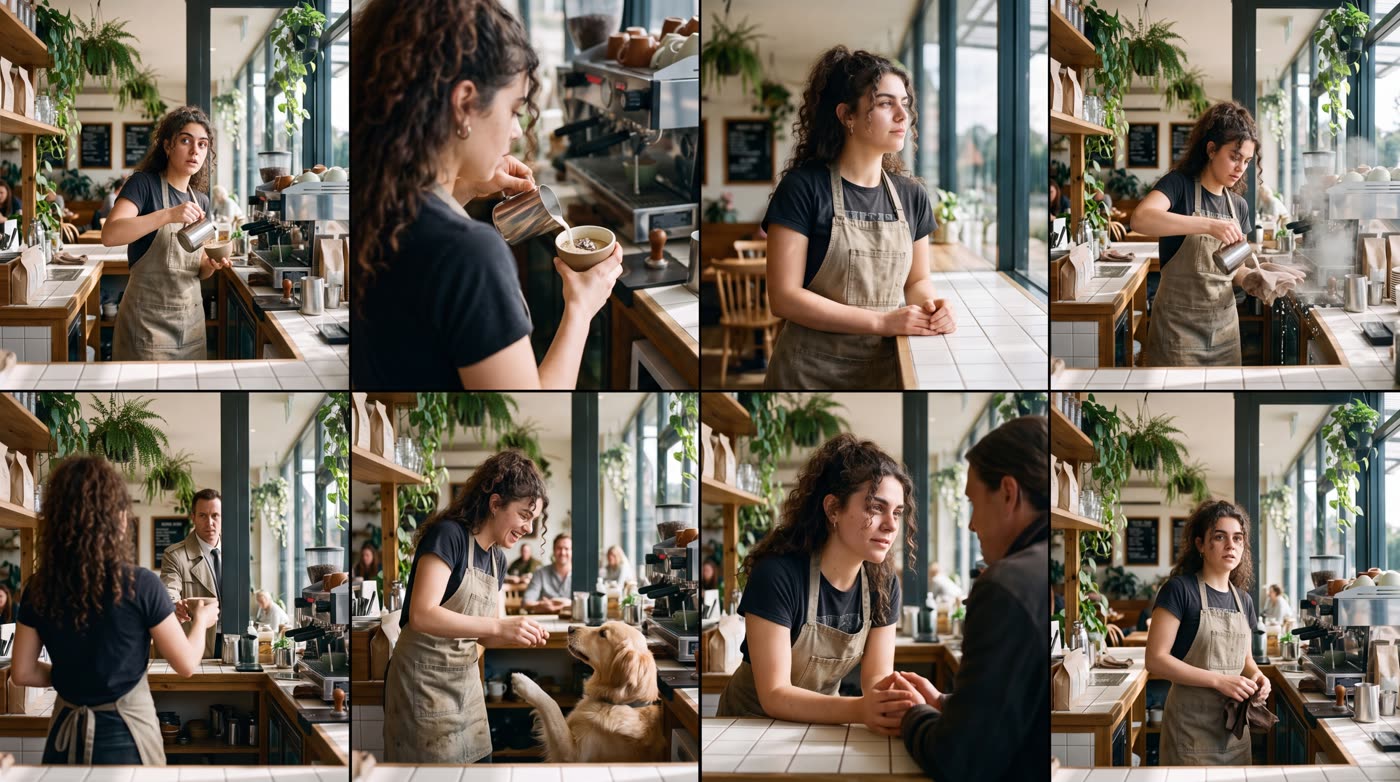
How does the what happens next AI tool work?
- Add a picture. Any photo or picture, as a file or a link.
- Say where the story goes. Optional. For example "a surprise visitor arrives".
- Check the shape. The result is one wide 16:9 image.
- Press the button. The app shows the price first.
What do I get?
One large image split into a grid of eight frames, four across and two down. Read it like a comic strip: each frame is a moment that could come after your picture. The image is made at 4K size, so you can zoom in on each frame.
What can I use it for?
- Story ideas for a video or a short film.
- A storyboard sketch for an ad.
- A fun post that asks followers which frame they like best.
How do I get a good result?
Pick a picture with a clear scene and one or two subjects. If you add a direction, keep it to one idea. "A surprise visitor arrives" gives the story a clear turn.
Is it a video?
No. It is one still image with eight frames in it. If you want motion, take the frame you like best and use it as a starting picture in Hermoso’s video tools.
Can I do this from ChatGPT or Claude?
Yes. Connect the Hermoso MCP and ask your assistant for eight next frames from any picture. It runs the same tool, tells you the price first and hands back the finished file.
Related
Frequently asked questions
Is the what happens next AI tool free?
Hermoso has a free plan with no card, and new accounts can claim free credits. The app shows the exact price before anything runs.
Do I need an account?
Yes, a free Hermoso account. You can fill the box on this page first and sign up when the app opens.
How many frames do I get?
Eight, in a grid of four columns and two rows, inside one image.
Can I choose the direction of the story?
Yes. Type one idea, such as "a surprise visitor arrives". It is optional.
What size is the image?
One 16:9 image made at 4K size.
Start free, no card needed. The app shows the exact price before anything runs.
Start free → See pricing