AI scheduling assistant for Outlook: your AI books, moves and answers meetings on your calendar
Connect your Outlook or Microsoft 365 calendar to Hermoso and your AI reads it, books and moves meetings with a Teams link, answers invitations and finds times everyone is free.
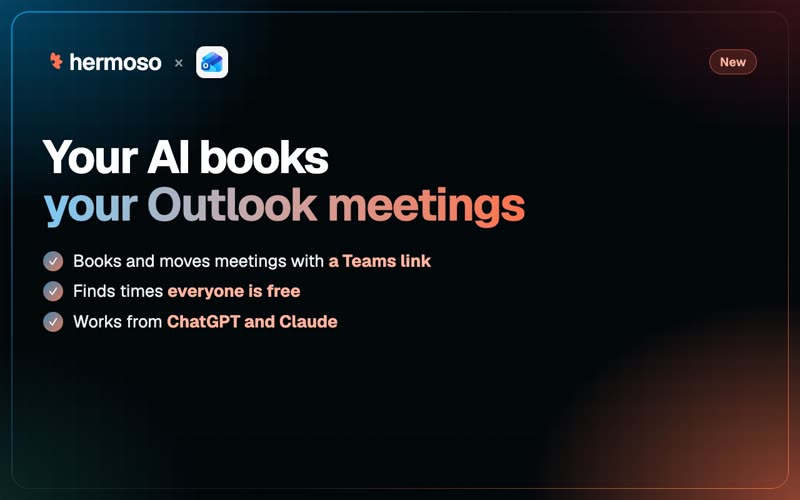
Can we do Thursday? What about next week? Send me a few times. Half of running a business is finding a slot in a calendar. Starting today, your AI does it in your Outlook calendar. Connect your Outlook or Microsoft 365 calendar to Hermoso, and the agent you already use (ChatGPT, Claude, Hermoso's Studio or your own) can read it, book meetings, move them, answer invitations and find a time that works for everyone.
Personal Outlook.com accounts work, and so do work and school Microsoft 365 accounts. Connect more than one if you keep a personal and a work calendar. The calendar tools are free: they use no credits.
What your AI can do in Outlook
- Read your calendar. Every event between two dates, repeating meetings included, or a search by title, description or location. Open one event for its guests and who said yes, the organizer, the Teams link, the repeat rule and reminders.
- Book meetings. A title, a time, guests, a Teams link, reminders and a repeat rule (every week, every other Tuesday, the first Monday of the month). The calendar emails each guest an invitation, and the answer names who was invited.
- Move and change them. New time, new place, new guest list. Guests are emailed the change.
- Answer invitations. Accept, decline or tentatively accept, with a note to the organizer.
- Read busy time. Your own calendars, and your coworkers' by email address on a work or school account.
- Find meeting slots. Times when everyone is free, inside working hours: Monday to Friday, 9 to 5 in your time zone unless you set your own hours. Add a buffer so nothing lands back to back.
Nothing gets cancelled by accident
Deleting a meeting that has other guests cancels it for all of them, by email. So the first ask is a dry run: your AI tells you exactly who would get the cancellation, and nothing happens until you confirm. An event with no other guests, like a focus block, is removed straight away. Every booking, change and cancellation is read back from Outlook afterwards, so the answer you get is what your calendar really holds.
A worked example
A two-person agency is lining up a creative review with a client. The account lead connects her Microsoft 365 calendar in Hermoso, then asks Claude: Find 45 minutes next week when Sam, Priya and I are all free, in the afternoon, and book it with the client with a Teams link.
Claude reads the three schedules, finds the afternoon slots where all three are free inside working hours with a 15-minute buffer on each side, and offers three. She picks Wednesday at 2. Claude books it with the client and both teammates as guests, a Teams link and a reminder 15 minutes before, then tells her who the invitation went to. When the client asks to push it to Thursday, one sentence moves it and everyone gets the update.
On Friday she asks: What is on my calendar next week, and is there anything I have not answered? She accepts two invitations and declines one with a note, without opening Outlook.
Set it up in a minute
In the Hermoso app, open Connectors, then Outlook calendar, and sign in with Microsoft. That is the whole setup. Teammates in the same brand can use the connected calendar, and only the person who connected it can disconnect it.
Or just ask ChatGPT or Claude
With Hermoso connected, say: Find 30 minutes on Tuesday afternoon when I'm free and book a call with dana@example.com, with a Teams link. The agent calls find_meeting_slots to find the time and create_calendar_event to book it. The other tools are list_calendars, list_calendar_events, get_calendar_event, update_calendar_event, delete_calendar_event, respond_to_calendar_event and calendar_free_busy, on the MCP server, the CLI and the API. More: Outlook email sequences, the connector docs and the changelog.
Questions people ask
Can AI schedule meetings in my Outlook calendar?
Yes. Connect your Outlook or Microsoft 365 calendar to Hermoso and your AI can book meetings with guests, a Teams link, reminders and a repeat rule, move them, answer invitations and find times everyone is free. Every write is read back from Outlook.
How do I connect Outlook calendar to ChatGPT or Claude?
Connect Hermoso to ChatGPT or Claude, then in the Hermoso app open Connectors, Outlook calendar and sign in with Microsoft. After that, ask in plain words: Find 30 minutes on Tuesday afternoon and book a call with dana@example.com, with a Teams link.
Does it work with a personal Outlook.com account?
Yes. Personal Outlook.com accounts and work or school Microsoft 365 accounts both work. Reading coworkers' schedules by email address needs a work or school account.
Can my AI find a time that works for everyone?
Yes. It reads busy time for your connected calendars and your coworkers on a work or school account, and returns slots where everyone is free inside working hours, Monday to Friday 9 to 5 by default or your own hours, with an optional buffer around existing meetings.
Will my AI cancel a meeting by mistake?
No. Deleting an event with other guests is a dry run first that names everyone who would get the cancellation email. Nothing is cancelled until you confirm.
Does it cost credits?
No. The calendar tools are free. Connecting several Microsoft accounts to one brand is free too.