A Discord role bot that also runs your polls, events, pins and announcements
The Hermoso Discord bot is now a Discord role bot too: create and assign roles, run polls and scheduled events, pin messages and DM a member, from one sentence.
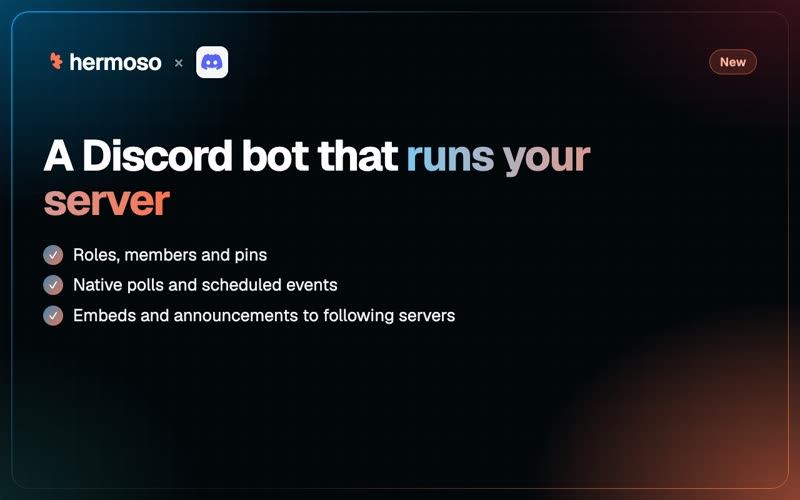
"Give Maya the Coach role." That sentence now does the job in your Discord server. The Hermoso bot creates roles, assigns them to members and takes them away, and it runs the rest of the server too: native polls you can read and close early, scheduled events in the Events panel, pins, threads, embeds, announcements published to every server that follows your channel, and a direct message to one member.
Everything Discord does in Hermoso costs no credits.
Roles
| What you ask | What happens | Asks for a yes first |
|---|---|---|
| List roles | Every role, what it may do, how many members hold it, and whether the bot can manage it | No |
| Create a role | Name, color, shown separately, mentionable, permissions by name | No |
| Change a role | Any of those | When permissions change on a role people hold |
| Assign or remove | One member gets the role, or loses it | Always |
| Delete a role | Gone for good, off every member who held it | Always |
"A yes first" means the first call changes nothing and comes back with a sentence for you: the role, the member, what the role carries and how many members hold it. Say yes and it's done.
Discord lets a bot manage only roles that sit below its own role in the server's list. A role Hermoso creates sits below the Hermoso role, so Hermoso can edit and delete it. For an older role, drag the Hermoso role above it under Server Settings, Roles.
Members
Search members by the start of a username or nickname, or page through the whole list. That's how "give Maya the Coach role" turns a name into the right member. Discord hands the full member list only to a bot with its Server Members setting on. When it doesn't, Hermoso says so and searching by name keeps working.
Polls, events and pins
- Polls. A native Discord poll with 10 answers, open from 1 to 768 hours (24 by default). Read the votes per answer at any time, see who voted, or close it early with a yes.
- Scheduled events. An event outside Discord (a place or a link), in a voice channel or on a stage, with a description and a cover image. It shows in the server's Events panel, where members mark themselves interested. Start it, end it or cancel it later.
- Pins. Pin or unpin any message in a channel the bot can see, and list a channel's pins, newest first.
Posts, threads, announcements and DMs
- Embeds: rich cards with a title, fields, an image and a footer, 10 to a message.
- Announcements: a post in an announcement channel can be published to every server that follows it.
- Threads: open one on its own or under a message, then archive, lock or rename it.
- Direct messages: send one member a message from the bot, for a person who's expecting it.
- Scheduled messages: Discord posts sit on the Hermoso calendar next to your Instagram, TikTok and LinkedIn posts, with their embeds and polls checked when you schedule, not when they fire.
Every Discord limit is checked before anything is sent, and nothing is ever shortened for you.
A worked example: a climbing gym's Discord
A bouldering gym runs a Discord for 600 members. The community manager types this into the Hermoso Studio on Monday:
Create a role called Comp Team, green, mentionable. Give it to Maya, Jonas and Priya. Then create an event for the Friday night bouldering comp at 7pm, at the gym, ending at 10pm, with the poster as the cover.
Hermoso creates the role straight away. For each assignment it comes back first with a sentence naming the role, the member and what the role carries. She says yes, and Maya, Jonas and Priya all have it. The event appears in the server's Events panel with the poster, and by Wednesday 48 members have marked themselves interested.
On Tuesday she schedules an announcement for Thursday at 18:00 with an embed of the comp rules and a poll, "Which category are you entering?", open 48 hours. On Thursday it goes out and is published to the two partner gyms' servers that follow the announcement channel. Friday afternoon she asks for the poll results, gets the count per category, and closes the poll.
Set it up in the app
- Go to Workspace, Connectors, Discord and press Add to Discord. Pick your server.
- Choose the channel the bot posts to by default on the Discord card. Any request can name another.
- For roles, check the Hermoso role sits above the roles you want it to manage, under Server Settings, Roles in Discord.
- Ask the Studio, or schedule a Discord post from the calendar.
Added the bot before 15 November 2026? Add it again once from Connectors, Discord, so it gets the permissions for polls, pins, roles and events. Your channels and settings stay as they are.
Or ask ChatGPT or Claude
With Hermoso connected to ChatGPT or Claude, one sentence does it: Pin the rules message in #comp and create a voice event in #route-setting for Sunday at 6pm.
The tools: list_discord_roles, create_discord_role, update_discord_role, delete_discord_role, assign_discord_role, remove_discord_role, search_discord_members, list_discord_members, create_discord_event, update_discord_event, get_discord_poll, end_discord_poll, pin_discord_message, send_discord_dm, create_discord_thread, crosspost_discord_message and post_to_discord.
More
Every tool and limit is in the Discord docs, and the release is in the changelog. For embeds from plain words, see the Discord embed bot guide. To plan posts ahead, how to schedule Discord messages. Everything Hermoso does in Discord: Discord and Hermoso.
Questions people ask
How do I make a Discord bot assign roles?
Add the Hermoso bot to your server and ask it to give a member a role. It shows you the role and the member first and assigns it when you confirm. The Hermoso role must sit above that role in the server's role list.
Can a bot create Discord scheduled events?
Yes. The Hermoso bot creates events outside Discord, in a voice channel or on a stage, with a description and cover image, and they appear in the server's Events panel.
Can I see Discord poll results and end a poll early?
Yes. Hermoso reads the votes per answer and, if you like, who voted for each. Ending a poll early is permanent, so it shows the votes so far and closes it when you confirm.
Why can't the bot manage a role?
Discord lets a bot manage only roles below its own role. Drag the Hermoso role above that role under Server Settings, Roles. Roles that belong to an app or to Discord, and @everyone, cannot be handed out or deleted.
Does the Hermoso Discord bot cost credits?
No. Everything the Hermoso bot does in Discord costs no credits.