Instagram auto reply with AI: your brand answers every DM and comment, on 7 channels
Switch on AI replies in Hermoso and your brand answers Instagram DMs and comments in its own voice, plus Messenger, WhatsApp, TikTok, Threads, YouTube, LinkedIn and email. Test mode first.
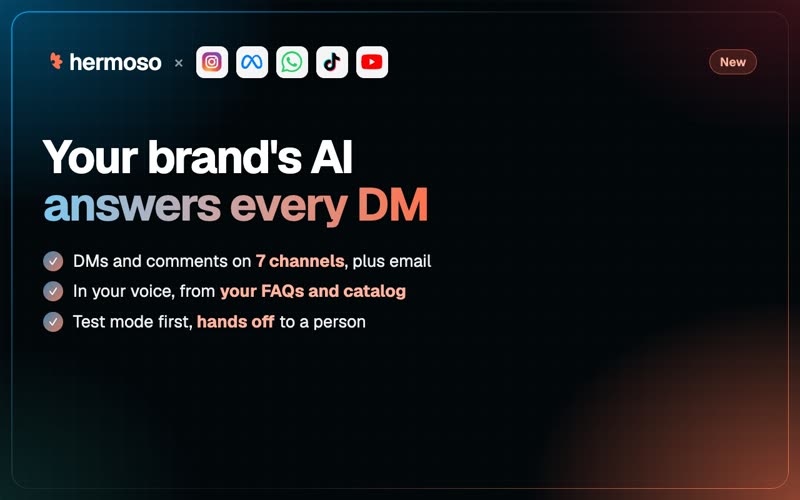
Is this in stock? Do you ship to Canada? What size should I get? Your DMs ask the same things every day, and the comments under your best post ask them again. Starting today, Hermoso answers them for you. Switch on AI replies and your brand's AI writes back to people who DM or comment, in your brand's voice, from what Hermoso already knows about you: your brand profile, Memory and product catalog, plus any FAQs and notes you add.
It is built in. There is no model key to bring and no separate chatbot to train. Replies stay short, and they come back in the language the person wrote in.
Where it answers
- Instagram: DMs, story replies and comments.
- Facebook: Messenger, and comments on your Page posts and your ads.
- WhatsApp: messages to your business number.
- Comments on TikTok, Threads, YouTube and LinkedIn Pages.
- Email: the same opt-in sends the replies Hermoso drafts for your inbox, and holds back any draft that needs a person.
Not X. X requires its own approval before an app posts AI-written replies, so the AI stays off there. Keyword automations still work on X.
Your keyword rules still go first
If you already run a comment-to-DM automation (someone comments GUIDE and gets the link in a DM), nothing changes. Keyword rules always answer first. The AI only answers what no rule matched, so the questions that used to sit unanswered now get a reply.
Test mode first, then live
AI replies are off until you switch them on, and they start in test mode. In test mode Hermoso writes every answer and logs it, and sends nothing. Read the log for a few days, add an FAQ where an answer was thin, try a sample message, and switch to live when you like what you see.
When a person should answer instead
- Handoff words. Add words like "human" or "manager", and any message that uses one goes straight to you.
- Complaints and refunds. These hand off by default. Pick the other intents you want a person on, like order questions, bookings or someone ready to buy.
- Low confidence. When the AI is not sure, it passes the message to you rather than guess.
- Topics you never want answered automatically. List them and the AI stays out of them, even if a customer asks directly.
Add an optional handoff message ("Thanks, someone from the team will reply shortly") and get an alert in Slack, Discord or your own webhook when it happens.
Hours, a daily cap and a full log
Answer any time, only during business hours, or only outside them so the AI covers nights and weekends. Set a daily cap. Every reply lands in a log: who wrote, what they said, what the AI answered or why it handed off. A public comment reply on Instagram or Facebook can be removed from the log in one click.
Meta's own WhatsApp agent, managed from Hermoso
Prefer Meta's WhatsApp Business Agent on your number? You can set it up and run it from Hermoso too: its knowledge, FAQs, websites, files, instructions, connectors, an allowlist, budget caps, test messages and handoff. Meta bills your business for that agent directly.
A worked example
A small candle shop sells on Instagram and takes orders on WhatsApp. The owner opens Messaging, then DM & comment automation, then AI replies, ticks Instagram DMs, Instagram comments and WhatsApp, and adds three FAQs: shipping takes 3 to 5 days, returns are free within 30 days, and every candle is soy wax.
She tries a message first: Do you ship to Canada? The AI answers from her shipping FAQ, in the warm, short tone her brand profile already describes. A comment that says price? on her newest reel still gets her keyword rule's DM with the shop link, because rules go first. A test message that says my candle arrived cracked and I want a refund is handed off, and the alert shows up in her Slack.
After a week in test mode she reads the log, adds an FAQ about gift wrapping, sets the AI to answer only outside business hours, and switches to live. Her evenings stop being DM catch-up.
Or just ask ChatGPT or Claude
With Hermoso connected, say: Turn on AI replies for my Instagram DMs and comments in test mode, using our FAQs. The agent calls set_ai_replies to switch it on and save your settings, test_ai_reply to try a sample message, list_ai_replies to read the log and undo_ai_reply to remove a sent comment reply. manage_whatsapp_ai_agent sets up and runs Meta's WhatsApp agent. In the app it is Messaging, then DM & comment automation, then AI replies. More: Hermoso as a ManyChat alternative, comment automations on TikTok, Threads, YouTube and LinkedIn and the changelog.
Questions people ask
How do I set up an Instagram auto reply with AI?
Connect Instagram to Hermoso, open Messaging, DM & comment automation, AI replies, pick the channels and add your FAQs. It starts in test mode, writing answers without sending them, until you switch it to live. Or ask ChatGPT or Claude: Turn on AI replies for my Instagram DMs and comments in test mode, using our FAQs.
Which channels do AI replies cover?
Instagram DMs, story replies and comments; Facebook Messenger and Page and ad comments; WhatsApp; and comments on TikTok, Threads, YouTube and LinkedIn Pages. Email replies can be sent automatically too. X is not covered, because X requires its own approval for AI-written replies.
Will the AI answer over my keyword automations?
No. Keyword automations always answer first. The AI only answers messages and comments that no rule matched.
What happens with complaints or refund requests?
They go to a person by default. You can also hand off on your own keywords, on other intents, when the AI is not confident, or on topics you never want answered automatically, with an optional handoff message and an alert to Slack, Discord or a webhook.
Do I need my own AI model key?
No. AI replies are built into Hermoso. Each reply the AI sends uses credits; the settings, the log and removing a reply are free.
Can I use Meta's WhatsApp Business Agent instead?
Yes. Hermoso can set up and manage Meta's own WhatsApp agent on your number, including its knowledge, FAQs, websites, files, allowlist, budget caps and handoff. Meta bills your business for that agent directly.