Social media scheduler upgrade: named queues, approval before publish, evergreen reposts and CSV import
The Hermoso social media scheduler now has named queues with weekday times, approval before publish, evergreen reposts, a time per channel and CSV import.
Your best post from March can go out again in May, June and July without anyone touching it. That's one of five things the Hermoso social media scheduler learned today. The others: named queues with their own times for each weekday, approval before publish for teams, a different time per channel for the same post, and bulk import from a CSV.
Every post made this way is an ordinary scheduled post. It shows on the calendar, you can move or cancel it on its own, it goes through every check a hand-scheduled post goes through, and it can never go out twice. None of it costs credits.
What's new
| Feature | What it does | Where in the app |
|---|---|---|
| Posting queues | Named sets of posting times, each with its own days, timezone and channels | Schedule, More, Posting queues |
| Approval | Posts wait in Needs approval until an admin approves them | Schedule, More, Approval |
| Evergreen posts | Post something again every N days, weeks or months | Schedule, More, Evergreen posts |
| Time per channel | One post, a different time on each channel | The composer, "Different time per channel" |
| CSV import | One scheduled post per row, checked before anything is created | Schedule, More, Import from CSV |
Posting queues with weekday times
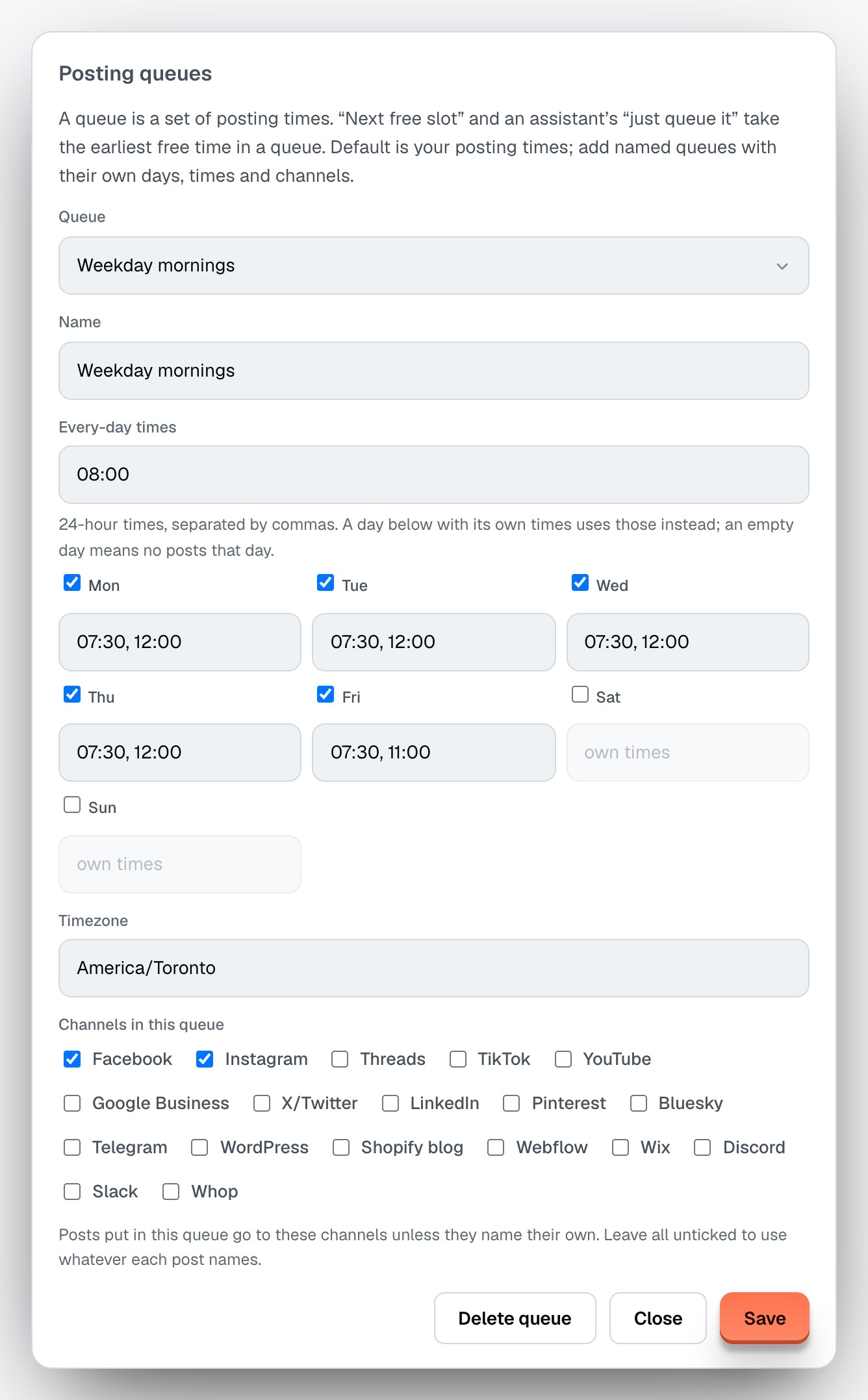
A queue is a set of posting times. The Default queue is the brand's posting times, the ones "Next free slot" has always used. Now you can add named queues beside it: a "Weekday mornings" queue for LinkedIn and X, a "Weekend" queue for Instagram.
- Every-day times in 24-hour HH:MM, as many as 24.
- Per-weekday times that replace the every-day ones on that day. Saturday can be empty (no posts) while Sunday posts once at 11:00.
- A timezone per queue, so a "London" queue and a "New York" queue keep their own clocks.
- Channels. A post dropped into the queue goes to the queue's channels, and a channel outside the set is refused.
Autopilot can post into any queue, too, so the posts Hermoso makes for you land in the slots you picked.
Approval before publish
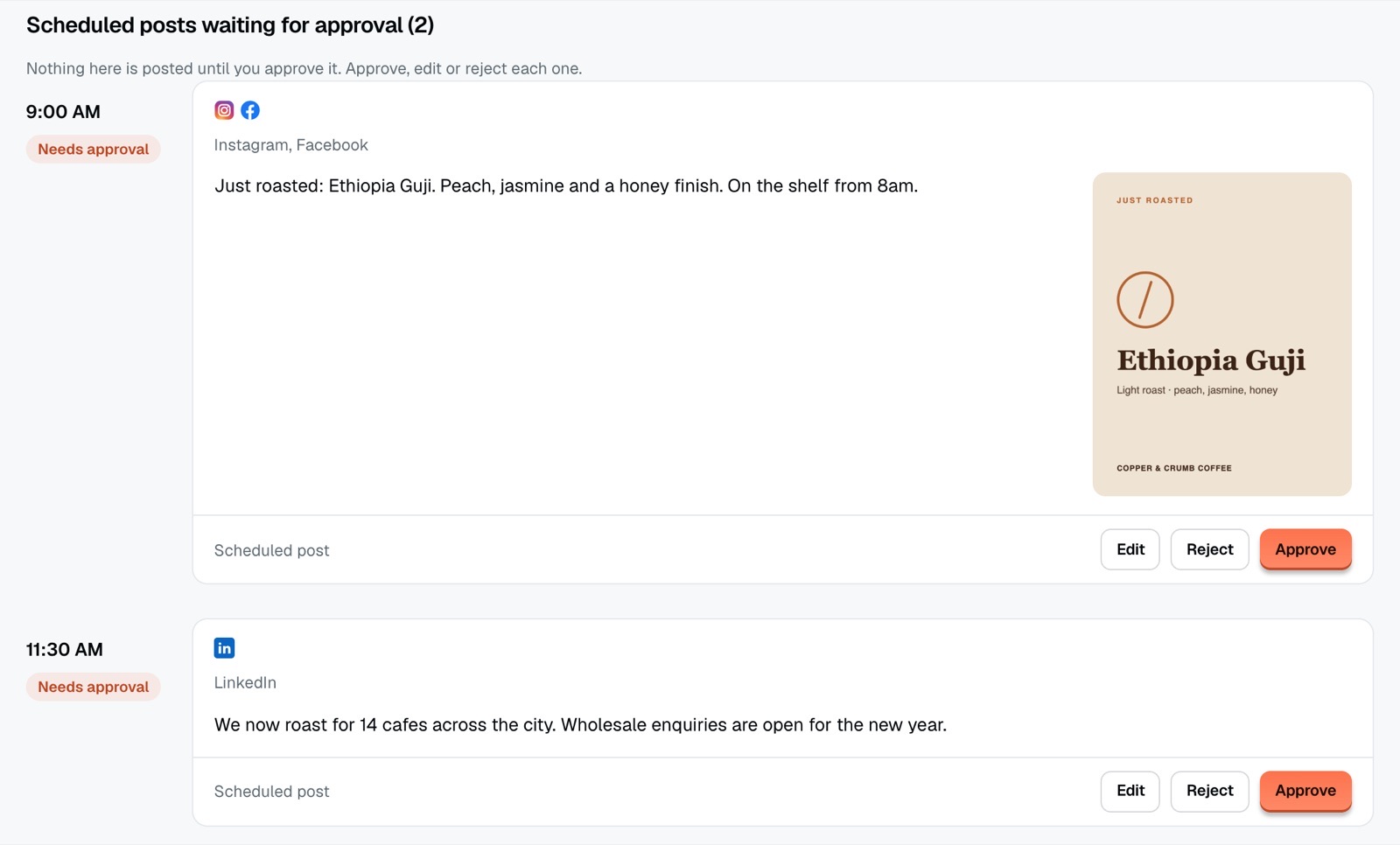
Switch approval on and a scheduled post waits in Needs approval until an admin of the brand approves it. Admins are the account owner and teammates whose role is admin. A post that isn't approved never goes out: when its time comes it stays in the queue and nothing is sent. Once it's approved it goes out at its time, or right away if that time has passed.
- Turn it on for every channel or only some.
- Decide whether admins' own posts wait too, or only members' posts.
- A rejected post shows its reason to the author, and editing it sends it back for approval.
- A new post waiting for approval can ping your Slack, Discord or webhook alerts.
Evergreen reposts
Pick a published post, a Library item, or a fresh caption and media, then say how often: every N days, weeks or months, for as many repeats as you like. Each repost is its own scheduled post, queued one at a time, so the calendar always shows what goes out next. A repeat keeps its local time across clock changes.
By default a repost uses the original caption. Add caption variants and they're used in turn. X refuses the same text twice in a row, so a series that includes X needs at least two different variants. Pause, resume or stop a series whenever you like.
A different time per channel
LinkedIn people read at their desks. Instagram people scroll at night. One post can now go to LinkedIn at 9:00 and Instagram at 20:00. Channels that share a time stay one post, and every part is checked before any is queued, so a problem on one channel queues nothing.
Bulk scheduling from a CSV
Upload a spreadsheet with one post per row: text, media, channels, and a time or a queue name. A text_x or time_linkedin column gives one channel its own caption or time. The first run is a dry run: every row is checked and each problem is listed with its row number. Nothing is created until you run it again for real. A file holds 500 rows, and sending the same file twice in a day creates nothing the second time.
A worked example: a coffee roaster's month
A small roaster has an owner and a part-time social media assistant. Here's how they set up November.
- Two queues. "Weekday mornings" posts to LinkedIn and X at 08:30, Monday to Friday. "Weekend" posts to Instagram at 10:00 on Saturday and 11:00 on Sunday.
- Approval for members. The assistant is a member, the owner is an admin. Approval is on with "members", so the assistant's posts wait for the owner while the owner's own posts go straight in.
- One CSV. The assistant fills a sheet with 24 posts, each with a
queuecolumn. The dry run flags row 17 (a caption too long for X). She fixes it, runs it again, and 24 posts land on the calendar. - An evergreen. Their French press guide from last spring gets an evergreen series: every 6 weeks, 6 repeats, with three caption variants so X takes each one.
On Monday morning the owner opens Needs review, approves 20 posts, rejects 4 with a note ("use the new bag photo"), and goes back to roasting.
Set it up in the app
- Open Schedule in Hermoso.
- Under More, open Posting queues and add a queue with its times, days and channels.
- Under More, open Approval and pick the channels and who waits.
- Under More, open Evergreen posts to start a series, or Import from CSV to upload a file.
- In the composer, open Different time per channel to give each channel its own time.
Posts waiting for approval are listed under Automations, Needs review, and on the calendar.
Or ask ChatGPT or Claude
With Hermoso connected to ChatGPT or Claude, one sentence does it: Repost my French press guide on Instagram and X every 6 weeks, six times, rotating these three captions.
The agent uses the same tools as the app: manage_post_queues, set_post_approval, list_pending_approvals, approve_post, reject_post, make_evergreen, manage_evergreen, import_posts_csv and schedule_post (with useQueue or atByChannel).
More
Every field and route is in the scheduling docs. The short version is in the changelog. For the basics, see the free social media scheduler, and for how the free plans out there compare, the best free social media schedulers.
Questions people ask
What is an evergreen post?
An evergreen post is one that stays useful, so it can go out again later. In Hermoso you pick the post and a repeat, every N days, weeks or months, and each repost is placed on the calendar as its own scheduled post.
Can I set different posting times for each day of the week?
Yes. A posting queue has every-day times plus per-weekday times that replace them on that day, and an empty day means no posts that day.
How does post approval work in Hermoso?
With approval on, a scheduled post waits until an admin of the brand approves it. A post that is not approved never goes out, and an approved post goes out at its time, or right away if its time has passed.
Can I schedule social media posts from a CSV?
Yes. Upload a CSV with one post per row, as many as 500. The first run checks every row and lists the problems, and nothing is created until you run it again.
Can one post go out at different times on different channels?
Yes. Open Different time per channel in the composer, or pass atByChannel to schedule_post, and give each channel its own time.