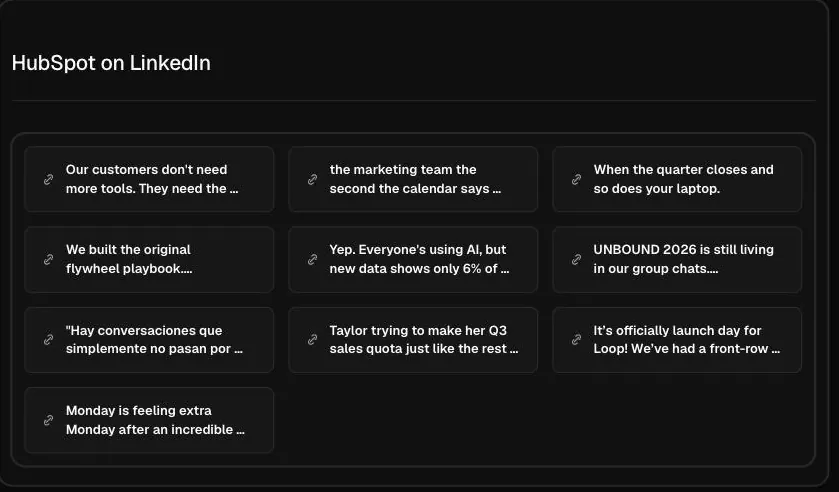
What you get
Paste a company page link like linkedin.com/company/hubspot or type a name like Notion, then click search. The Hermoso Studio pulls the page's recent posts into the chat with the reactions and comments each one received. You see what the company chose to say in public and how its followers responded.
A company page is where B2B brands announce launches, share customer stories, post hiring news and publish thought pieces. Its recent posts are a fair map of what the company wants to be known for this quarter.
Ways B2B marketers use it
- Track a competitor's messaging. If a rival's last ten posts all talk about one feature or one customer type, that is their current push. Seeing it early helps you sharpen your own positioning.
- Find the post types that earn comments. On LinkedIn, comments travel further than reactions. Look for the posts on a company page that drew real discussion, and ask the Studio what made them different.
- Compare organic posts with paid ones. Check the same company's ads with the LinkedIn Ad Library search. A message the company both posts and pays to promote is one it is betting on.
- Benchmark your own page. Look up two or three companies your size. Their recent reactions and comments give you a realistic bar for your own posts.
Reading the results
Reactions on LinkedIn are cheap and often come from employees. Comments are a better sign that a post reached people outside the company. A post with a high comment count compared with its reactions usually asked a real question, took a position, or named a problem readers recognised.
Group the posts by type before judging them. Hiring posts, product news, customer stories and opinion posts each perform differently. Ask the Studio to sort them into groups and tell you which group averages the most comments, and you will know what this page's audience actually engages with.
Check who the posts are written for. Some company pages speak to buyers, some to job seekers, and some to investors. The audience a page writes for tells you as much about the company's plans as any single post.
What it cannot show
The Studio reads what LinkedIn shows publicly on the company page right now. It does not read personal profiles, posts limited to connections, or deleted posts. It covers recent posts rather than the page's full history, and it does not show impressions, follower growth or past numbers, which LinkedIn only shares with the page's admins. If a name could match several companies, paste the page link.
When a post gives you an angle, ask the Studio to write a LinkedIn post or ad for your company from it in the same chat. To post as your own company from Hermoso, see Hermoso for LinkedIn and the LinkedIn scheduler.
Frequently asked questions
Is the LinkedIn company posts viewer free?
Yes. Type a company page name or paste its link and search for free. The Studio shows the page's recent posts with reactions and comments.
Do I need a LinkedIn login?
No. You type the company here and the Studio reads its public page for you. You never log in to LinkedIn.
Should I use the name or the link?
Either works. Many companies share similar names, so pasting the page link, like linkedin.com/company/name, makes sure the Studio reads the right page.
Can I see a person's posts?
This viewer reads company pages. Personal profiles and posts limited to connections are not covered. To find posts from anyone on a topic, use LinkedIn post search.
Does it show impressions or follower growth?
No. LinkedIn only shows impressions and follower stats to the page's admins. The viewer shows the reactions and comments the page displays publicly today.
What can I do with the results?
Ask follow-up questions in the same chat, like which post types get the most comments, or ask the Studio to write a LinkedIn post or ad for your company from a post that did well.
Hermoso turns what you find into finished ads and posts for your own brand, then runs your marketing on autopilot. Start free, 250+ earnable free credits, no card.
Start free → See pricing