TikTok ad credit for new advertisers: how it works and how to launch your first campaign
TikTok gives new advertisers ad credit on their first campaigns. Here is the current offer, who qualifies, and how to create your TikTok ad account and launch from Hermoso.
If you have never advertised on TikTok, TikTok may help pay for your first campaigns. New advertisers can get ad credit from TikTok itself, and you don't fill in a separate form for it: when TikTok decides a new account qualifies, the offer shows up in TikTok Ads Manager under Billing, then Promotions.
Here's how the current offer works, who it's for, and how to go from no ad account to a live campaign without leaving Hermoso.
The current offer
Right now it's a four-tier "spend X, get Y" coupon worth up to USD $6,000 in ad credit. It's valid within 30 days of registration:
- Spend USD 200, get USD 200
- Spend USD 1,000, get USD 750
- Spend USD 4,000, get USD 3,000
- Spend USD 10,000, get USD 6,000
TikTok refreshes this offer every quarter, so the tiers and amounts move. The TikTok ad credits page always has the offer that's live today, with the full terms.
Who qualifies
- New advertisers. An account that already has TikTok for Business or Ads Manager history may not qualify.
- TikTok decides. Eligibility is TikTok's call, and any coupon is issued in your local currency.
- Your own region. The Ads Manager account must be registered in the advertiser's local region.
- Once per advertiser. If one ad account under your TikTok for Business or Business Center account already got the coupon, another account there won't get it again.
- Ads Manager only, and only for you. It covers ads placed through TikTok Ads Manager, and an offer that's forwarded or shared isn't valid.
TikTok can also hold back or withdraw credit, for example when ads don't follow its policies. The fine print is in TikTok's coupon terms.
Create your TikTok ad account in Hermoso
You can create the ad account from inside Hermoso and launch your first campaign in the same place. The account is created in your own TikTok Business Center, in your company's name, so it's yours.
- Connect TikTok Ads. You sign in on TikTok's own screen. No TikTok for Business account yet? You can create one there.
- Create the ad account. Pick your Business Center, then add your business name, industry, country and time zone. You see the exact account before anything is created, and it's created only when you confirm.
- Add billing in TikTok. Your payment method goes into TikTok, never into Hermoso. Billing is also where the promotion appears if you qualify.
- Launch. Make the ad, build the campaign and switch it on. Campaigns, ad groups and ads are built paused and read back from TikTok, so nothing spends until you turn it on.
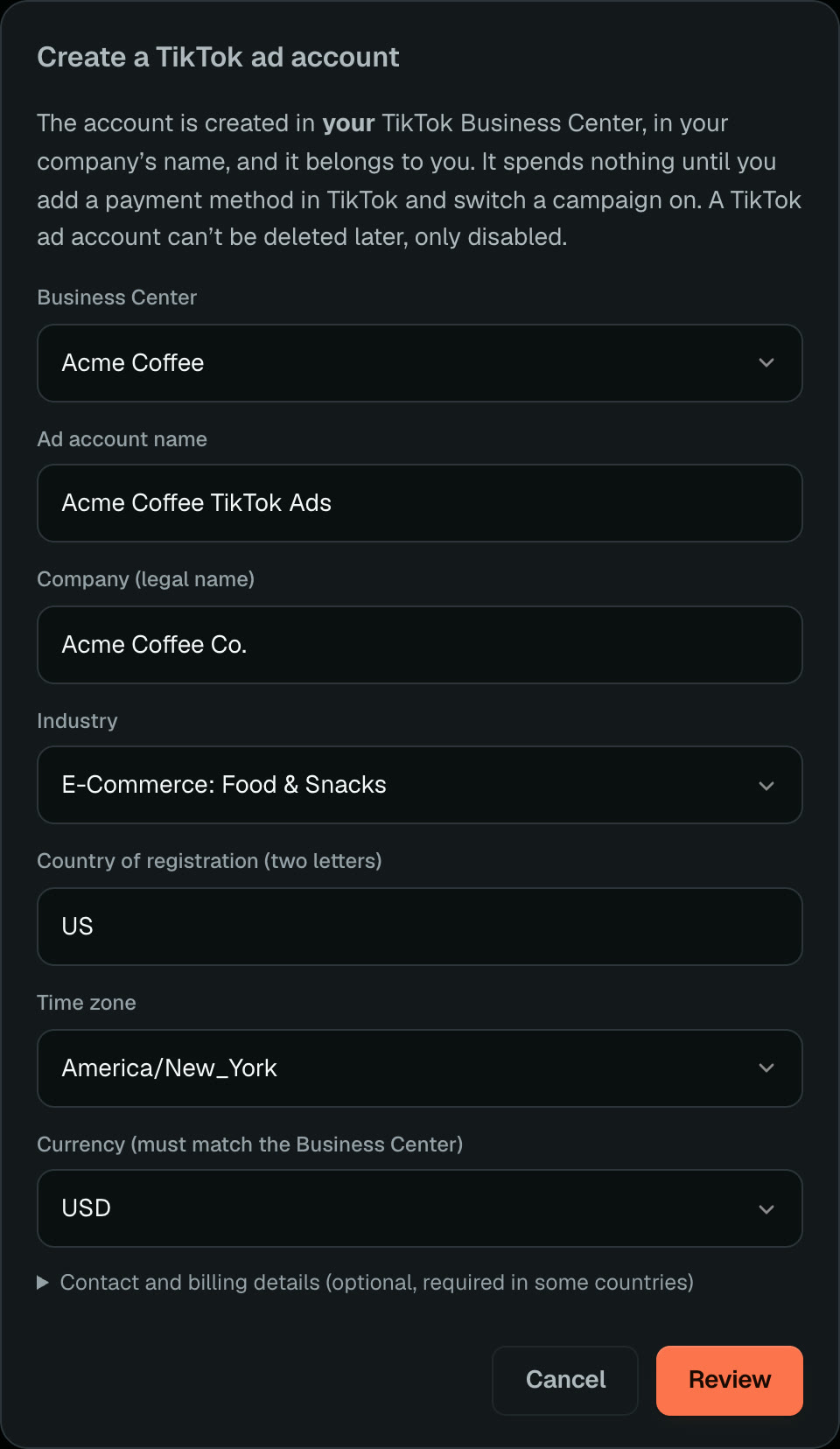
Before you start you need a TikTok Business Center where you're an admin (a free one is set up at business.tiktok.com) and a business in a supported country. TikTok offers ad account creation through its API in 52 countries, and accounts registered in France, Brazil, Mexico, mainland China or Hong Kong need a qualification already verified in your Business Center. Hermoso tells you before anything is created.
Make the first ad worth the credit
Credit stretches further when the ad is good. Make a 9:16 video with your real product in the AI TikTok ad generator, or bring a video you already have. Once it runs, read spend, clicks and conversions, set up the TikTok Pixel and events, and build audiences, in the app or from your own AI assistant.
TikTok Ads in Hermoso covers the connection and everything that's supported, and the TikTok Ads MCP page lists every tool you can use from Claude, ChatGPT or Cursor.
Connect TikTok Ads and create your ad account
Questions people ask
How much ad credit do new TikTok advertisers get?
The current offer is up to USD $6,000, unlocked in four spend tiers within 30 days of registration. TikTok refreshes the offer every quarter, so check the TikTok ad credits page on hermoso.ai for the amounts that apply today.
Do I have to apply for the TikTok new-advertiser credit?
No separate application. TikTok decides whether a new account qualifies, and if it does, the offer shows in TikTok Ads Manager under Billing, then Promotions.
Who owns a TikTok ad account created through Hermoso?
You do. It is created in your own TikTok Business Center in your company's name, and your ad spend goes straight to TikTok from your own payment method.
Does Hermoso see my card details?
No. You add your payment method in TikTok, and Hermoso never sees it.
Will my campaign start spending as soon as it is built?
No. Campaigns, ad groups and ads are built paused in Hermoso and read back from TikTok. Nothing spends until you switch the campaign on.