Your AI
marketing agent.
The AI ad generator that also posts your content everywhere and runs your paid campaigns, from inside Claude, ChatGPT or Cursor.
No credit card · Start with 250+ free credits · No markup on models


Publish and schedule to 15 organic channels. Build and run the campaigns on 12 ad platforms. One login.

Stop bouncing between five apps.
Most AI ad tools stop at the render. You prompt in one, download, upload to the next, then rebuild every campaign by hand. Hermoso runs the whole loop: research, render, publish, run the ads and read the results. Connect it to Claude or open the studio. Bring taste, we do the heavy lifting.
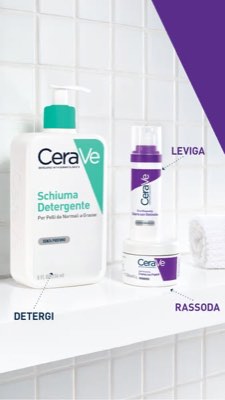
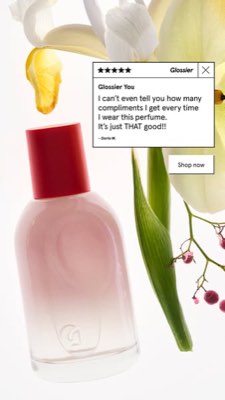
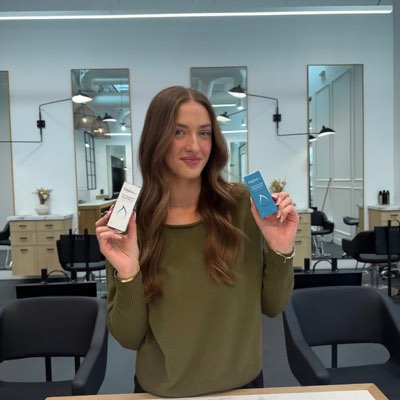








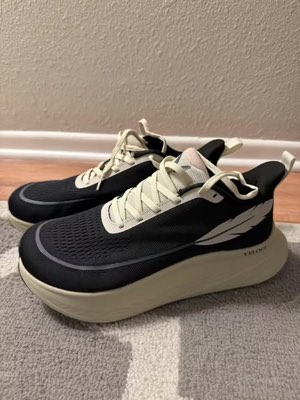
One brief. Everywhere at once.
Say it once. Hermoso finds what is already working in your market, renders the on-brand ad, puts it out across fifteen organic channels and twelve ad platforms, and reads the results back out of your own analytics. Start anywhere. Every piece works on its own.
- Threads
- TikTok
- YouTube
- X
- Bluesky
- Telegram
- Google Business Profile
- WordPress
- Discord
- Slack
- Whop
- Meta
- Google Ads
- Microsoft Advertising
- Reddit Ads
- X Ads
- TikTok Ads
- Snapchat Ads
- ChatGPT Ads
- Apple Search Ads
- AppLovin Ads
- Messenger
- Instagram Direct
- X
- Bluesky
- Telegram
- Google Business Profile
- Intercom
- Google Analytics
- Google Tag Manager
- Google Search Console
- Bing Webmaster Tools
- PostHog
- Mixpanel
- Amplitude
- HubSpot
- Stripe
- Vercel
- Klaviyo
- Mailchimp
Your marketing team is already inside your agent.
Every other marketing tool asks you to open its dashboard. Hermoso installs into the assistant you already talk to. One OAuth’d endpoint hands your agent 1,178 tools for ad research, finished renders, publishing and campaign management. Each one returns a durable asset URL or a structured result, never a wall of prose for the model to re-parse.
Copy the connector URL
Open Customize → Connectors
+ Add → Add custom connector → name it Hermoso → paste the URL.
Connect & approve
Sign in with your Hermoso account on the consent page, and no key is needed. Then ask Claude for “an image ad with Hermoso.”
Create a key
In the Hermoso app open MCP & CLI → Terminal & API keys and create a key. Grok Bot signs in to Hermoso with it, so treat it like a password and never paste it into a URL.
Add Hermoso to Grok Bot
Quickest: add the Hermoso Marketing Bot and paste your key when it asks. Using a Bot of your own? Paste this prompt into its chat with your key.
Start creating
Ask Grok Bot for “an image ad with Hermoso,” or “pull my competitors’ longest-running ads and remix the best one.”
Copy the connector URL
Open Plugins → Add → Create MCP App
Name it Hermoso, paste the URL as the Server URL, keep OAuth → Create. No Create MCP App? Switch on Developer mode under Settings → Plugins.
Connect & approve
Sign in with your Hermoso account on the consent page, and no key is needed. Then ask ChatGPT for “an image ad with Hermoso.”
Install Hermoso in Claude Code
Run this once in your terminal. It adds five Hermoso skills (marketing, research, ad-from-brand, generate, product-photoshoot) that run the hermoso command through npx, so no tool list is loaded into your sessions and nothing costs context until it runs. Already inside a session? Type /plugin marketplace add hermoso-ai/hermoso, then /plugin install hermoso@hermoso.
Sign in once
Opens your browser to sign in with your Hermoso account. Your agent runs this itself the first time it needs Hermoso, so you can also skip it. No browser on that machine? Use npx -y hermoso auth login --token <your key> with a key from MCP & CLI.
Start creating
Ask Claude Code for “an image ad with Hermoso,” or “pull my competitors’ longest-running ads and remix the best one.” Claude Code picks the Hermoso skill for the job and runs the commands. You type none of them.
Install Hermoso in Cursor
Run this once in your terminal. It adds five Hermoso skills (marketing, research, ad-from-brand, generate, product-photoshoot) that run the hermoso command through npx, so no tool list is loaded into your sessions and nothing costs context until it runs. Add -g to install it for every project instead of the current one.
Sign in once
Opens your browser to sign in with your Hermoso account. Your agent runs this itself the first time it needs Hermoso, so you can also skip it. No browser on that machine? Use npx -y hermoso auth login --token <your key> with a key from MCP & CLI.
Start creating
Ask Cursor for “an image ad with Hermoso,” or “pull my competitors’ longest-running ads and remix the best one.” Cursor picks the Hermoso skill for the job and runs the commands. You type none of them.
Install Hermoso in Codex
Run this once in your terminal. It adds five Hermoso skills (marketing, research, ad-from-brand, generate, product-photoshoot) that run the hermoso command through npx, so no tool list is loaded into your sessions and nothing costs context until it runs.
Sign in once
Opens your browser to sign in with your Hermoso account. Your agent runs this itself the first time it needs Hermoso, so you can also skip it. No browser on that machine? Use npx -y hermoso auth login --token <your key> with a key from MCP & CLI.
Start creating
Ask Codex for “an image ad with Hermoso,” or “pull my competitors’ longest-running ads and remix the best one.” Codex picks the Hermoso skill for the job and runs the commands. You type none of them.
Copy the connector URL
Open Plugins → Connectors
New Connector → Custom → paste the URL (or go straight to grok.com/connectors). On Business and Enterprise plans a team admin adds it once for everyone.
Connect & approve
Sign in with your Hermoso account on the consent page, and no key is needed. Then ask Grok for “an image ad with Hermoso.”
Install Hermoso in Cline
Run this once in your terminal. It adds five Hermoso skills (marketing, research, ad-from-brand, generate, product-photoshoot) that run the hermoso command through npx, so no tool list is loaded into your sessions and nothing costs context until it runs. Add -g to install it for every project instead of the current one.
Sign in once
Opens your browser to sign in with your Hermoso account. Your agent runs this itself the first time it needs Hermoso, so you can also skip it. No browser on that machine? Use npx -y hermoso auth login --token <your key> with a key from MCP & CLI.
Start creating
Ask Cline for “an image ad with Hermoso,” or “pull my competitors’ longest-running ads and remix the best one.” Cline picks the Hermoso skill for the job and runs the commands. You type none of them.
Install Hermoso in OpenClaw
Run this once in your terminal. It adds five Hermoso skills (marketing, research, ad-from-brand, generate, product-photoshoot) that run the hermoso command through npx, so no tool list is loaded into your sessions and nothing costs context until it runs. Add -g to install it for every project instead of the current one.
Sign in once
Opens your browser to sign in with your Hermoso account. Your agent runs this itself the first time it needs Hermoso, so you can also skip it. No browser on that machine? Use npx -y hermoso auth login --token <your key> with a key from MCP & CLI.
Start creating
Ask OpenClaw for “an image ad with Hermoso,” or “pull my competitors’ longest-running ads and remix the best one.” OpenClaw picks the Hermoso skill for the job and runs the commands. You type none of them.
Install Hermoso in Hermes
Run this once in your terminal. It adds five Hermoso skills (marketing, research, ad-from-brand, generate, product-photoshoot) that run the hermoso command through npx, so no tool list is loaded into your sessions and nothing costs context until it runs. Add -g to install it for every project instead of the current one.
Sign in once
Opens your browser to sign in with your Hermoso account. Your agent runs this itself the first time it needs Hermoso, so you can also skip it. No browser on that machine? Use npx -y hermoso auth login --token <your key> with a key from MCP & CLI.
Start creating
Ask Hermes for “an image ad with Hermoso,” or “pull my competitors’ longest-running ads and remix the best one.” Hermes picks the Hermoso skill for the job and runs the commands. You type none of them.
Copy the connector URL
Any client that takes an MCP server URL can use this one.
Or spawn it locally
Clients that launch a local process take this instead, which costs no context until a tool runs.
Neither shape fits?
There is a plain REST API at app.hermoso.ai/v1 with the same tools behind an hmk_ key, for an agent that speaks HTTP and nothing else.
“Find the longest-running Meta ads for my three closest competitors, tell me which hook keeps repeating, then make me a 9:16 UGC video ad using that hook, with my real product photo and captions burned in, and schedule it to Instagram and TikTok for Tuesday 9am.”
The world’s biggest brands already run AI ads. Now it’s a tool, not a studio budget.
See what’s already winning. Before you spend a dollar.
Ad Spy scans the Meta, Google and LinkedIn ad libraries plus organic TikTok, Instagram, YouTube, Reddit and Threads and ranks your category’s creative by how long it’s kept running, which tells you far more about what converts than what looks pretty.
New: Hermoso for Chrome. Save any ad from the ad libraries, TikTok, Instagram or YouTube Shorts to your swipefile in one click, see how long it has run, and clone it for your brand. Get the Chrome extension → Looking for people to work with? Creator Search finds the creators already winning in your niche.
Scan your market →
Describe it. The studio does concept, casting, copy.
One chat plans the angle, writes the copy, casts the creator and renders the ad. Your real product and brand stay locked in, and text is composited pixel-perfect so wordmarks never garble.
New: Ads Studio. Pick products from your catalog, say how many ads each, and get a batch of static ads, each in a different layout, with your real product and logo. See Ads Studio → Or paste a link to any video to clone it for your brand, with a new person on screen, real or an AI presenter described in your own words. How video cloning works →
Open the studio →
Finished, then live. Publish it, then manage the campaigns behind it.
Every render lands in your library ready to run, and so does anything you upload. Publish organic straight to Facebook, Instagram, Threads, TikTok, YouTube, X, LinkedIn, Pinterest, Bluesky, Telegram, Google Business Profile, WordPress, Discord, Slack and Whop, either right now or scheduled on a real content calendar. Then build, read and optimise the paid campaigns behind it on twelve ad platforms, without leaving Hermoso. Turn on autopilot and it makes fresh posts from your brand every day, for you to approve or to go out on their own, while DM automations answer comments and DMs on Instagram, Facebook, Messenger and X.
- Threads
- TikTok
- YouTube
- X
- Bluesky
- Telegram
- WordPress
- Discord
- Slack
- Whop
- Meta
- Google Ads
- Microsoft Advertising
- Reddit Ads
- X Ads
- TikTok Ads
- Snapchat Ads
- ChatGPT Ads
- Apple Search Ads
- AppLovin Ads

Every format your feed knows. Now yours to make.
Cinematic film, a thread that reads like a real DM, a value prop that lands in one screen. Pick the shape, drop in your brand, and it renders finished. Hover or tap any tile to watch it move.
Studio ships 40+ video ad formats, each cast and rendered in your brand
Product photoshoot from one picture · Ad Multiplier one ad, a set to test
One studio. Always the newest models.
A built-in model router picks the best model for every job.
Free to start. Unlimited posting from $9.99.
Plans differ by credits, and paid plans add real faces from your own photos. Use one part of Hermoso or all of it. Scheduling, campaign management, measurement and unlimited profiles are on every plan, Free included; Free posts up to 10 times a month on 3 channels, and Basic at $9.99 a month posts without limit.
Good to know
https://app.hermoso.ai/mcp, so it works unmodified in ChatGPT, Claude, Claude Desktop, Codex, Cursor, Cline, OpenClaw, Hermes and any other MCP client. There's also an npm CLI (npm install -g hermoso) for terminal agents that prefer to shell out, and installable Claude skills that wrap the common workflows.hermoso CLI instead of an MCP server. In Claude Code, type /plugin marketplace add hermoso-ai/hermoso, then /plugin install hermoso@hermoso. In Codex, run codex plugin marketplace add hermoso-ai/hermoso, then codex plugin add hermoso@hermoso. In Gemini CLI, run gemini extensions install https://github.com/hermoso-ai/hermoso. In Cursor or any other skills-aware agent, run npx skills add hermoso-ai/hermoso -a cursor, naming your own agent after -a. Then sign in once with npx -y hermoso auth login. In Claude.ai, ChatGPT or any other chat app, paste https://app.hermoso.ai/mcp under Settings → Connectors and approve it with your Hermoso account. Nothing to self-host, and everything bills your credits.set_meta_campaign_status, set_google_ads_status, set_microsoft_ads_status, set_reddit_ads_status, set_linkedin_ads_status, set_pinterest_ads_status, set_x_ads_status and set_openai_ads_status among them) each refuse to run without an explicit confirmation flag. Generation spends credits from your balance, and every model's exact per-render cost is published through hermoso_capabilities so the agent can quote you a number before it renders.Your next ad is
one prompt away.
No credit card · Start with 250+ free credits, earned as you go